手把手教你成为Microsoft Store 个人开发者7:MSIX判断试用版和已购买
手把手教你成为Microsoft Store 个人开发者7:MSIX引用判断试用版和已购买
·
我的github:codetoys,所有代码都将会位于ctfc库中。已经放入库中我会指出在库中的位置。
这些代码大部分以Linux为目标但部分代码是纯C++的,可以在任何平台上使用。
源码指引:github源码指引_初级代码游戏的博客-CSDN博客
判断试用版、限制试用版功能是常见的操作。
目录
2.1 Windows.Services.Store.StoreContext
2.2 Windows.Services.Store.StoreAppLicense
一、引入依赖项
必须引入依赖项Microsoft.Windows.SDK.Contracts,搜索nuget即可:
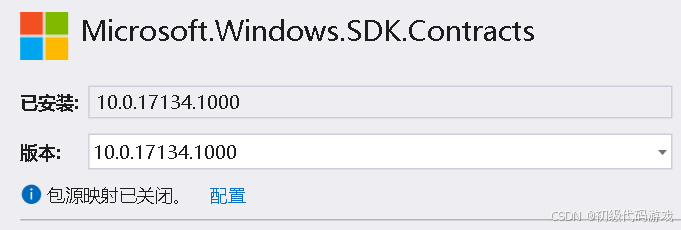
注意这个版本是和windows版本一一对应的,应该和你的程序支持的最低版本一致。
二、相关对象
2.1 Windows.Services.Store.StoreContext
这个对象用来管理与商店有关的数据,比如获取许可证状态GetAppLicenseAsync。
2.2 Windows.Services.Store.StoreAppLicense
这个对象代表商店应用的许可证。
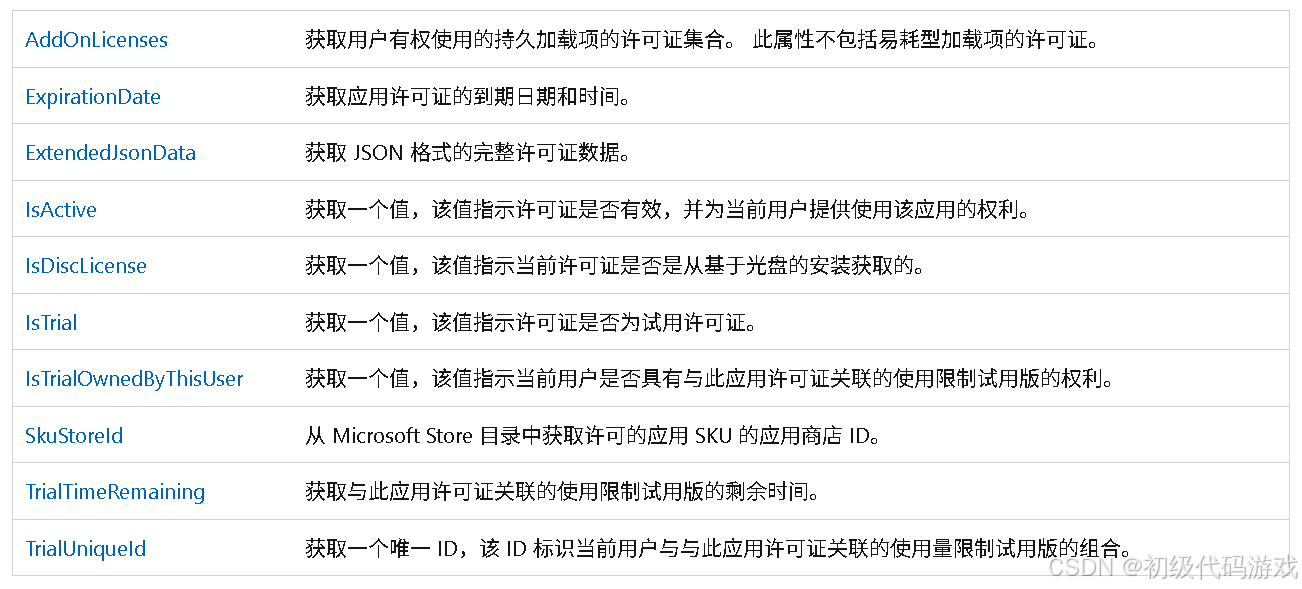
感觉不是很理想,没有简单明了的购买时间信息。
三、代码:获取是否是试用版
			StoreContext context = null;
			StoreAppLicense appLicense = null;

			if (context == null)
			{
				context = StoreContext.GetDefault();
			}

			appLicense = await context.GetAppLicenseAsync();
			IsTrial = appLicense.IsTrial;
实际运行发现IsActive始终是true,不知道有没有什么问题。在Visual Studio直接运行IsTrial总是false,商店安装后能正确返回是否是试用版。
做到这一步就可以根据是否是试用版来限制功能了。
(这里是文档结束)

这里是“一人公司”的成长家园。我们提供从产品曝光、技术变现到法律财税的全栈内容,并连接云服务、办公空间等稀缺资源,助你专注创造,无忧运营。
更多推荐



 4
4 0
0- 0


 已为社区贡献8条内容

所有评论(0)