vue3.0+uniapp实现抽奖小助手
大家好,我是剽悍一小兔,独立开发者,副业搞钱尝试者,热爱技术分享。曾经当过培训机构老师,也带过大学H5编程实训课,目前还活跃在金融领域一线做全栈开发。我会每天分享 编程技术、独立开发、思考感悟。代表作:《JavaScript百炼成仙》公众号:java小白翻身如果本文能给你提供启发或帮助,欢迎动动小手指,一键三连 (评论转发与其说是抽奖小助手,我更愿意称之为做个决定。有时候,我们常常为做个决定而烦恼
·
大家好,我是剽悍一小兔,独立开发者,副业搞钱尝试者,热爱技术分享。曾经当过培训机构老师,也带过大学H5编程实训课,目前还活跃在金融领域一线做全栈开发。
我会每天分享 编程技术、独立开发、思考感悟。
代表作:《JavaScript百炼成仙》
公众号:java小白翻身
如果本文能给你提供启发或帮助,欢迎动动小手指,一键三连 (点赞、评论、转发),给我一些支持和鼓励,谢谢。
与其说是抽奖小助手,我更愿意称之为做个决定。有时候,我们常常为做个决定而烦恼,然后采用抛硬币等方式,所以我就想着和抽奖结合起来,自己设置好,随机轮转。
这个模块已经集成到我的【速用百宝箱】小程序,可以放心使用,访问地址在文末。
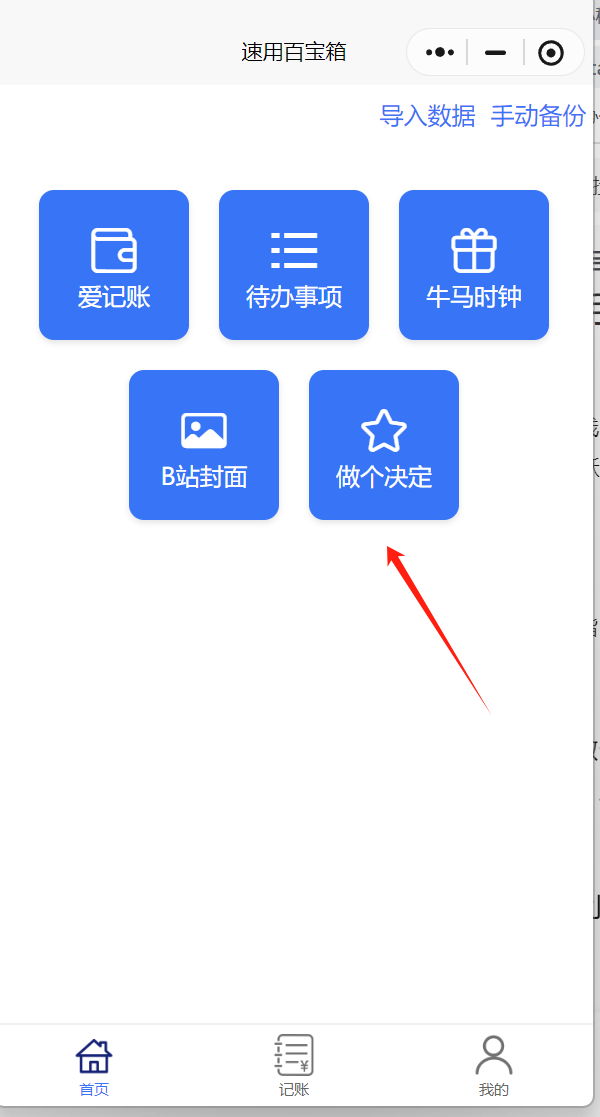
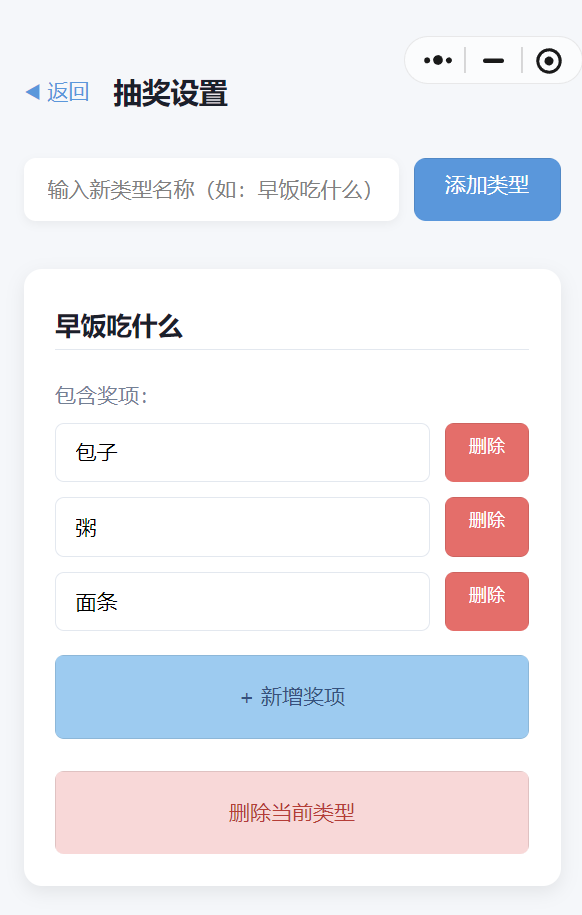
然后进行决定类型的管理
设置好后,可以选择具体的类别,进行决定:
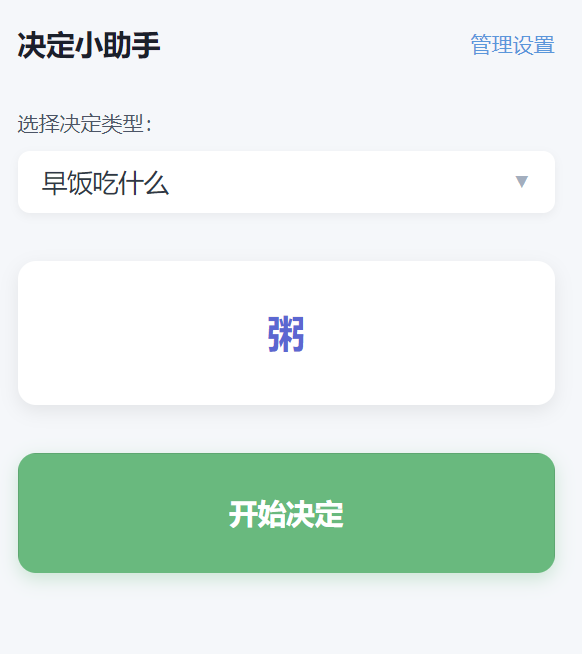
可以支持设置多种决定类型哦,很简单的小功能吧,附上核心源码:
index.vue
<template><view class="container"><!-- 顶部导航 --><view class="nav-bar"><text class="title">决定小助手</text><navigatorurl="/pagesOne/index/settings"class="setting-btn">管理设置</navigator></view><!-- 决定类型选择 --><view class="type-select"><text class="label">选择决定类型:</text><picker:range="lotteryTypes.map(t => t.name)":value="currentTypeIndex"@change="onTypeChange"><view class="picker">{{ currentType?.name || '请先添加类型' }}<text class="arrow">▼</text></view></picker></view><!-- 决定结果展示 --><view class="result-box"><textclass="result-text":class="{ 'animating': isLotteryRunning }">{{ currentResult }}</text></view><!-- 开始决定按钮 --><button@click="startLottery":disabled="!currentType?.awards?.length || isLotteryRunning"class="start-btn">{{ isLotteryRunning ? '决定中...' : '开始决定' }}</button></view></template><script setup>import { ref, onMounted } from 'vue'import { getLotteryData, saveLotteryData } from '@/utils/storage'// 状态管理const lotteryTypes = ref(getLotteryData() || [])const currentTypeIndex = ref(0)const currentType = ref(null)const currentResult = ref('点击开始决定')const isLotteryRunning = ref(false)let timer = null// 初始化数据onMounted(() => {if (lotteryTypes.value.length) {currentType.value = lotteryTypes.value[0]}})// 切换决定类型const onTypeChange = (e) => {currentTypeIndex.value = e.detail.valuecurrentType.value = lotteryTypes.value[e.detail.value]}// 开始决定const startLottery = () => {if (!currentType.value?.awards?.length) {uni.showToast({ title: '请先添加奖项', icon: 'none' })return}isLotteryRunning.value = truelet count = 0timer = setInterval(() => {const randomIndex = Math.floor(Math.random() * currentType.value.awards.length)currentResult.value = currentType.value.awards[randomIndex].namecount++}, 40)const delay = (Math.random() * 2000) + 1000;console.log(delay)setTimeout(() => {clearInterval(timer)isLotteryRunning.value = false}, delay)}</script>
setting.vue
<template><view class="container"><!-- 顶部导航 --><view class="nav-bar"><navigatorurl="/pagesOne/index/index"class="back-btn">◀ 返回</navigator><text class="title">抽奖设置</text></view><!-- 新增类型入口 --><view class="add-type"><inputv-model="newTypeName"placeholder="输入新类型名称(如:早饭吃什么)"class="type-input"@confirm="addNewType"/><button@click="addNewType"class="add-btn">添加类型</button></view><!-- 类型管理列表 --><view class="type-list"><viewv-for="(type, typeIdx) in lotteryTypes":key="type.id"class="type-card"><!-- 类型名称编辑 --><inputv-model="type.name"class="type-name"placeholder="请输入类型名称"@blur="saveData"/><!-- 奖项管理 --><view class="awards-section"><text class="section-title">包含奖项:</text><view class="awards-list"><viewv-for="(award, awardIdx) in type.awards":key="award.id"class="award-item"><inputv-model="award.name"class="award-input"placeholder="请输入奖项名称"@blur="saveData"/><button@click="deleteAward(typeIdx, awardIdx)"class="delete-btn">删除</button></view></view><button@click="addAward(typeIdx)"class="add-award-btn">+ 新增奖项</button></view><!-- 删除类型按钮 --><button@click="deleteType(typeIdx)"class="delete-type-btn">删除当前类型</button></view></view></view></template><script setup>import { ref, reactive } from 'vue'import { generateUUID as uuidv4} from '@/common/utils.js'import { getLotteryData, saveLotteryData } from '@/utils/storage'// 状态管理const lotteryTypes = ref(getLotteryData() || [])const newTypeName = ref('')// 新增抽奖类型const addNewType = () => {const name = newTypeName.value.trim()if (!name) {uni.showToast({ title: '类型名称不能为空', icon: 'none' })return}lotteryTypes.value.push({id: uuidv4(),name,awards: []})newTypeName.value = ''saveData()}// 删除抽奖类型const deleteType = (typeIdx) => {uni.showModal({title: '确认删除',content: '删除后数据无法恢复,是否继续?',success: (res) => {if (res.confirm) {lotteryTypes.value.splice(typeIdx, 1)saveData()}}})}// 新增奖项const addAward = (typeIdx) => {lotteryTypes.value[typeIdx].awards.push({id: uuidv4(),name: `新奖项${lotteryTypes.value[typeIdx].awards.length + 1}`})saveData()}// 删除奖项const deleteAward = (typeIdx, awardIdx) => {lotteryTypes.value[typeIdx].awards.splice(awardIdx, 1)saveData()}// 保存数据到本地缓存const saveData = () => {saveLotteryData(lotteryTypes.value)}</script>

推荐阅读

这里是“一人公司”的成长家园。我们提供从产品曝光、技术变现到法律财税的全栈内容,并连接云服务、办公空间等稀缺资源,助你专注创造,无忧运营。
更多推荐



 5
5 0
0- 0


 已为社区贡献4条内容

所有评论(0)