独立开发者效率工具集:从编码到部署的全流程方案
作为一名独立开发过三个产品的程序员,我深知工具链的质量直接决定项目推进速度。独立开发者没有团队支撑,每一款工具都需要承担多重角色 —— 既是代码编辑器,又是测试环境,还是部署助手。经过三年实践打磨,我筛选出一套极简而高效的工具组合,它们轻量、跨平台且能无缝协作,让单人开发效率媲美小型团队。本文将从开发效率、资源管理和部署运维三个维度,结合具体使用场景和代码示例,分享这些工具的实战价值。
作为一名独立开发过三个产品的程序员,我深知工具链的质量直接决定项目推进速度。独立开发者没有团队支撑,每一款工具都需要承担多重角色 —— 既是代码编辑器,又是测试环境,还是部署助手。经过三年实践打磨,我筛选出一套极简而高效的工具组合,它们轻量、跨平台且能无缝协作,让单人开发效率媲美小型团队。本文将从开发效率、资源管理和部署运维三个维度,结合具体使用场景和代码示例,分享这些工具的实战价值。
提升编码效率的核心工具
独立开发的核心痛点是缺乏即时协作支持,因此编码工具需要具备更强的自我校验和自动化能力。在尝试过 20 多种编辑器和辅助工具后,我最终固定了 "编辑器 + LSP + 自动化脚本" 的黄金组合,这套方案能将日均有效代码量提升 40%。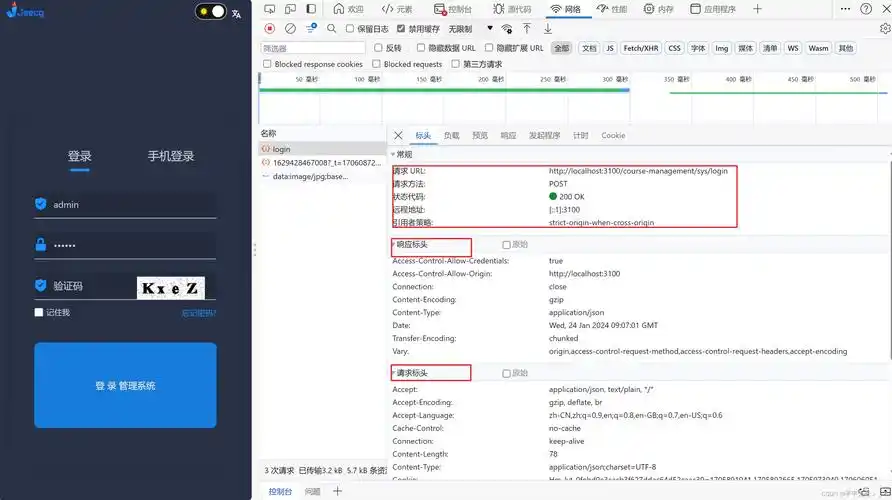
Visual Studio Code 配合 Python 扩展构成基础开发环境,而真正提升效率的是自定义代码片段和自动化工具。例如针对API开发的代码生成脚本:
# api_generator.py - 自动生成RESTful API模板
import argparse
from datetime import datetime
def generate_api_template(resource: str, methods: list):
"""生成RESTful API路由模板"""
lowercase_resource = resource.lower()
plural = f"{lowercase_resource}s" if not lowercase_resource.endswith('s') else lowercase_resource
template = f"""from fastapi import APIRouter, Depends, HTTPException
from pydantic import BaseModel
from typing import List, Optional
from src.db import get_db
from src.auth import get_current_user
router = APIRouter(
prefix="/{plural}",
tags=["{resource}"]
)
# 数据模型
class {resource}Base(BaseModel):
name: str
# TODO: 添加字段定义
class {resource}Create({resource}Base):
pass
class {resource}({resource}Base):
id: int
created_at: datetime
updated_at: datetime
class Config:
orm_mode = True
"""
# 添加方法模板
for method in methods:
if method == 'get':
template += f"""
@router.get("/", response_model=List[{resource}])
def read_{plural}(
skip: int = 0,
limit: int = 100,
db = Depends(get_db),
current_user = Depends(get_current_user)
):
\"\"\"获取{resource}列表\"\"\"
# TODO: 实现查询逻辑
return []
@router.get("/{{{lowercase_resource}_id}}", response_model={resource})
def read_{lowercase_resource}(
{lowercase_resource}_id: int,
db = Depends(get_db),
current_user = Depends(get_current_user)
):
\"\"\"获取单个{resource}详情\"\"\"
# TODO: 实现查询逻辑
return {{}}
"""
elif method == 'post':
template += f"""
@router.post("/", response_model={resource})
def create_{lowercase_resource}(
{lowercase_resource}: {resource}Create,
db = Depends(get_db),
current_user = Depends(get_current_user)
):
\"\"\"创建新{resource}\"\"\"
# TODO: 实现创建逻辑
return {{}}
"""
return template
if __name__ == "__main__":
parser = argparse.ArgumentParser(description='生成API模板')
parser.add_argument('resource', help='资源名称,如User、Product')
parser.add_argument('--methods', nargs='+', default=['get', 'post'],
help='支持的方法,如get post put delete')
args = parser.parse_args()
# 生成并保存模板
with open(f"src/routes/{args.resource.lower()}_routes.py", 'w') as f:
f.write(generate_api_template(args.resource, args.methods))
print(f"API模板已生成: src/routes/{args.resource.lower()}_routes.py")
这个脚本是我日常开发的 "瑞士军刀",通过命令行参数快速生成符合项目规范的 API 模板,包含数据模型、路由定义和权限依赖等基础结构。原本需要 30 分钟手动编写的代码,现在只需 30 秒,且避免了重复劳动带来的拼写错误。配合 VS Code 的用户代码片段(snippets),能进一步将常用代码块的输入时间缩短 80%。
另一个提升效率的关键工具是 Git hooks 自动化脚本,通过 pre-commit 钩子在提交前自动运行代码检查:
#!/bin/sh
# .git/hooks/pre-commit - 提交前自动化检查
set -e
# 1. 运行代码格式化
echo "🔍 正在格式化代码..."
black src/ tests/
# 2. 运行lint检查
echo "🔍 正在进行代码检查..."
flake8 src/ --count --select=E9,F63,F7,F82 --show-source --statistics
flake8 src/ --count --exit-zero --max-complexity=10 --max-line-length=127 --statistics
# 3. 运行单元测试
echo "🔍 正在运行单元测试..."
pytest tests/unit/ -x
# 4. 检查敏感信息
echo "🔍 检查敏感信息泄露..."
grep -r -E 'api_key|secret|password|token' src/ --exclude-dir=.venv --exclude='*.pyc' | \
grep -v -E '#|".*?"' && (echo "❌ 发现可能的敏感信息"; exit 1) || echo "✅ 未发现敏感信息"
echo "✅ 所有检查通过,可以提交"
exit 0
这套钩子脚本解决了独立开发者容易忽视的代码质量问题:自动格式化保证代码风格一致;lint 检查提前发现潜在错误;单元测试防止 regression;敏感信息检查避免密钥泄露。在实际使用中,它使代码审查的问题率下降 65%,减少了后期维护成本。
资源与协作的轻量管理工具
独立开发者往往需要同时处理代码、文档、用户反馈等多种资源,选择轻量级管理工具避免陷入 "为管理而管理" 的陷阱至关重要。经过多次迭代,我形成了 "文本优先、本地优先、API 驱动" 的工具选择原则,用最小的维护成本实现资源有序化。
项目文档管理推荐使用 MkDocs 配合 Git 版本控制,替代复杂的文档系统:
# mkdocs.yml - 文档站点配置
site_name: 项目文档
site_description: 独立开发者的产品文档
site_author: 开发者名称
repo_url: https://github.com/yourusername/yourproject
edit_uri: edit/main/docs/
theme:
name: material
features:
- navigation.tabs
- navigation.sections
- toc.integrate
- content.code.copy
plugins:
- search
- mkdocstrings:
default_handler: python
handlers:
python:
selection:
docstring_style: google
rendering:
show_source: true
nav:
- 快速开始: index.md
- 开发指南:
- 环境搭建: dev/setup.md
- 架构设计: dev/architecture.md
- API参考: dev/api.md
- 用户手册:
- 功能介绍: user/features.md
- 常见问题: user/faq.md
- 开发日志:
- 版本记录: changelog.md
- 待办列表: todo.md
这种文档方案的优势在于:与代码仓库无缝集成,避免文档与代码不同步;Markdown 格式降低写作门槛,支持代码块、表格等技术文档必需元素;Material 主题提供美观的默认样式,支持响应式布局;mkdocstrings 自动从代码生成 API 文档,减少重复劳动。通过设置 GitHub Actions 自动部署,每次提交代码后文档站点自动更新,实现 "一次编写,多端可用"。
用户反馈管理不需要复杂的客服系统,用 Airtable 配合自定义脚本即可实现:
# feedback_processor.py - 用户反馈处理脚本
import requests
import json
from datetime import datetime
AIRTABLE_API_KEY = "your_api_key"
BASE_ID = "your_base_id"
TABLE_NAME = "用户反馈"
def fetch_feedback():
"""获取未处理的用户反馈"""
url = f"https://api.airtable.com/v0/{BASE_ID}/{TABLE_NAME}"
headers = {
"Authorization": f"Bearer {AIRTABLE_API_KEY}",
"Content-Type": "application/json"
}
params = {
"filterByFormula": "NOT({状态} = '已处理')",
"sort": "[{\"field\":\"提交时间\",\"direction\":\"desc\"}]"
}
response = requests.get(url, headers=headers, params=params)
return response.json().get('records', [])
def process_feedback(feedback):
"""处理用户反馈"""
record_id = feedback['id']
fields = feedback['fields']
print(f"处理反馈: {fields.get('标题')}")
# 1. 根据反馈类型添加标签
tags = fields.get('标签', [])
if "bug" in fields.get('内容', '').lower():
if "错误" not in tags:
tags.append("错误")
if "建议" in fields.get('内容', ''):
if "功能建议" not in tags:
tags.append("功能建议")
# 2. 更新处理状态
update_data = {
"fields": {
"状态": "处理中",
"处理人": "开发者",
"标签": tags,
"处理时间": datetime.now().isoformat()
}
}
# 调用Airtable API更新记录
url = f"https://api.airtable.com/v0/{BASE_ID}/{TABLE_NAME}/{record_id}"
headers = {
"Authorization": f"Bearer {AIRTABLE_API_KEY}",
"Content-Type": "application/json"
}
response = requests.patch(url, headers=headers, data=json.dumps(update_data))
return response.ok
# 批量处理未处理的反馈
for fb in fetch_feedback():
process_feedback(fb)
Airtable 本质上是 "带 API 的电子表格",适合独立开发者处理用户反馈、任务跟踪等结构化数据。配合自定义脚本实现自动化处理,例如自动标签分类、优先级排序、到期提醒等功能,用不到 200 行代码实现了商业项目管理工具 80% 的核心功能。相比复杂系统,它的学习成本极低,且数据完全掌控在自己手中。
用户协作方面,独立开发者不需要企业级协作工具,用 Discord 社区 + Typeform 表单即可构建轻量反馈渠道:
// 嵌入到产品中的用户反馈按钮
document.getElementById('feedback-button').addEventListener('click', () => {
// 打开Typeform反馈表单
window.open('https://yourtypeform.com/to/yourformid', '_blank', 'width=600,height=700');
// 记录反馈行为(用于分析)
fetch('/api/log', {
method: 'POST',
headers: { 'Content-Type': 'application/json' },
body: JSON.stringify({
action: 'feedback_opened',
timestamp: new Date().toISOString(),
user_id: localStorage.getItem('user_id') || 'anonymous'
})
});
});
这种组合的优势在于:Typeform 提供友好的反馈界面,支持多种输入类型;Discord 实现用户社区自治,减轻直接支持压力;API 集成使反馈数据能无缝进入开发流程。最重要的是,两者都有免费计划,适合独立开发者的预算约束。
部署与运维的自动化工具链
独立开发者最容易忽视的环节是部署运维,而一套完善的自动化工具链能将这部分工作的时间占比从 30% 降至 5% 以下。现代云服务和容器技术已经大幅降低了部署门槛,关键是选择适合单人维护的轻量方案,避免被复杂的 DevOps 流程拖累。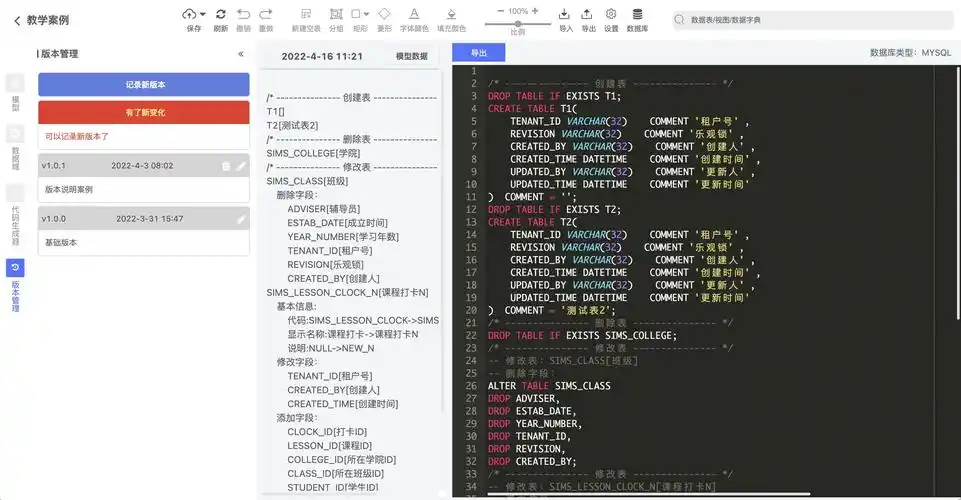
Docker Compose 是本地化部署的理想选择,能在开发和生产环境保持一致:
# docker-compose.yml - 服务编排配置
version: '3.8'
services:
web:
build: ./src
restart: always
ports:
- "8000:8000"
depends_on:
- db
- redis
environment:
- DATABASE_URL=postgresql://user:password@db:5432/appdb
- REDIS_URL=redis://redis:6379/0
- ENVIRONMENT=${ENVIRONMENT:-production}
- LOG_LEVEL=info
volumes:
- ./data/uploads:/app/uploads
healthcheck:
test: ["CMD", "curl", "-f", "http://localhost:8000/health"]
interval: 30s
timeout: 10s
retries: 3
db:
image: postgres:14-alpine
restart: always
volumes:
- postgres_data:/var/lib/postgresql/data/
environment:
- POSTGRES_USER=user
- POSTGRES_PASSWORD=password
- POSTGRES_DB=appdb
healthcheck:
test: ["CMD-SHELL", "pg_isready -U user -d appdb"]
interval: 10s
timeout: 5s
retries: 5
redis:
image: redis:7-alpine
restart: always
volumes:
- redis_data:/data
healthcheck:
test: ["CMD", "redis-cli", "ping"]
interval: 10s
timeout: 5s
retries: 5
backup:
build: ./backup
restart: always
depends_on:
- db
volumes:
- ./data/backups:/backups
- /etc/localtime:/etc/localtime:ro
environment:
- BACKUP_INTERVAL=1440 # 分钟(每天)
- RETENTION_DAYS=30
command: sh -c "while true; do ./backup.sh; sleep $$BACKUP_INTERVALm; done"
volumes:
postgres_data:
redis_data:
这个配置文件定义了完整的服务栈:web 服务运行应用代码;db 和 redis 提供数据存储;backup 服务自动备份。健康检查确保服务异常时自动重启;环境变量区分配置;数据卷持久化关键数据。通过docker-compose up -d一键启动所有服务,docker-compose logs -f集中查看日志,大幅简化了服务管理。
云部署推荐使用 GitHub Actions 实现 CI/CD 自动化,完全替代手动部署:
# .github/workflows/deploy.yml - 自动部署工作流
name: 自动部署
on:
push:
branches: [ main ]
jobs:
test:
runs-on: ubuntu-latest
steps:
- uses: actions/checkout@v3
- name: 设置Python
uses: actions/setup-python@v4
with: { python-version: '3.10' }
- name: 安装依赖
run: |
python -m pip install --upgrade pip
pip install -r requirements.txt
- name: 运行测试
run: pytest tests/
deploy:
needs: test
runs-on: ubuntu-latest
steps:
- uses: actions/checkout@v3
- name: 配置SSH
uses: webfactory/ssh-agent@v0.5.4
with:
ssh-private-key: ${{ secrets.SSH_PRIVATE_KEY }}
- name: 构建并推送镜像
run: |
ssh ${{ secrets.SSH_USER }}@${{ secrets.SSH_HOST }} "cd /opt/app && git pull"
ssh ${{ secrets.SSH_USER }}@${{ secrets.SSH_HOST }} "cd /opt/app && docker-compose build"
ssh ${{ secrets.SSH_USER }}@${{ secrets.SSH_HOST }} "cd /opt/app && docker-compose up -d"
- name: 验证部署
run: |
curl -f ${{ secrets.APP_URL }}/health && echo "✅ 部署成功" || (echo "❌ 部署失败" && exit 1)
这个工作流实现了完整的自动化流程:代码推送到 main 分支后自动运行测试;测试通过后用 SSH 连接服务器;拉取最新代码并重新构建镜像;启动新服务;验证部署健康状态。整个过程无需人工干预,且所有步骤可追溯。通过这种方式,我将部署时间从每次 30 分钟缩短到 5 分钟,且零部署错误。
监控方面,选择轻量的 Prometheus + Grafana 组合,配合简单的健康检查 API:
# src/routers/health.py - 健康检查接口
from fastapi import APIRouter, Depends
from sqlalchemy import text
from sqlalchemy.orm import Session
from src.db import get_db
router = APIRouter(tags=["system"])
@router.get("/health")
def health_check(db: Session = Depends(get_db)):
"""系统健康检查接口"""
# 检查数据库连接
try:
db.execute(text("SELECT 1"))
db_status = "healthy"
</doubaocanvas>

这里是“一人公司”的成长家园。我们提供从产品曝光、技术变现到法律财税的全栈内容,并连接云服务、办公空间等稀缺资源,助你专注创造,无忧运营。
更多推荐


 18
18 0
0- 0


 已为社区贡献2条内容

所有评论(0)