开发一个vue3的fontawesome选择图标插件
fontawesome-data.js文件见资源父组件调用fontawesome-base.vue组件以上代码同样适用于vue2,因为就是从vue2迁移到vue3的:)该组件源码以及应用,同样包含在【开源低代码平台Microi吾码】传统界面源码项目中开源地址:https://gitee.com/ITdos/microi.net平台预览图
·
先看效果图
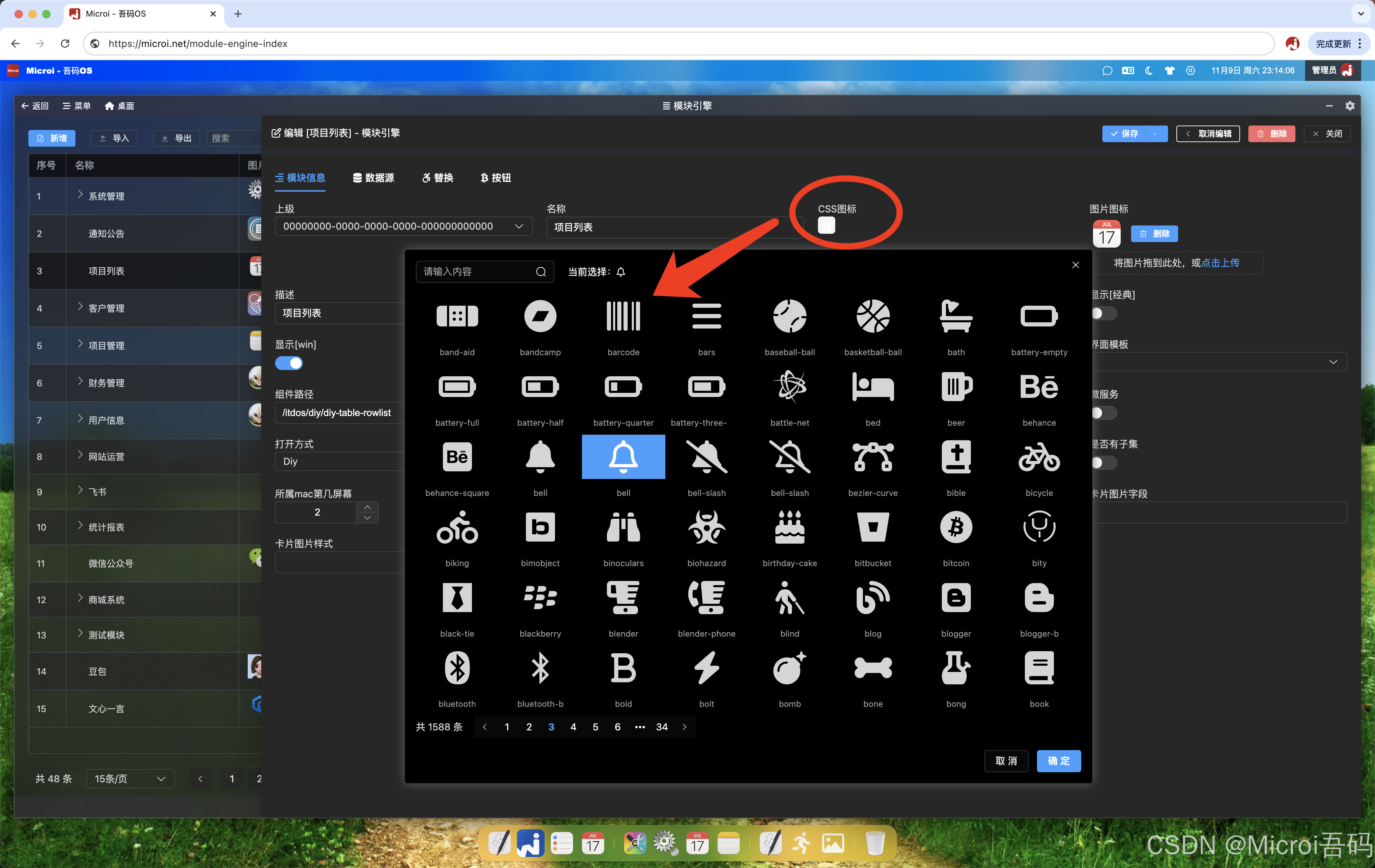
上代码
- 创建一个fontawesome-base.vue文件
<template>
    <el-dialog v-model="dialogShow" width="50%" :before-close="handleClose"
        draggable
      :modal="false"
       class="fontawesome-dialog">
        <template #header>
          <div style="display: flex; align-items: center">
            <el-input
                style="width: 200px"
                v-model="searchIcon"
                placeholder="请输入内容"
                @input="changeSearchIcon"
            >
                 <template #suffix>
                    <el-icon><Search /></el-icon>
                 </template>
            </el-input>
            <div v-if="showIcon" style="margin-left: 20px">
                <span>当前选择:</span>
                <font-awesome-icon :icon="className" />
            </div>
          </div>
        </template>
        <el-row v-show="!searchIcon" class="list-box">
            <template v-for="item in iconList">
                <el-col
                    v-if="item"
                    :key="item.className"
                    :xs="12"
                    :sm="8"
                    :md="6"
                    :lg="4"
                    :xl="3"
                    class="w-icon"
                    @click="chooseIcon(item)"
                    :class="className == item.className ? 'active' : ''"
                >
                    <div class="icon-box">
                        <font-awesome-icon :icon="item.className" style="font-size: 48px"/>
                    </div>
                    <span class="text">{{ item.name }}</span>
                </el-col>
            </template>
        </el-row>

        <el-row v-if="searchIcon" class="list-box">
            <template v-for="item in searchList">
                <el-col
                    v-if="item"
                    :key="item.className + 'search'"
                    :xs="12"
                    :sm="8"
                    :md="6"
                    :lg="4"
                    :xl="3"
                    class="w-icon"
                    @click="chooseIcon(item)"
                    :class="className == item.className ? 'active' : ''"
                >
                    <div class="icon-box">
                        <font-awesome-icon :icon="item.className" style="font-size: 48px"/>
                    </div>
                    <span class="text">{{ item.name }}</span>
                </el-col>
            </template>
        </el-row>
        <el-pagination
            @size-change="handleSizeChange"
            @current-change="handleCurrentChange"
            :current-page="currentPage"
            :page-size="pageSize"
            layout="total, prev, pager, next"
            :total="total"
        ></el-pagination>
        <template #footer >
          <div class="dialog-footer">
            <el-button @click="close">取 消</el-button>
            <el-button type="primary" @click="confirm">确 定</el-button>
          </div>
        </template>
    </el-dialog>
</template>

<script>
import { fontawesomeList, fuzzyQuery, listPage } from "./fontawesome-data.js";
export default {
    name: "fontawesome-base",
    data() {
        return {
            currentPage: 1,
            pageSize: 48,
            total: fontawesomeList.length,
            dialogShow: false,
            searchIcon: "",
            className: "",
            arr: [],
            showIcon: false,
        };
    },
    computed: {
        iconList() {
            return listPage(fontawesomeList, this.currentPage, this.pageSize);
        },
        searchList() {
            return listPage(this.arr, this.currentPage, this.pageSize);
        },
    },
    props: {
        modelValue: String
    },
    methods: {
        show() {
            this.dialogShow = true;
            this.className = this.modelValue;
            this.showIcon = this.modelValue ? true : false;
        },
        changeSearchIcon() {
            this.currentPage = 1;
            if (this.searchIcon) {
                this.arr = fuzzyQuery(fontawesomeList, this.searchIcon);
                this.total = this.arr.length;
            } else {
                this.arr = [];
                this.total = fontawesomeList.length;
            }
        },
        handleClose(done) {
            done();
        },
        chooseIcon(item) {
            // console.log(item);
            this.showIcon = false;
            this.className = JSON.parse(JSON.stringify(item.className));
            this.$nextTick(() => {
                this.showIcon = true;
            });
        },
        confirm() {
            this.$emit("update:modelValue", this.className);
            this.close();
        },
        initData() {
            (this.currentPage = 1),
                (this.pageSize = 48),
                (this.total = fontawesomeList.length),
                (this.searchIcon = ""),
                (this.className = ""),
                (this.arr = []),
                (this.showIcon = false);
        },
        close() {
            this.initData();
            this.dialogShow = false;
        },
        handleSizeChange(val) {
            this.pageSize = val;
        },
        handleCurrentChange(val) {
            this.currentPage = val;
        },
    },
};
</script>

<style lang="scss">
.list-box {
    height: 610px;
    overflow: auto;
}
.w-icon {
    height: 100px;
    display: flex;
    flex-direction: column;
    align-items: center;
    padding-bottom: 10px;
    overflow: hidden;
    &.active {
        box-shadow: 0px 1px 1px 0px rgba(0, 0, 0, 0.5);
        color: #fff !important;
        .icon-box {
            background-color: #409eff;
        }
    }
    .icon-box {
        width: 100%;
        flex: 1;
        display: flex;
        justify-content: center;
        align-items: center;
        padding: 8px 0;
        cursor: pointer;
        &:hover {
            background-color: #409eff;
            color: #fff;
        }
    }
    &:hover {
        box-shadow: 0px 1px 1px 0px rgba(0, 0, 0, 0.5);
    }
    span {
        font-size: 12px;
        color: #999;
        padding: 4px 8px;
        text-overflow: -o-ellipsis-lastline;
        text-overflow: ellipsis;
        display: -webkit-box;
        -webkit-line-clamp: 2;
        -webkit-box-orient: vertical;
    }
}
</style>
fontawesome-data.js文件见资源
父组件调用fontawesome-base.vue组件
<template>
<section>
    <div @click="IconClick()"
        style="height:25px;width:25px;background: #f5f5f5;cursor: pointer;text-align: center;border-radius: 5px;">
        <font-awesome-icon :icon="ModelValue || 'fas fa-icons'" style="hand" />
    </div>
    <MyFontawesome
        :ref="'control_' + field.Name"
        v-model="ModelValue"
        >
    </MyFontawesome>
</section>
<script>
import MyFontawesome from "./diy-fontawesome/fontawesome-base.vue";
IconClick(){
     this.$refs['control_' + field.Name].show()
 }
</script>
</template>
以上代码同样适用于vue2,因为就是从vue2迁移到vue3的:)
该组件源码以及应用,同样包含在【开源低代码平台Microi吾码】传统界面源码项目中
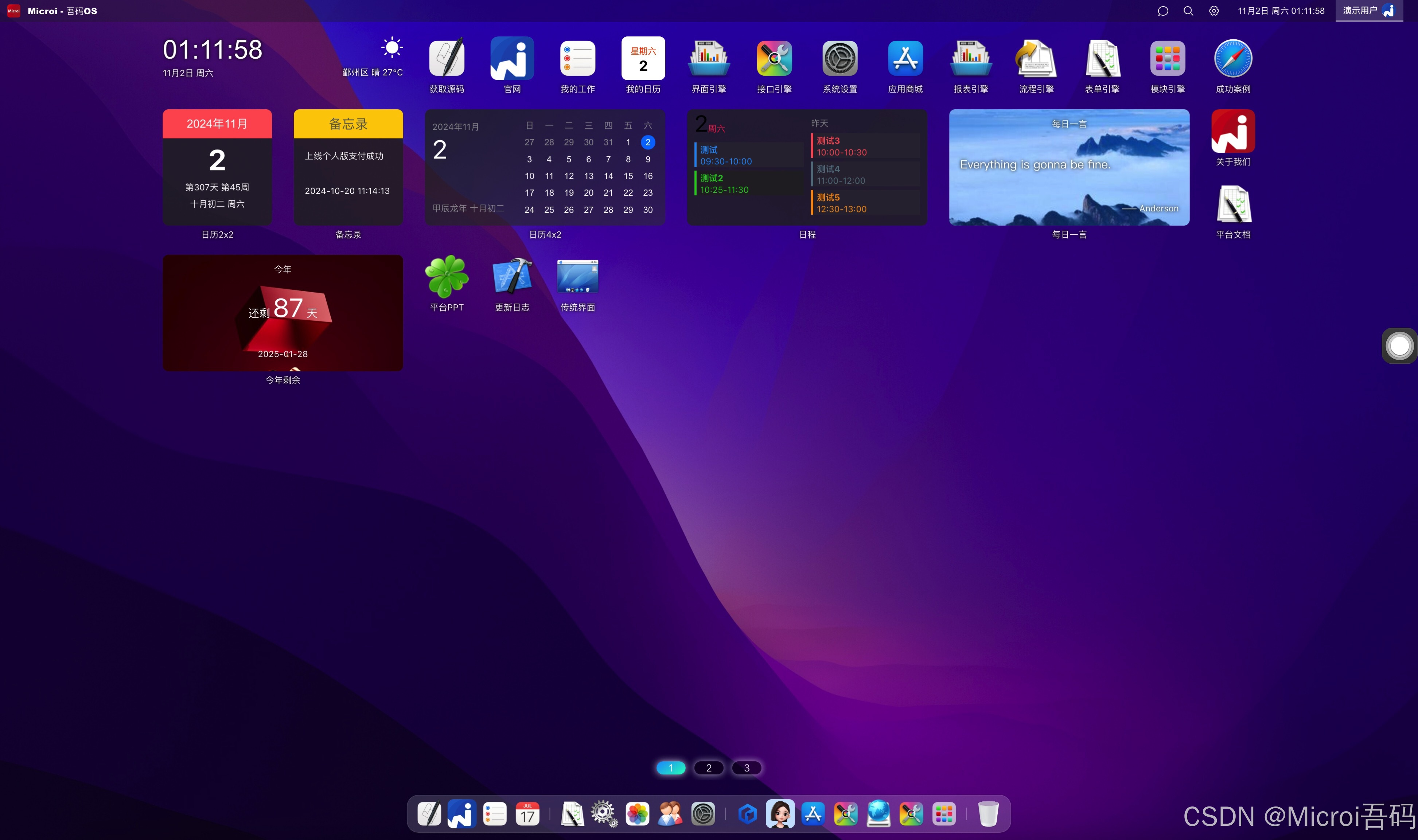
平台预览图

这里是“一人公司”的成长家园。我们提供从产品曝光、技术变现到法律财税的全栈内容,并连接云服务、办公空间等稀缺资源,助你专注创造,无忧运营。
更多推荐

 12
12 0
0- 0



 已为社区贡献68条内容

所有评论(0)