使用JsonRPC实现前后台独立开发与通信
JSON(JavaScript Object Notation,JavaScript 对象表示法)是基于 ECMAScript 的一个子集设计的,是一种开放标准的文件格式和数据交换格式,它易于人阅读和编写,同时也易于机器解析和生成。我们主要通过服务器和客户端进行通信,在服务器中,我们注册客户端用到的函数,通过接收客户端的 RPC 请求,以 JSON 格式返回客户端需要的 RPC 结果,这样子我们就
文章目录
一、把程序拆分为前后台
1. 为什么要拆分?
对于比较复杂的程序,前台界面显示、后台程序由不同的团队进行开发,双方定义好交互的接口即可。这样,前台、后台程序可以分别独立开发,降低相互之间的依赖。
例如:
- 当更改硬件,比如更换LED引脚时,前台程序无需改变,只需要修改后台程序。
- 想调整界面时,只需要修改前台程序,无需修改后台程序。
2. 如何拆分?
前台程序、后台程序分别属于不同的“进程”,它们之间的交互需要通过“进程间通信”来实现,比如:网络通信、管道、共享内存等等。
在这里我将演示使用基于网络通信的“JsonRPC远程调用”来实现前后台程序的交互:

RPC 是远程过程调用(Remote Procedure Call)的意思,而 json 是比较流行的传递信息的格式。
二、JSON-RPC 示例和情景分析
1. JSON 是什么
JSON(JavaScript Object Notation,JavaScript 对象表示法)是基于 ECMAScript 的一个子集设计的,是一种开放标准的文件格式和数据交换格式,它易于人阅读和编写,同时也易于机器解析和生成。JSON 独立于语言设计,很多编程语言都支持 JSON 格式的数据交换。JSON 是一种常用的数据格式,在电子数据交换中有多种用途,包括与服务器之间的 Web 应用程序的数据交换。其简洁和清晰的层次结构有效地提升了网络传输效率,使其成为理想的数据交换语言。其文件通常使用扩展名 .json。
它的关键成员是“name:value”,value有多种形式。
JsonRPC 支持以下基本数据类型作为参数和结果值:
- 字符串(String)
- 数字(Number)
- 布尔值(Boolean)
- 数组(Array)
- 对象(Object)
- 空值(Null)
例如:
{"name": "John", "age": 30, "isStudent": false , "ptr": null}
上述例子中,有4种取值:
- “John” 是字符串;
- 30 是整数;
- false 是 bool 类型;
- null 是空值;
值的类型也可以是数组,比如:
{"fruits": ["apple","banana", "cherry"]}
值的类型,还可以是一个JSON对象,比如:
{
    "title":"JSON Example",
    "author": {
        "name":"John Doe",
        "age": 35,
        "isVerified":true
    },
    "tags":["json", "syntax", "example"],
    "rating": 4.5,
    "isPublished":false,
    "comments": null
}
2. 常用的 JSON 函数
2.1 创建JSON
使用字符串创建一个 cJSON 结构体原型:
CJSON_PUBLIC(cJSON *) cJSON_Parse(const char *value);
代码示例:
cJSON *json;
json = cJSON_Parse(str);
2.2 获得 JSON
根据名字获得 cJSON 结构体原型:
CJSON_PUBLIC(cJSON *) cJSON_GetObjectItem(const cJSON * const object, const char * const string);
根据数组下标获得cJSON结构体:
CJSON_PUBLIC(cJSON *) cJSON_GetArrayItem(const cJSON *array, int index);
2.3 获得JSON的值
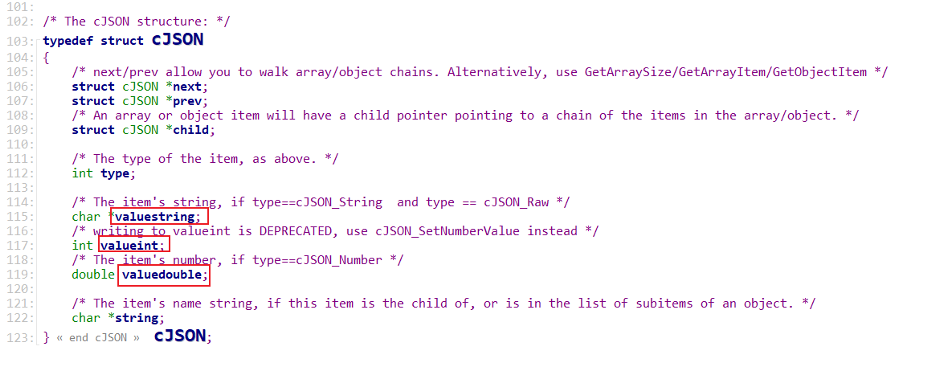
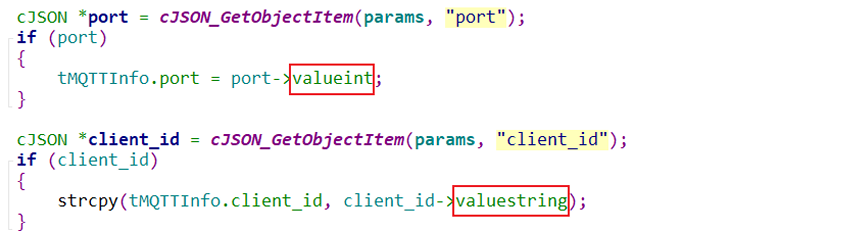
cJSON 结构体里存有值:valuestring、valueint、valuedouble,直接使用即可:
示例:
2.4 删除JSON
函数原型如下:
CJSON_PUBLIC(void) cJSON_Delete(cJSON *item);
3. 下载 JSON-RPC 示例源码
3.1 下载源码
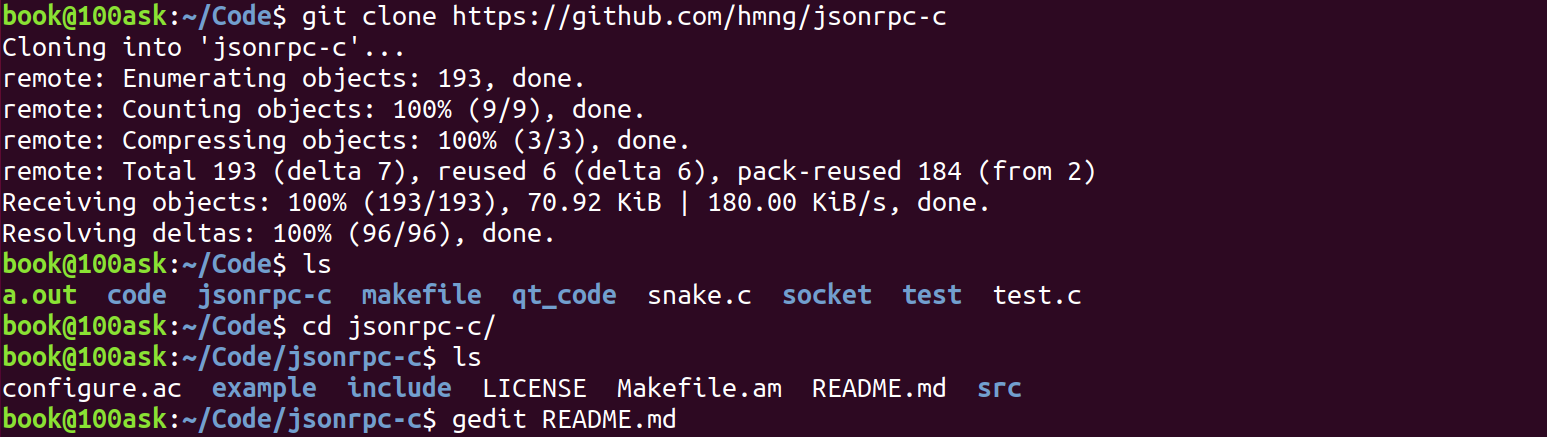
git 下载源码:
git clone https://github.com/hmng/jsonrpc-c
3.2 下载依赖库
我们还需要下载各种依赖库,因为程序编译依赖 jsonrpc 库,而 jsonrpc 库依赖 libev 库,所以我们得先编译 libev 库,再编译 jsonrpc 库。
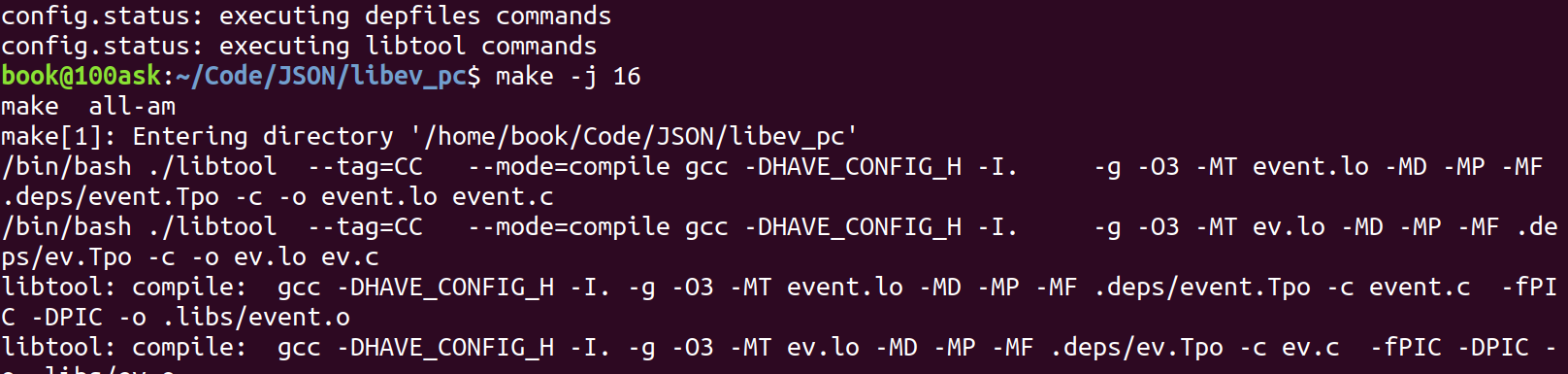
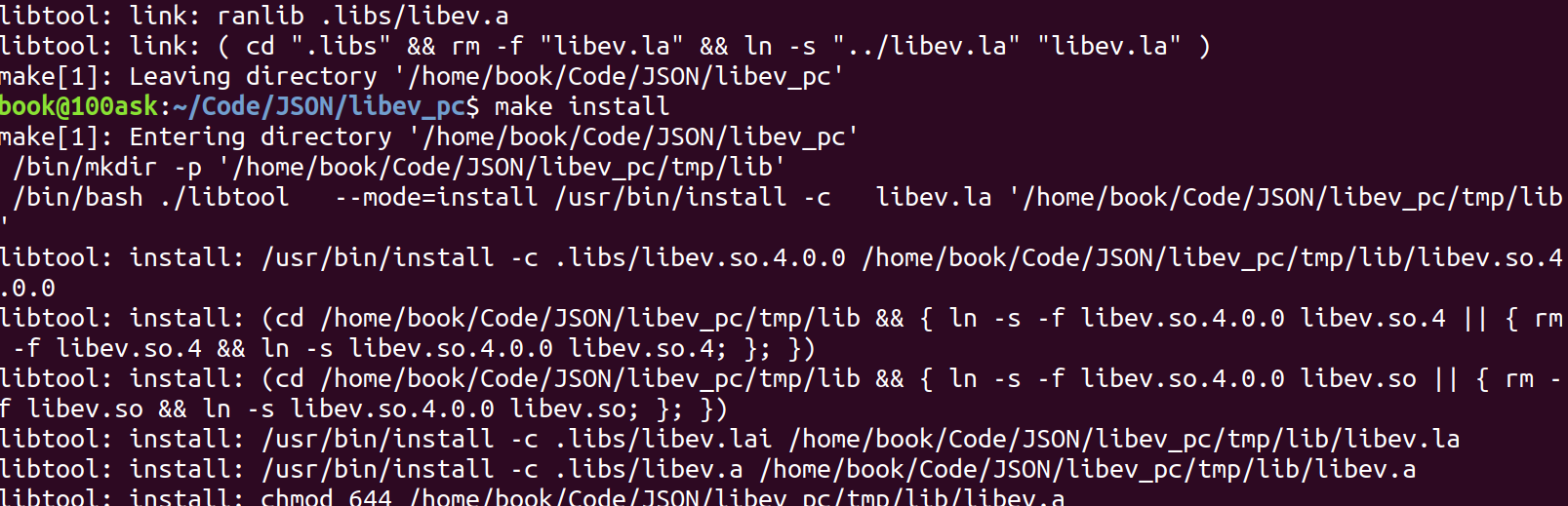
编译 libev 库:

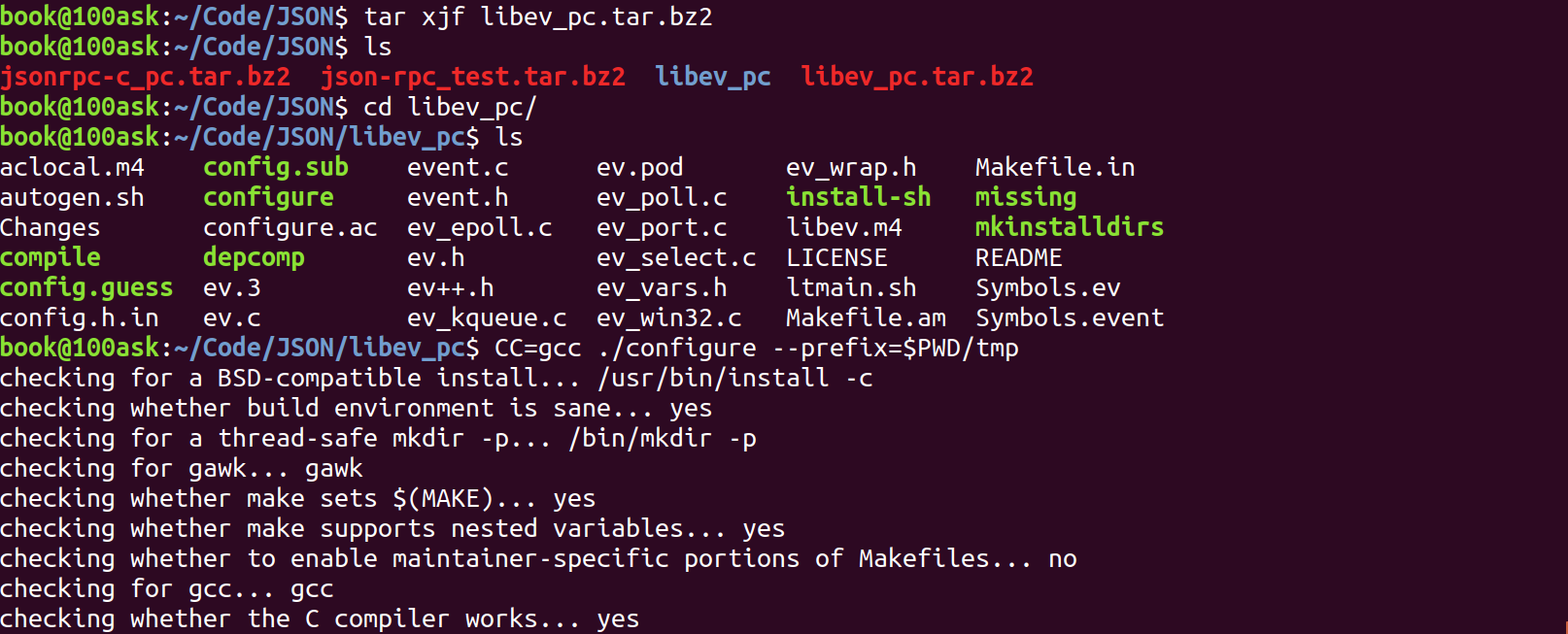
执行以下命令解压编译 libev 库:
$ tar xjf libev_pc.tar.bz2
$ ls
$ cd libev_pc/
$ CC=gcc ./configure --prefix=$PWD/tmp
$ make -j 16
$ make install
$ sudo cp -rf tmp/include/* /usr/include/
$ sudo cp -rfd tmp/lib/* /usr/lib
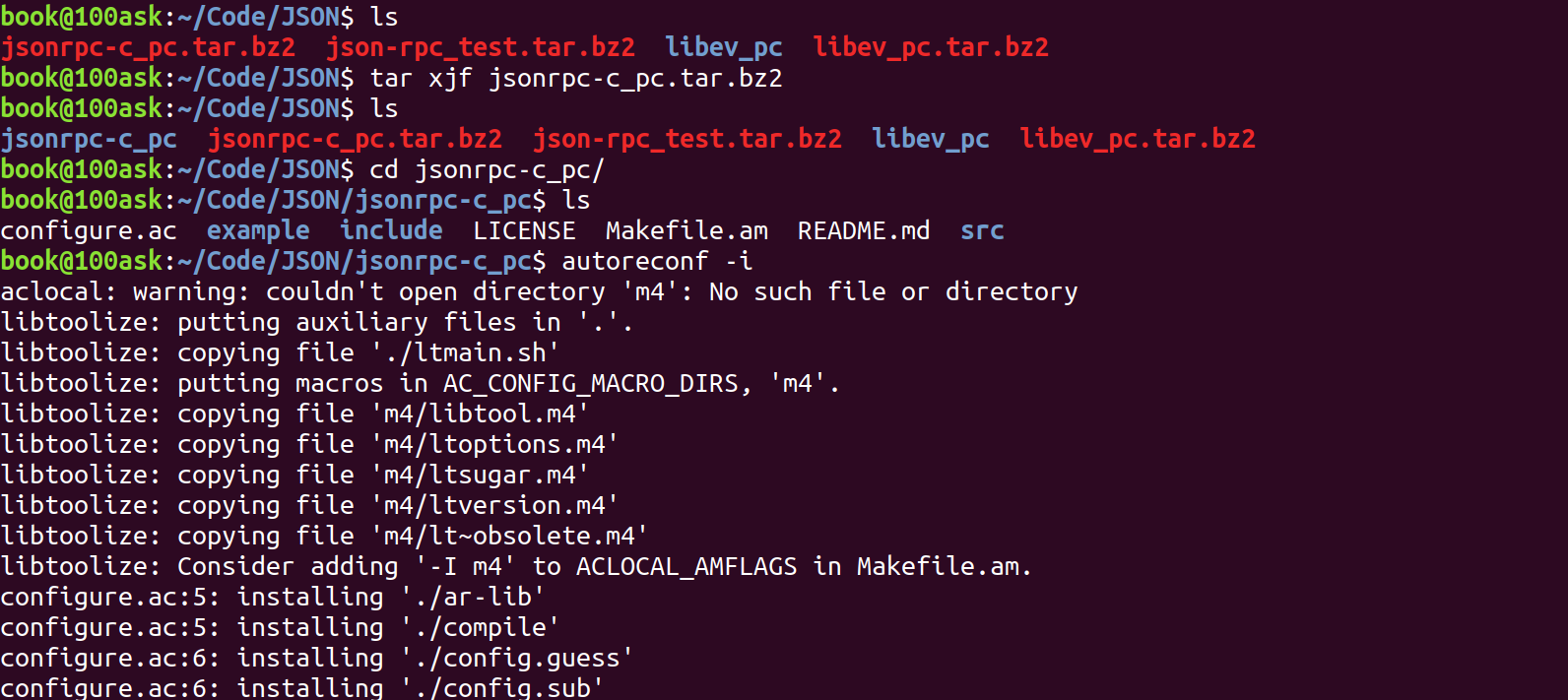
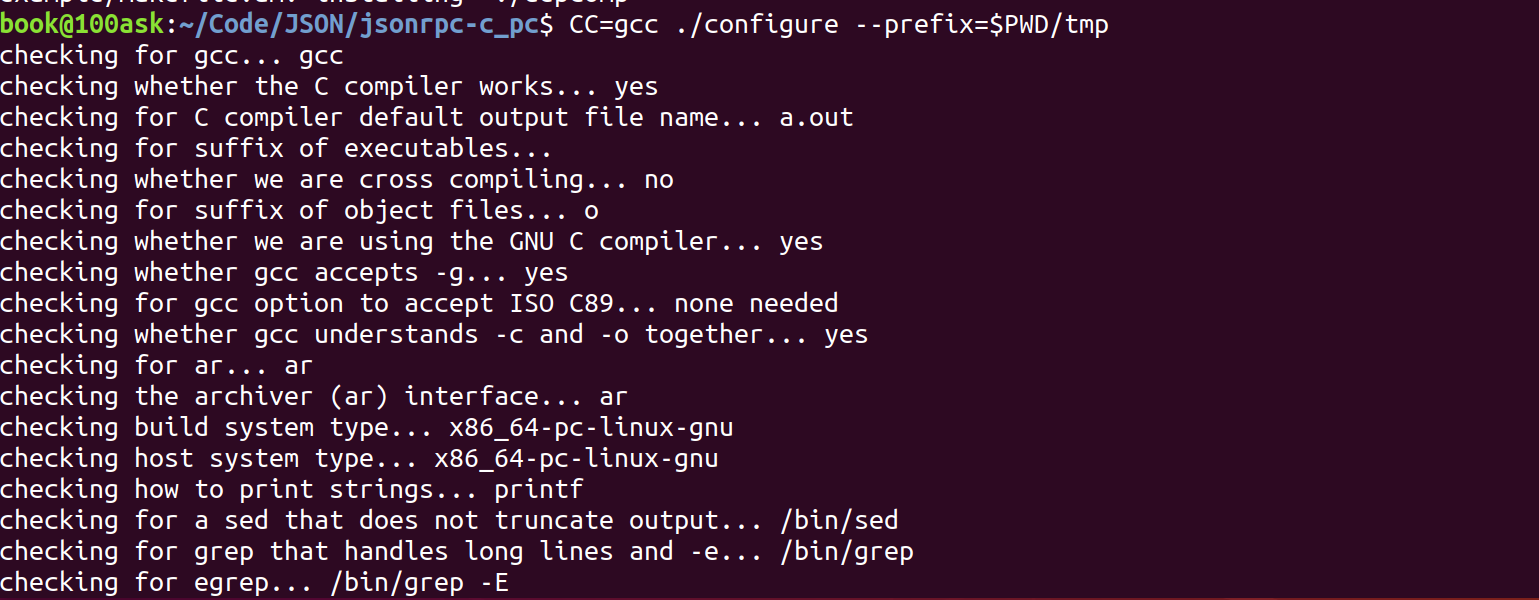
编译 jsonrpc 库:
$ sudo apt install libtool
$ tar xjf jsonrpc-c_pc.tar.bz2
$ cd jsonrpc-c_pc/
$ autoreconf -i
$ CC=gcc ./configure --prefix=$PWD/tmp
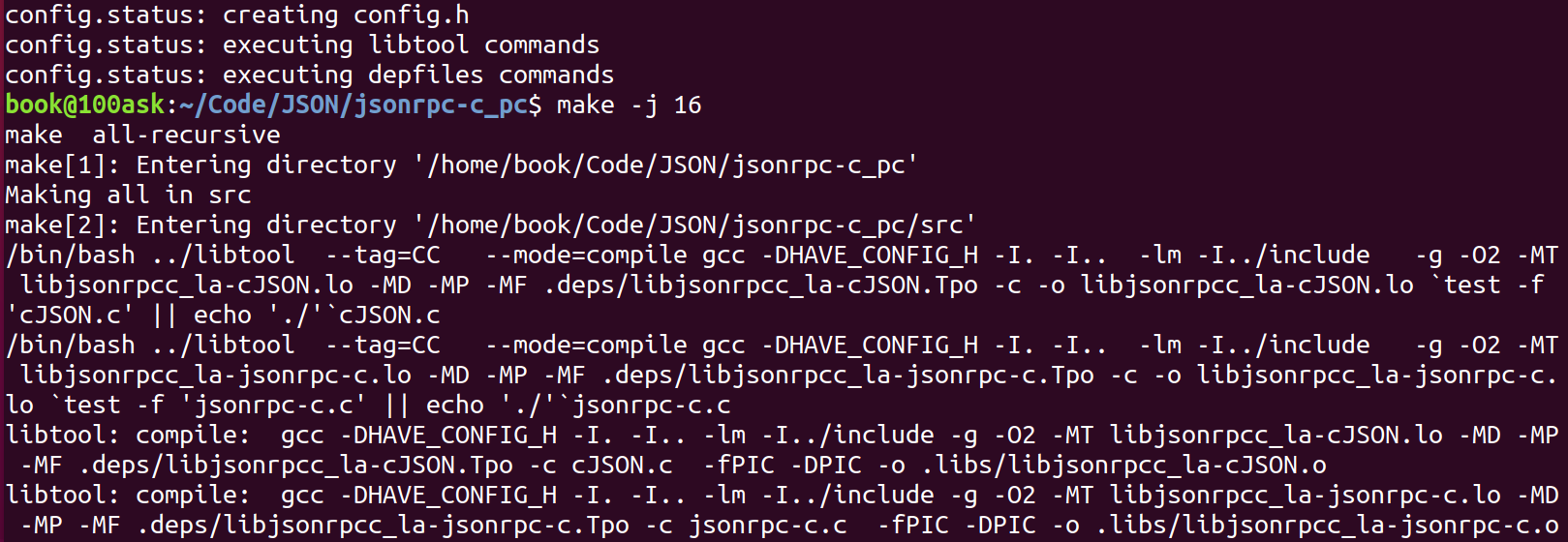
$ make -j 16
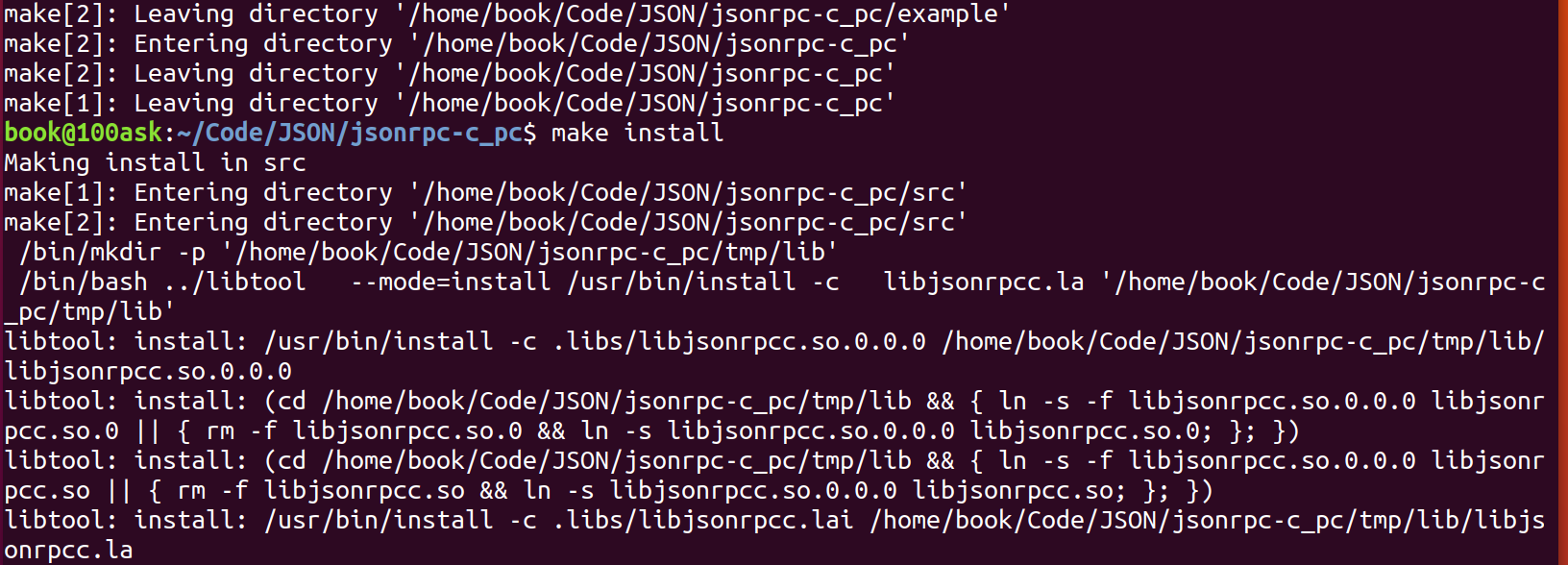
$ make install
$ sudo cp -rf tmp/include/*   /usr/include/
$ sudo cp -rfd tmp/lib/*      /usr/lib
3.3 自己编写测试程序
rpc.c
#include "cJSON.h"
#include <stdio.h>

int main()
{
    	/* 定义一个包含 JSON 格式数据的字符串 */
        char *str = " \
                { \
                \"title\":\"JSON Example\", \
                \"author\": { \
                        \"name\":\"John Doe\", \
                        \"age\": 35, \
                        \"isVerified\":true \
                }, \
                \"tags\":[\"json\", \"syntax\", \"example\"], \
                \"rating\": 4.5, \
                \"isPublished\":false, \
                \"comments\": null \
        }";

    	/* 定义 cJSON 类型的指针用来存放解析的字符串 */
        cJSON *json;

    	/* 如果解析为 NULL 则输出错误 */
        json = cJSON_Parse(str);
        if (!json)
        {
                printf("cJSON_Parse error\n");
                return 0;
        }

    	/* 从已解析的对象 json 获得名为 author 的子对象 */
        cJSON *author = cJSON_GetObjectItem(json, "author");

    	/* 再从已解析的子对象 author 获得名为 age 的子对象 */
        cJSON *age = cJSON_GetObjectItem(author, "age");
        if (age)
        {
                printf("age = %d\n", age->valueint);
        }

    	/* 从已解析的对象 json 获得名为 tags 的子对象 */
        cJSON *tags = cJSON_GetObjectItem(json, "tags");

    	/* 再从已解析的子对象 tags 获得下标为2的元素 */
        cJSON *item = cJSON_GetArrayItem(tags, 2);

        if (item)
        {
                printf("item = %s\n", item->valuestring);
        }

        return 0;
}
编译运行结果如下:

3.4 下载编译测试程序
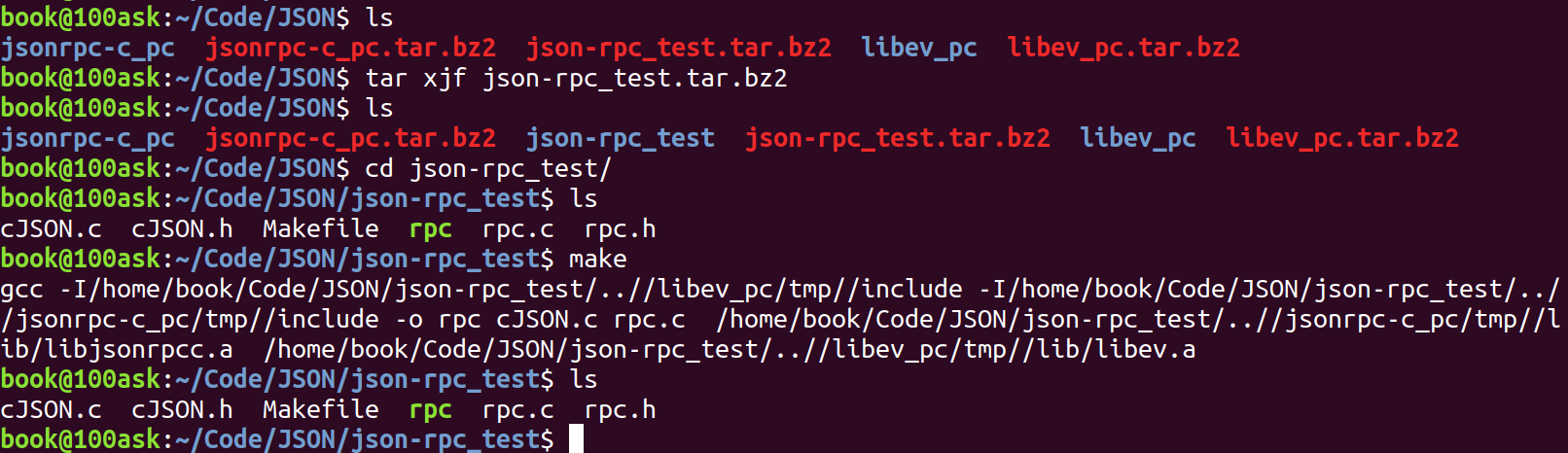
$ tar xjf json-rpc_test.tar.bz2
$ cd json-rpc_test/
$ make
示例代码:rpc.c
#include <jsonrpc-c.h>
#include <sys/types.h>
#include <sys/stat.h>
#include <fcntl.h>
#include <sys/socket.h>
#include <string.h>
#include <netinet/in.h>
#include <arpa/inet.h>
#include <unistd.h>
#include <stdio.h>
#include <errno.h>
#include <stdlib.h>
#include "rpc.h"


int rpc_add(int iSocketClient, int a, int b, int *sum)
{
    char buf[100];
    int iLen;
    sprintf(buf, "{\"method\": \"add\", \"params\": [%d,%d], \"id\": \"2\" }", a, b);
    iLen = send(iSocketClient, buf, strlen(buf), 0);
    if (iLen ==  strlen(buf))
    {
        while (1)
        {
            iLen = read(iSocketClient, buf, sizeof(buf));
            buf[iLen] = 0;
            if (iLen == 1 && (buf[0] == '\r' || buf[0] == '\n'))
                continue;
            else
                break;
        }

        if (iLen > 0)
        {
            cJSON *root = cJSON_Parse(buf);
            cJSON *result = cJSON_GetObjectItem(root, "result");
            *sum = result->valueint;
            cJSON_Delete(root);
            return 0;
        }
        else
        {
            printf("read rpc reply err : %d\n", iLen);
            return -1;
        }
    }
    else
    {
        printf("send rpc request err : %d, %s\n", iLen, strerror(errno));
        return -1;
    }
}

int rpc_hello(int iSocketClient, char *name)
{
    char buf[300];
    int iLen;
    sprintf(buf, "{\"method\": \"sayHello\"," \
                   "\"params\":"              \
                   "{\"name\": \"%s\"}, \"id\": \"2\" }", name);
    iLen = send(iSocketClient, buf, strlen(buf), 0);
    if (iLen ==  strlen(buf))
    {
        while (1)
        {
            iLen = read(iSocketClient, buf, sizeof(buf));
            buf[iLen] = 0;
            if (iLen == 1 && (buf[0] == '\r' || buf[0] == '\n'))
                continue;
            else
                break;
        }

        if (iLen > 0)
        {
            cJSON *root = cJSON_Parse(buf);
            cJSON *result = cJSON_GetObjectItem(root, "result");
            if (result)
            {
                printf("%s\n", result->valuestring);
                cJSON_Delete(root);
                return 0;
            }
            else
            {
                cJSON_Delete(root);
                return -1;
            }
        }
        else
        {
            printf("read rpc reply err : %d\n", iLen);
            return -1;
        }
    }
    else
    {
        printf("send rpc request err : %d, %s\n", iLen, strerror(errno));
        return -1;
    }
}

/*-----------------------------------*/


static struct jrpc_server my_server;


cJSON * say_hello(jrpc_context * ctx, cJSON * params, cJSON *id) {
    char buf[100];
    cJSON *name = cJSON_GetObjectItem(params, "name");
    sprintf(buf, "Hello, %s", name->valuestring);
    return cJSON_CreateString(buf);
}

cJSON * add(jrpc_context * ctx, cJSON * params, cJSON *id) {
    char buf[100];
    cJSON * a = cJSON_GetArrayItem(params,0);
    cJSON * b = cJSON_GetArrayItem(params,1);
    return cJSON_CreateNumber(a->valueint + b->valueint);
}

/* 连接RPC Server
 * 返回值: (>0)socket, (-1)失败
 */
int RPC_Client_Init(void)
{
    int iSocketClient;
    struct sockaddr_in tSocketServerAddr;
    int iRet;

    iSocketClient = socket(AF_INET, SOCK_STREAM, 0);

    tSocketServerAddr.sin_family      = AF_INET;
    tSocketServerAddr.sin_port        = htons(PORT);  /* host to net, short */
    //tSocketServerAddr.sin_addr.s_addr = INADDR_ANY;
    inet_aton("127.0.0.1", &tSocketServerAddr.sin_addr);
    memset(tSocketServerAddr.sin_zero, 0, 8);


    iRet = connect(iSocketClient, (const struct sockaddr *)&tSocketServerAddr, sizeof(struct sockaddr));
    if (-1 == iRet)
    {
        printf("connect error!\n");
        return -1;
    }

    return iSocketClient;
}

int RPC_Server_Init(void)
{
    int err;

    err = jrpc_server_init(&my_server, PORT);
    if (err)
    {
        printf("jrpc_server_init err : %d\n", err);
    }

    jrpc_register_procedure(&my_server, say_hello, "sayHello", NULL );
    jrpc_register_procedure(&my_server, add, "add", NULL );

    jrpc_server_run(&my_server);
    jrpc_server_destroy(&my_server);

    return 0;
}

static void print_usage(char *exec)
{
    printf("Usage:\n");
    printf("%s <server>\n", exec);
    printf("%s add <num1> <num2>\n", exec);
    printf("%s hello <name>\n", exec);
}

int main(int argc, char **argv)
{
    if (argc < 2)
    {
        print_usage(argv[0]);
        return -1;
    }

    if (argv[1][0] == 's' || argv[1][0] == 'S' )
    {
        RPC_Server_Init();
    }
    else
    {
        int sum;
        int fd = RPC_Client_Init();

        if (fd < 0)
        {
            printf("RPC_Client_Init err : %d\n", fd);
            return -1;
        }

        if (argc == 4 && !strcmp(argv[1], "add"))
        {
            int a = (int)strtoul(argv[2], NULL, 0);
            int b = (int)strtoul(argv[3], NULL, 0);
            int err = rpc_add(fd, a, b, &sum);
            if (!err)
            {
                printf("sum = %d\n", sum);
            }
            else
            {
                printf("rpc err : %d\n", err);
            }
        }
        else if (argc == 3 && !strcmp(argv[1], "hello"))
        {
            int err = rpc_hello(fd, argv[2]);
            if (err)
            {
                printf("rpc err : %d\n", err);
            }
        }
    }
    return 0;
}
rpc.h
#ifndef _RPC_H
#define _RPC_H

#define PORT 1234


#endif
Makefile:具体路径跟名称可以自行修改。
TARGET=rpc
CC=gcc

TOP_DIR=$(shell pwd)/../
LIBEV_DIR=${TOP_DIR}/libev_pc/tmp/
JSONRPC_DIR=${TOP_DIR}/jsonrpc-c_pc/tmp/

CFLAGS=-I${LIBEV_DIR}/include -I${JSONRPC_DIR}/include
LDFLAGS=${JSONRPC_DIR}/lib/libjsonrpcc.a  ${LIBEV_DIR}/lib/libev.a

c_files = cJSON.c rpc.c

all:
	${CC} ${CFLAGS} -o ${TARGET} ${c_files} ${LDFLAGS}

clean:
	rm -f *.o ${TARGET}
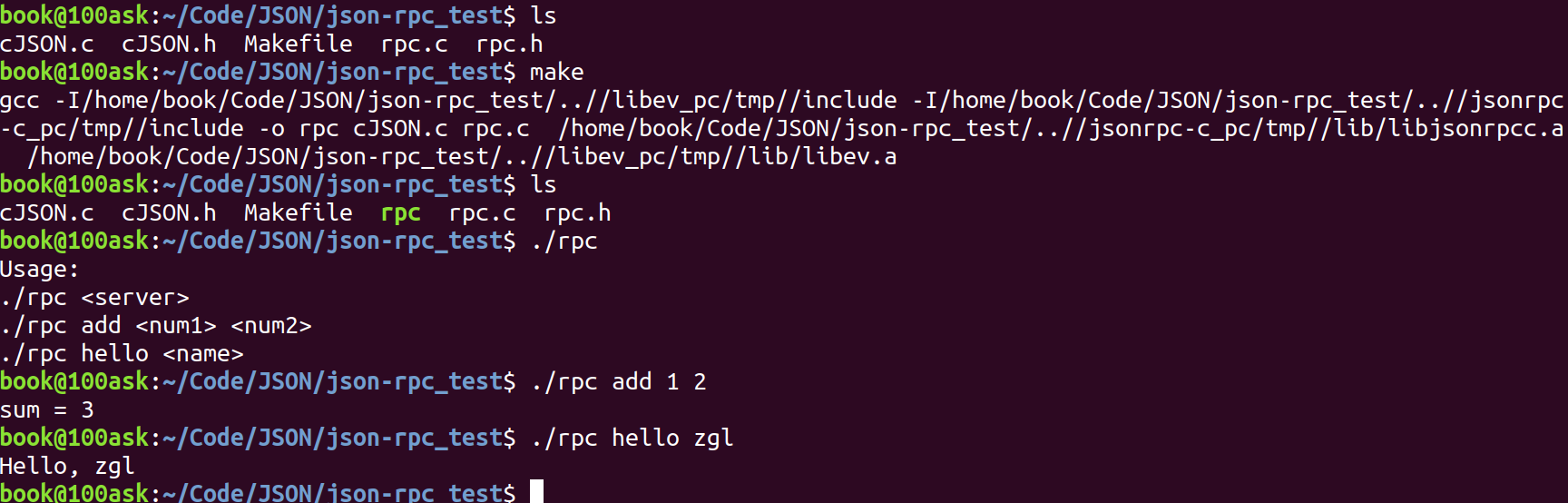
编译运行测试:
三、基于 JSON-RPC 操作硬件
通过前面 JSON-RPC 示例我们可以初步了解它的使用,那么如何前后台程序分离呢?
我们主要通过服务器和客户端进行通信,在服务器中,我们注册客户端用到的函数,通过接收客户端的 RPC 请求,以 JSON 格式返回客户端需要的 RPC 结果,这样子我们就可以将前后台分离出来。
例如,我们前台实现 QT 或者 LVGL 界面,后台实现各种硬件的驱动开发,然后就可以通过 JsonRPC 实现远程调用,当更改界面或者更改硬件引脚时,不会影响到另一方,只需双方规定好接口即可。
接下来我将演示如何编写出程序实现前后台程序分离。
1. 编写 rpc_server 程序
示例代码:
#include <jsonrpc-c.h>
#include <sys/types.h>
#include <sys/stat.h>
#include <fcntl.h>
#include <sys/socket.h>
#include <string.h>
#include <netinet/in.h>
#include <arpa/inet.h>
#include <unistd.h>
#include <stdio.h>
#include <errno.h>
#include <stdlib.h>
#include "rpc.h"
#include "led.h"
#include "dht11.h"

static struct jrpc_server my_server;

/* 参数: {"params" : [0|1]} */
cJSON * server_led_control(jrpc_context * ctx, cJSON * params, cJSON *id) {
    cJSON * status = cJSON_GetArrayItem(params,0);
    led_control(status->valueint);
    return cJSON_CreateNumber(0);
}

/* 参数: {"params" : null} */
cJSON * server_dht11_read(jrpc_context * ctx, cJSON * params, cJSON *id) {
    int array[2];

    array[0] = array[1] = 0;

    while (0 != dht11_read((char *)&array[0], (char *)&array[1]));

    return cJSON_CreateIntArray(array, 2);
}

int RPC_Server_Init(void)
{
    int err;

    err = jrpc_server_init(&my_server, PORT);
    if (err)
    {
        printf("jrpc_server_init err : %d\n", err);
    }

    jrpc_register_procedure(&my_server, server_led_control, "led_control", NULL );
    jrpc_register_procedure(&my_server, server_dht11_read, "dht11_read", NULL );

    jrpc_server_run(&my_server);
    jrpc_server_destroy(&my_server);

    return 0;
}

int main(int argc, char **argv)
{
    led_init();
    dht11_init();
    RPC_Server_Init();
    return 0;
}
2. 编写 rpc_client 程序
示例代码:
#include <jsonrpc-c.h>
#include <sys/types.h>
#include <sys/stat.h>
#include <fcntl.h>
#include <sys/socket.h>
#include <string.h>
#include <netinet/in.h>
#include <arpa/inet.h>
#include <unistd.h>
#include <stdio.h>
#include <errno.h>
#include <stdlib.h>
#include "rpc.h"


int rpc_led_control(int iSocketClient, int on)
{
    char buf[100];
    int iLen;
    int ret = -1;

    sprintf(buf, "{\"method\": \"led_control\", \"params\": [%d], \"id\": \"2\" }", on);
    iLen = send(iSocketClient, buf, strlen(buf), 0);
    if (iLen ==  strlen(buf))
    {
        while (1)
        {
            iLen = read(iSocketClient, buf, sizeof(buf));
            buf[iLen] = 0;
            if (iLen == 1 && (buf[0] == '\r' || buf[0] == '\n'))
                continue;
            else
                break;
        }

        if (iLen > 0)
        {
            cJSON *root = cJSON_Parse(buf);
            cJSON *result = cJSON_GetObjectItem(root, "result");
            ret = result->valueint;
            cJSON_Delete(root);
            return ret;
        }
        else
        {
            printf("read rpc reply err : %d\n", iLen);
            return -1;
        }
    }
    else
    {
        printf("send rpc request err : %d, %s\n", iLen, strerror(errno));
        return -1;
    }
}

int rpc_dht11_read(int iSocketClient, char *humi, char *temp)
{
    char buf[300];
    int iLen;

    sprintf(buf, "{\"method\": \"dht11_read\"," \
                   "\"params\": [0], \"id\": \"2\" }");

    iLen = send(iSocketClient, buf, strlen(buf), 0);
    if (iLen ==  strlen(buf))
    {
        while (1)
        {
            iLen = read(iSocketClient, buf, sizeof(buf));
            buf[iLen] = 0;
            if (iLen == 1 && (buf[0] == '\r' || buf[0] == '\n'))
                continue;
            else
                break;
        }

        if (iLen > 0)
        {
            cJSON *root = cJSON_Parse(buf);
            cJSON *result = cJSON_GetObjectItem(root, "result");
            if (result)
            {
                cJSON * a = cJSON_GetArrayItem(result,0);
                cJSON * b = cJSON_GetArrayItem(result,1);

                *temp = a->valueint;
                *humi = b->valueint;

                cJSON_Delete(root);
                return 0;
            }
            else
            {
                cJSON_Delete(root);
                return -1;
            }
        }
        else
        {
            printf("read rpc reply err : %d\n", iLen);
            return -1;
        }
    }
    else
    {
        printf("send rpc request err : %d, %s\n", iLen, strerror(errno));
        return -1;
    }
}

/* 连接RPC Server
 * 返回值: (>0)socket, (-1)失败
 */
int RPC_Client_Init(void)
{
    int iSocketClient;
    struct sockaddr_in tSocketServerAddr;
    int iRet;

    iSocketClient = socket(AF_INET, SOCK_STREAM, 0);

    tSocketServerAddr.sin_family      = AF_INET;
    tSocketServerAddr.sin_port        = htons(PORT);  /* host to net, short */
    //tSocketServerAddr.sin_addr.s_addr = INADDR_ANY;
    inet_aton("127.0.0.1", &tSocketServerAddr.sin_addr);
    memset(tSocketServerAddr.sin_zero, 0, 8);


    iRet = connect(iSocketClient, (const struct sockaddr *)&tSocketServerAddr, sizeof(struct sockaddr));
    if (-1 == iRet)
    {
        printf("connect error!\n");
        return -1;
    }

    return iSocketClient;
}

static void print_usage(char *exec)
{
    printf("Usage:\n");
    printf("%s led <0|1>\n", exec);
    printf("%s dht11\n", exec);
}

int main(int argc, char **argv)
{
    if (argc < 2)
    {
        print_usage(argv[0]);
        return -1;
    }

    {
        int sum;
        int fd = RPC_Client_Init();

        if (fd < 0)
        {
            printf("RPC_Client_Init err : %d\n", fd);
            return -1;
        }

        if (argc == 3 && !strcmp(argv[1], "led"))
        {
            int on = (int)strtoul(argv[2], NULL, 0);
            int err = rpc_led_control(fd, on);
            if (!err)
            {
                printf("set led ok\n");
            }
            else
            {
                printf("rpc err : %d\n", err);
            }
        }
        else if (argc == 2 && !strcmp(argv[1], "dht11"))
        {
            char humi, temp;
            int err = rpc_dht11_read(fd, &humi, &temp);
            if (err)
            {
                printf("rpc err : %d\n", err);
            }
	    else
            {
                 printf("dht11 humi = %d, temp = %d\n", humi, temp);
            }
        }
    }
    return 0;
}
3. 开发板测试
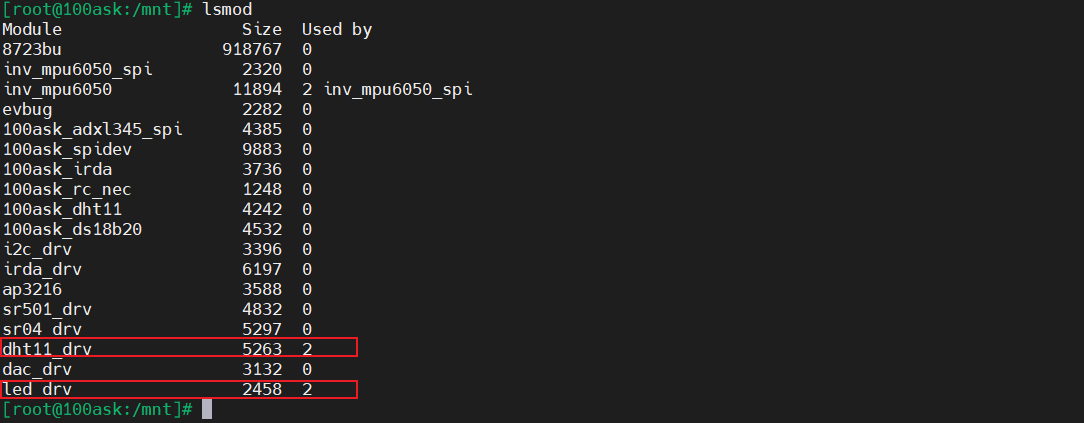
我们将上面编写的 rpc_server 和 rpc_client 程序移到开发板上,并提前装载好 LED 和 DHT11 的驱动:
编译运行测试:
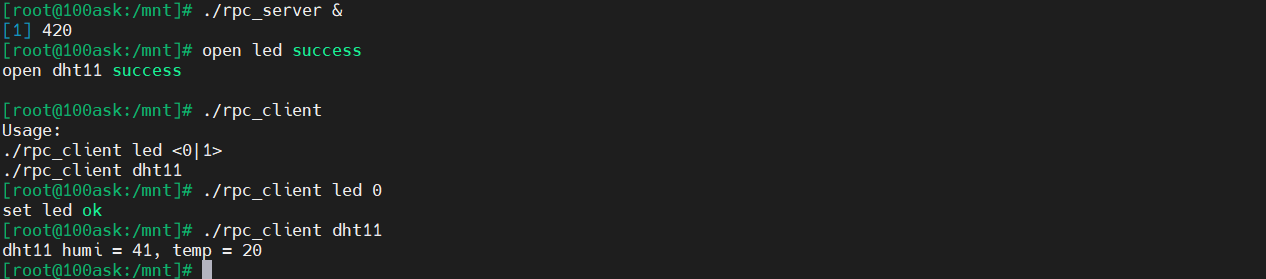
如图所示,这样我们就可以通过 JsonRPC 将前后台分离,前台程序改变不会影响到后台硬件驱动。

这里是“一人公司”的成长家园。我们提供从产品曝光、技术变现到法律财税的全栈内容,并连接云服务、办公空间等稀缺资源,助你专注创造,无忧运营。
更多推荐



 21
21 0
0- 0


 已为社区贡献1条内容

所有评论(0)