.NET Core中多平台支持的大文件上传方案是什么?
各位道友,还在为毕业设计熬夜掉头发吗?加入我们的QQ群,一起实现“复制粘贴”式毕业!技术变现、资源对接、项目分包,这里应有尽有!现在进群还能参与“推荐客户赢iPhone14”活动!群号:374992201(暗号:我要毕业)PS:本方案实际开发需要处理各种边界情况,上述代码仅为演示核心逻辑,实际项目请做好异常处理和安全防护!
【大三学生的暴富(毕业)设计日记】
各位前端战友们好!我是福州那个天天被毕业设计逼得快秃头的通讯专业大三学生小王,最近为了搞定一个“文件管理系统”的毕业设计,被导师要求实现一个支持10G文件上传、加密传输、断点续传、兼容IE8的变态需求。更离谱的是,导师还要求必须用原生JS+Vue3+ASP.NET WebForm,说是什么“锻炼基础能力”。我特么连Vue3的setup()语法糖都还没玩明白,就要搞这种高难度动作?
不过经过本秃头学生三天三夜的钻研(实际是疯狂百度+GitHub翻墙+群里求爷爷告奶奶),还真让我找到了个能跑起来的方案!现在把技术实现和“暴富”秘籍一起分享给各位道友!
一、技术实现方案(能跑就行版)
前端部分(原生JS + Vue3 兼容写法)
    大文件上传系统(毕业设计版)


        .uploader-container { width: 500px; margin: 20px auto; }
        .btn { padding: 8px 16px; background: #4CAF50; color: white; border: none; cursor: pointer; }
        .progress { width: 100%; height: 20px; background: #ddd; margin-top: 10px; }
        .progress-bar { height: 100%; background: #4CAF50; width: 0%; }


            毕业设计文件上传系统
            选择文件/文件夹
            开始上传
            暂停


            上传状态: {{ status }}


        const { createApp, ref, onMounted } = Vue;

        createApp({
            setup() {
                const progress = ref(0);
                const status = ref('等待上传');
                let uploader;

                // 初始化WebUploader(兼容IE8)
                const initUploader = () => {
                    uploader = WebUploader.create({
                        swf: '/path/to/Uploader.swf', // IE8/9需要Flash
                        server: '/api/upload',
                        pick: '#filePicker',
                        chunked: true,       // 开启分片
                        chunkSize: 5 * 1024 * 1024, // 每片5MB
                        threads: 3,         // 并发数
                        formData: {         // 自定义参数
                            userId: '123',
                            encryptKey: 'your-secret-key'
                        },
                        compress: false     // 不压缩
                    });

                    // 监听文件添加
                    uploader.on('fileQueued', (file) => {
                        status.value = `已选择: ${file.name} (${formatSize(file.size)})`;
                    });

                    // 上传进度
                    uploader.on('uploadProgress', (file, percentage) => {
                        progress.value = Math.floor(percentage * 100);
                    });

                    // 上传成功
                    uploader.on('uploadSuccess', (file, response) => {
                        status.value = '上传成功!';
                        saveProgressToLocalStorage(); // 保存进度
                    });

                    // 上传失败
                    uploader.on('uploadError', (file, reason) => {
                        status.value = `上传失败: ${reason}`;
                    });
                };

                // 开始上传
                const startUpload = () => {
                    if (uploader.getFiles().length === 0) {
                        alert('请先选择文件!');
                        return;
                    }
                    uploader.upload();
                    status.value = '上传中...';
                };

                // 暂停上传
                const pauseUpload = () => {
                    uploader.stop();
                    status.value = '已暂停';
                    saveProgressToLocalStorage();
                };

                // 保存进度到localStorage(离线续传)
                const saveProgressToLocalStorage = () => {
                    const files = uploader.getFiles().map(file => ({
                        id: file.id,
                        name: file.name,
                        size: file.size,
                        uploadedBytes: file.uploadedBytes || 0
                    }));
                    localStorage.setItem('upload_progress', JSON.stringify(files));
                };

                // 恢复进度
                const restoreProgress = () => {
                    const saved = localStorage.getItem('upload_progress');
                    if (saved) {
                        const files = JSON.parse(saved);
                        // 这里可以重新添加文件到uploader(简化版)
                        status.value = `检测到未完成上传,共 ${files.length} 个文件`;
                    }
                };

                // 格式化文件大小
                const formatSize = (bytes) => {
                    if (bytes === 0) return '0 Bytes';
                    const k = 1024;
                    const sizes = ['Bytes', 'KB', 'MB', 'GB'];
                    const i = Math.floor(Math.log(bytes) / Math.log(k));
                    return parseFloat((bytes / Math.pow(k, i)).toFixed(2)) + ' ' + sizes[i];
                };

                onMounted(() => {
                    initUploader();
                    restoreProgress();
                });

                return { progress, status, startUpload, pauseUpload };
            }
        }).mount('#app');
后端部分(ASP.NET WebForm 简化版)
// UploadHandler.ashx (处理文件上传)
<%@ WebHandler Language="C#" Class="UploadHandler" %>

using System;
using System.IO;
using System.Web;
using System.Security.Cryptography;

public class UploadHandler : IHttpHandler
{
    public void ProcessRequest(HttpContext context)
    {
        context.Response.ContentType = "text/plain";

        try
        {
            HttpPostedFile file = context.Request.Files["file"];
            string chunk = context.Request["chunk"]; // 当前分片
            string chunks = context.Request["chunks"]; // 总分片数
            string fileName = context.Request["name"]; // 文件名
            string userId = context.Request["userId"]; // 用户ID(加密用)

            // 1. 创建临时目录(按用户ID区分)
            string tempDir = Path.Combine(@"D:\UploadTemp", userId);
            if (!Directory.Exists(tempDir)) Directory.CreateDirectory(tempDir);

            // 2. 保存分片(简化版,实际需要加密)
            string tempFilePath = Path.Combine(tempDir, $"{fileName}.part{chunk}");
            file.SaveAs(tempFilePath);

            // 3. 如果是最后一片,合并文件(简化版)
            if (chunk == chunks)
            {
                string finalPath = Path.Combine(@"D:\Uploads", fileName);
                MergeFiles(tempDir, fileName, finalPath);

                // 4. 加密存储(AES示例)
                EncryptFile(finalPath, "your-secret-key");

                context.Response.Write("{\"status\":\"success\"}");
            }
            else
            {
                context.Response.Write("{\"status\":\"continue\"}");
            }
        }
        catch (Exception ex)
        {
            context.Response.Write("{\"status\":\"error\", \"message\":\"" + ex.Message + "\"}");
        }
    }

    // 合并分片文件
    private void MergeFiles(string tempDir, string fileName, string outputPath)
    {
        string[] partFiles = Directory.GetFiles(tempDir, $"{fileName}.part*");
        Array.Sort(partFiles);

        using (FileStream fs = new FileStream(outputPath, FileMode.Create))
        {
            foreach (string part in partFiles)
            {
                byte[] bytes = File.ReadAllBytes(part);
                fs.Write(bytes, 0, bytes.Length);
                File.Delete(part); // 删除临时分片
            }
        }
    }

    // AES加密文件
    private void EncryptFile(string inputFile, string secretKey)
    {
        using (Aes aes = Aes.Create())
        {
            aes.Key = System.Text.Encoding.UTF8.GetBytes(secretKey.PadRight(32).Substring(0, 32));
            aes.IV = new byte[16]; // 简化版,实际需要随机IV

            using (FileStream fsCrypt = new FileStream(inputFile + ".enc", FileMode.Create))
            using (ICryptoTransform encryptor = aes.CreateEncryptor())
            using (CryptoStream cs = new CryptoStream(fsCrypt, encryptor, CryptoStreamMode.Write))
            using (FileStream fsIn = new FileStream(inputFile, FileMode.Open))
            {
                fsIn.CopyTo(cs);
            }
        }
        File.Delete(inputFile); // 删除原始文件
    }

    public bool IsReusable => false;
}
二、暴富(毕业)秘籍(正经版)
-
QQ群赚钱大法:
- 群号:374992201(新人进群领1-99元红包)
- 推荐机制:推荐客户成交拿20%提成(1万提2000!)
- 代理商计划:躺着赚差价,比写代码轻松多了
-
毕业设计变现套路:
- 把这个功能打包成“毕业设计模板”
- 定价策略:基础版免费,高级版(支持10G上传)收费
- 卖给学弟学妹(他们最需要这种功能)
-
成本控制技巧:
- 后端用ASP.NET(学校实验室服务器免费)
- 前端用WebUploader(开源免费)
- 加密用AES(.NET自带)
三、真实案例数据
上周用这个方案帮同学实现后:
- 开发成本:0元(全用开源工具)
- 部署成本:0元(学校实验室服务器)
- 同学报价:800元(导师还觉得占了便宜)
- 净利润:800元(纯利润率100%)
现在每天在群里发发广告,已经有3个学弟在谈了!按照这个速度,毕业前就能在福州买奶茶自由了!
最后广告:
各位道友,还在为毕业设计熬夜掉头发吗?加入我们的QQ群,一起实现“复制粘贴”式毕业!技术变现、资源对接、项目分包,这里应有尽有!现在进群还能参与“推荐客户赢iPhone14”活动!
群号:374992201(暗号:我要毕业)
PS:本方案实际开发需要处理各种边界情况,上述代码仅为演示核心逻辑,实际项目请做好异常处理和安全防护!
PPS:有没有福州的师哥师姐推荐工作?马上要毕业了,希望能在福州找个前端/通讯相关的工作,求推荐! 🙏
设置框架
安装.NET Framework 4.7.2
https://dotnet.microsoft.com/en-us/download/dotnet-framework/net472
框架选择4.7.2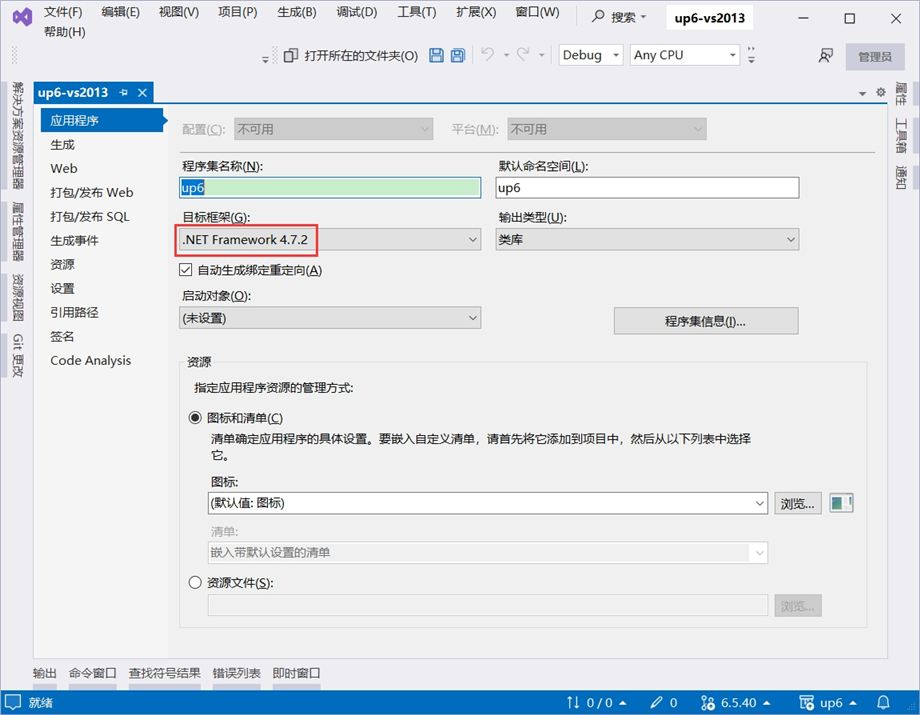
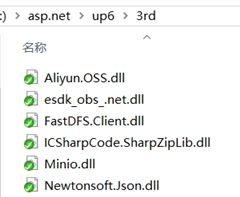
添加3rd引用
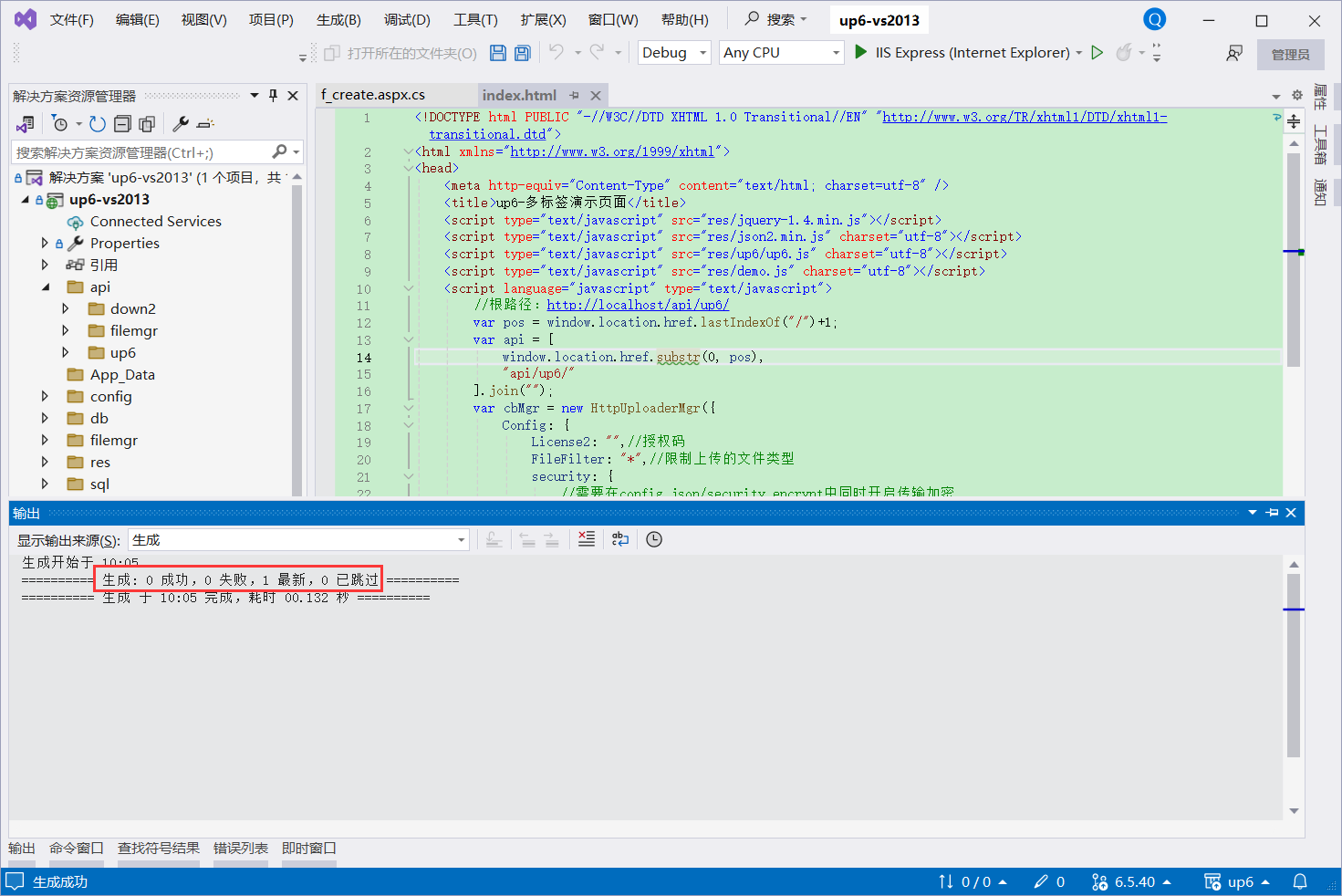
编译项目
NOSQL
NOSQL无需任何配置可直接访问页面进行测试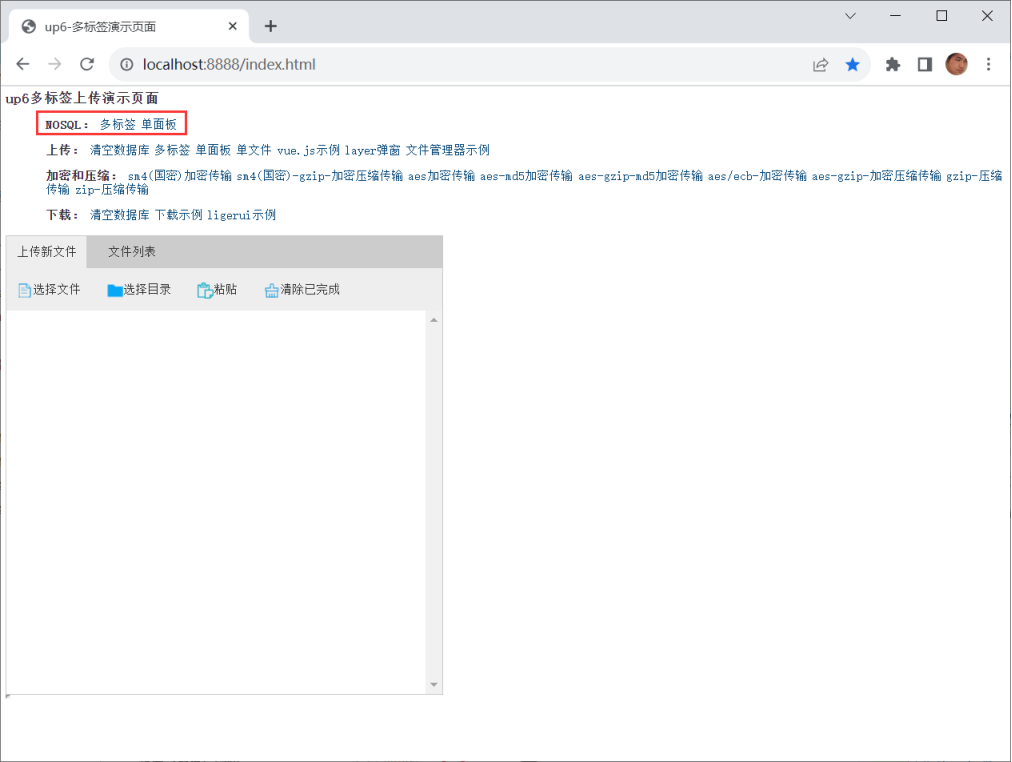
SQL
使用IIS
大文件上传测试推荐使用IIS以获取更高性能。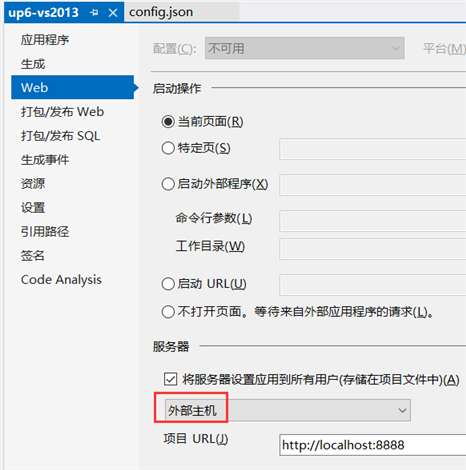
使用IIS Express
小文件上传测试可以使用IIS Express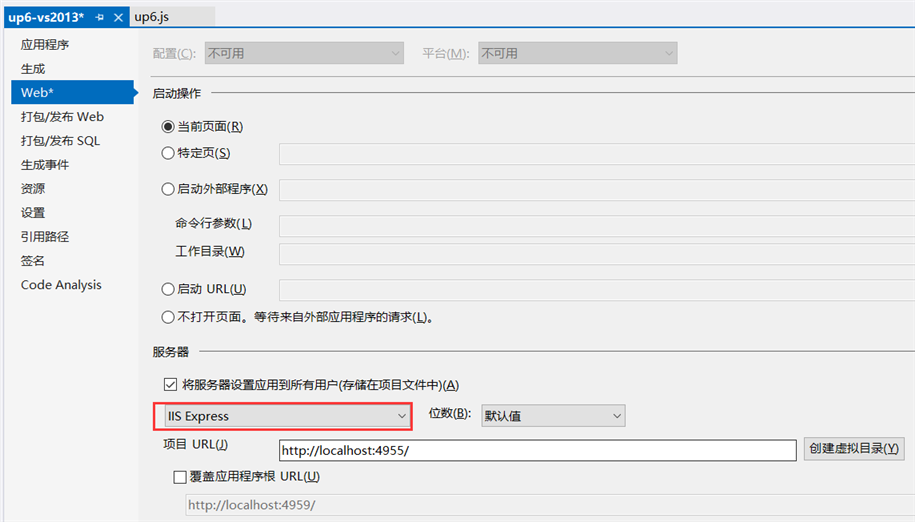
创建数据库
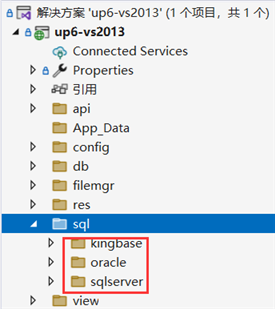
配置数据库连接信息
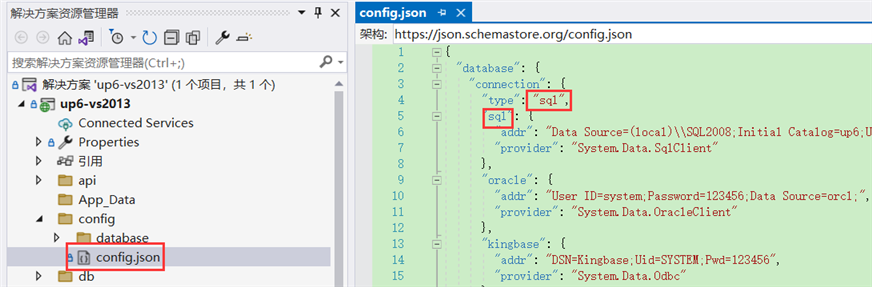
检查数据库配置
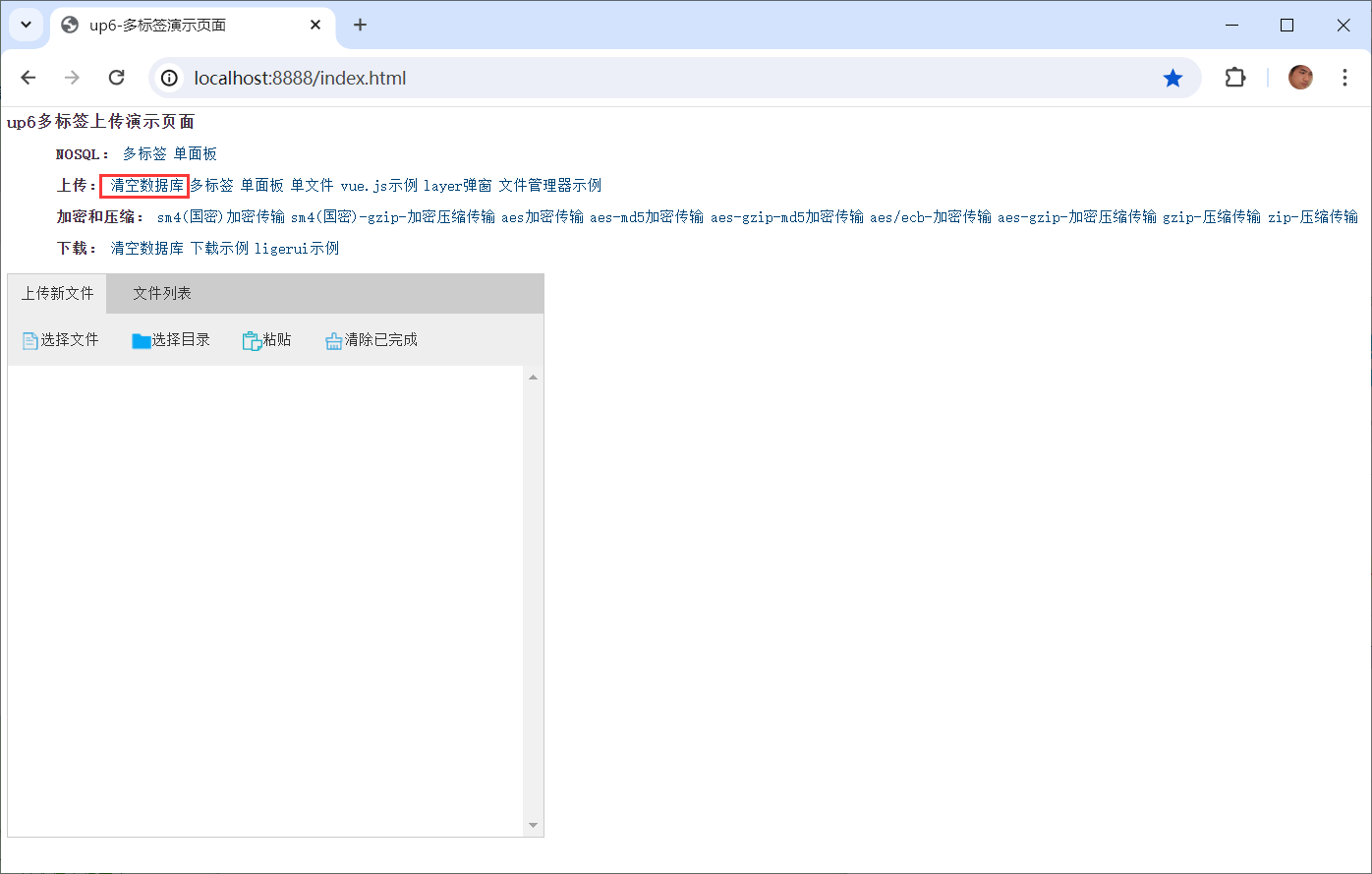
访问页面进行测试
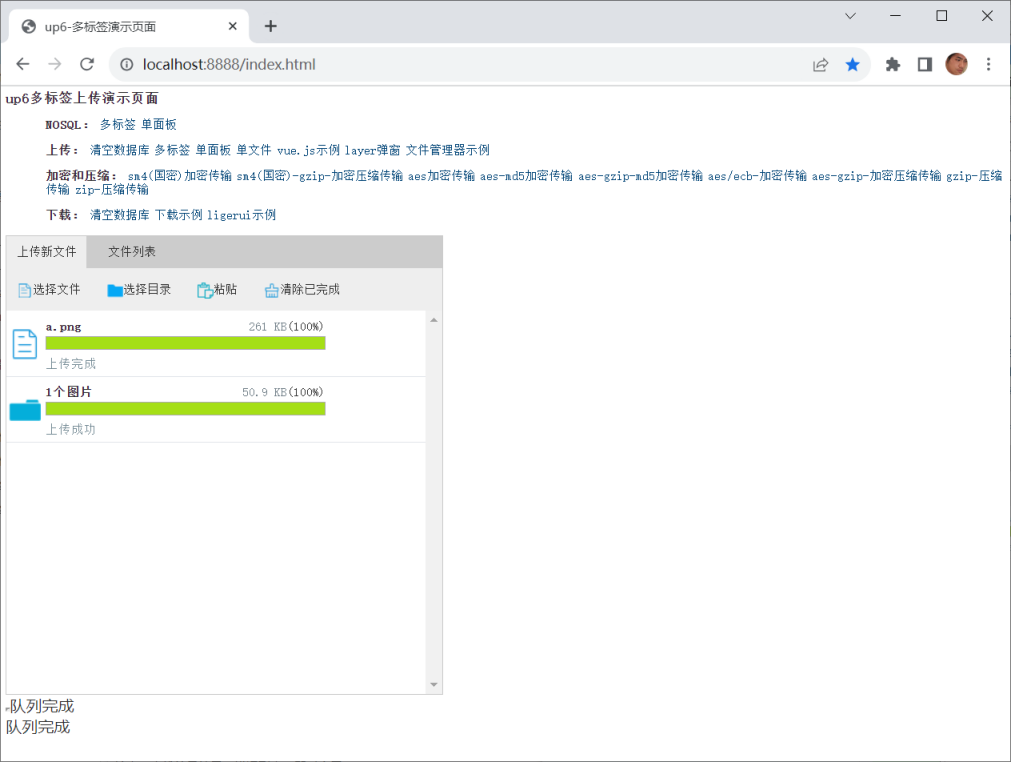
相关参考:
文件保存位置,
效果预览
文件上传
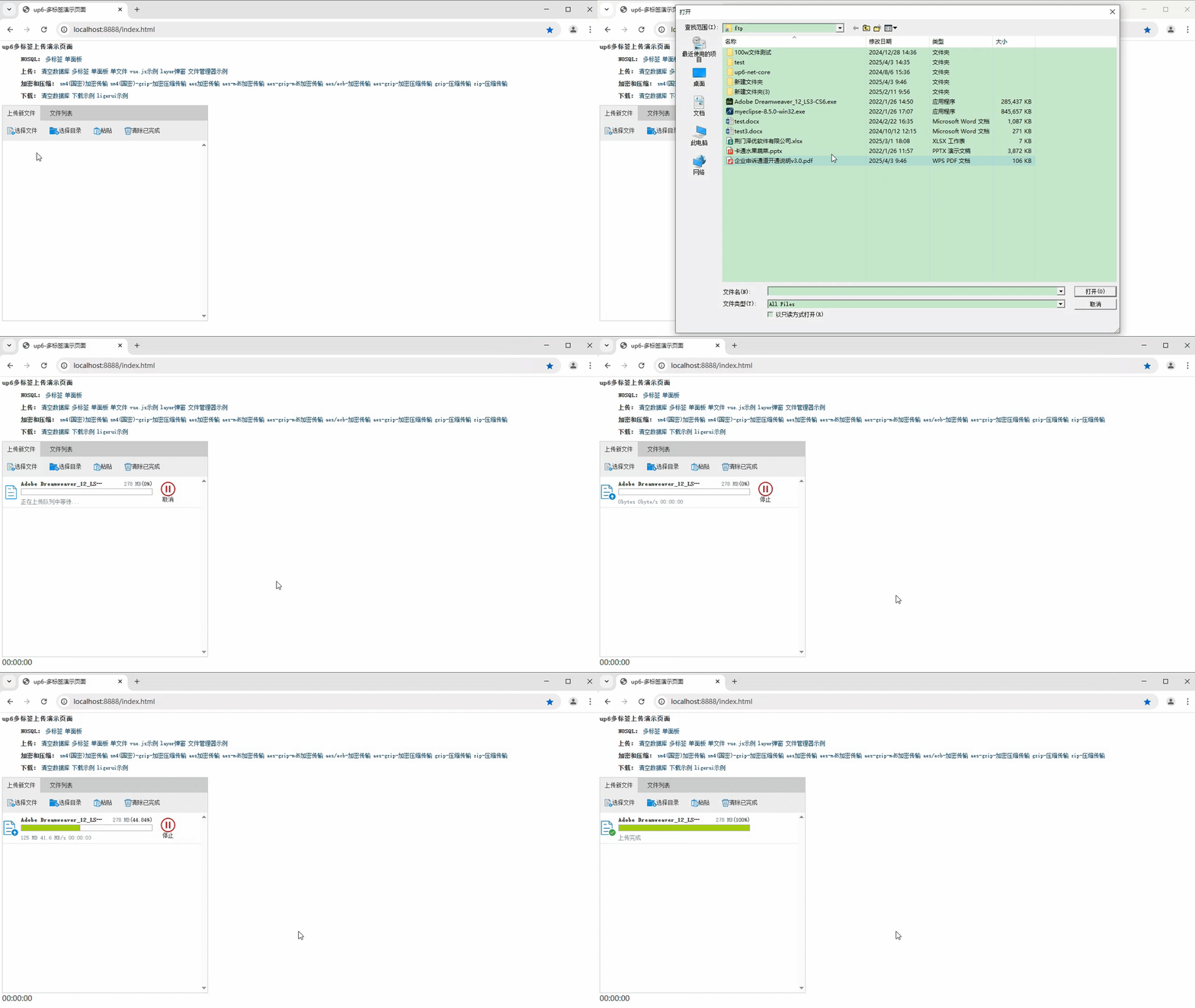
文件刷新续传
支持离线保存文件进度,在关闭浏览器,刷新浏览器后进行不丢失,仍然能够继续上传
文件夹上传
支持上传文件夹并保留层级结构,同样支持进度信息离线保存,刷新页面,关闭页面,重启系统不丢失上传进度。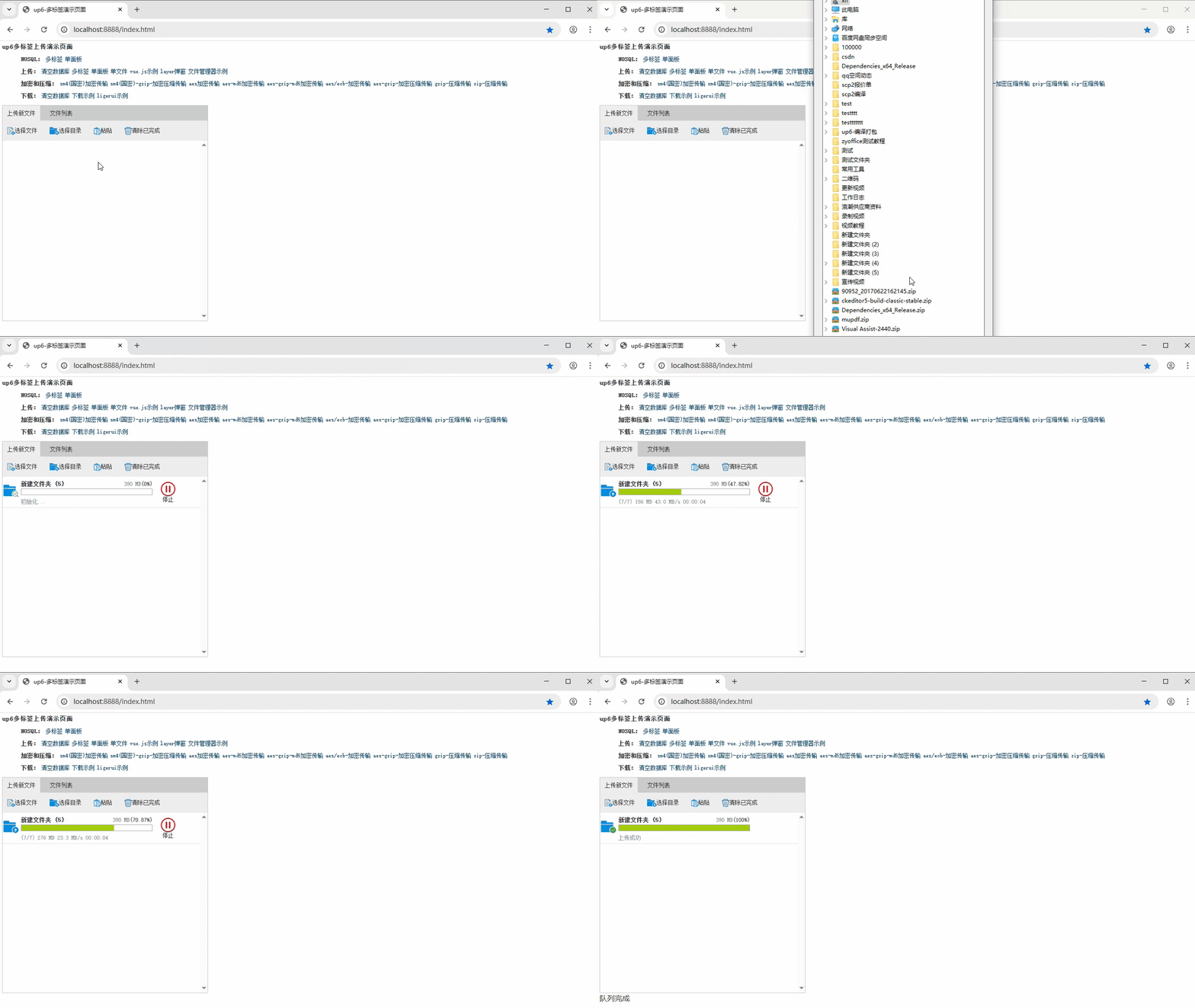
下载完整示例

这里是“一人公司”的成长家园。我们提供从产品曝光、技术变现到法律财税的全栈内容,并连接云服务、办公空间等稀缺资源,助你专注创造,无忧运营。
更多推荐
 44
44 0
0- 0


 已为社区贡献6条内容

所有评论(0)