shell脚本之nginx自动化脚本
这个脚本,可以满足nginx开启,停止和重启的操作#!/bin/bash. /etc/init.d/functionsfunction usage() {echo $"usage:$0 {start|stop|restart}"exit 1}function start() {/usr/local/nginx/sbin/nginxsle...
·
这个脚本,可以满足nginx开启,停止和重启的操作
#!/bin/bash

. /etc/init.d/functions

function usage() {
    echo $"usage:$0 {start|stop|restart}"
    exit 1
}

function start() {
    /usr/local/nginx/sbin/nginx
    sleep 1
    if [ `netstat -antlpe | grep nginx | wc -l` -ge 0 ];then
	action "nginx is started." /bin/true
    else
	action "nginx is started." /bin/false
    fi
}

function stop() {
    killall nginx &>/dev/null
    sleep 1
    if [ `netstat -antlpe | grep nginx | wc -l` -eq 0 ];then
	action "nginx is stopped." /bin/true
    else
	action "nginx is stopped." /bin/false
    fi
}

function main() {
    if [ $# -ne 1 ];then
	usage $0
    fi
    case $1 in
	start)
	start
	;;
	stop)
	stop
	;;
	restart)
	stop
	start
	;;
	*)
	usage $0
	;;
    esac
}

main $*
运行试试
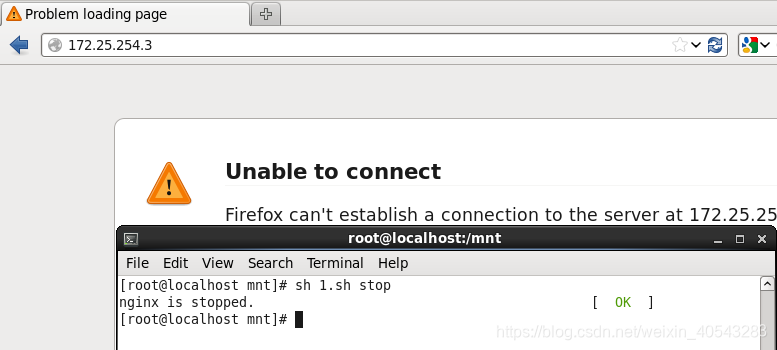
1.停止nginx
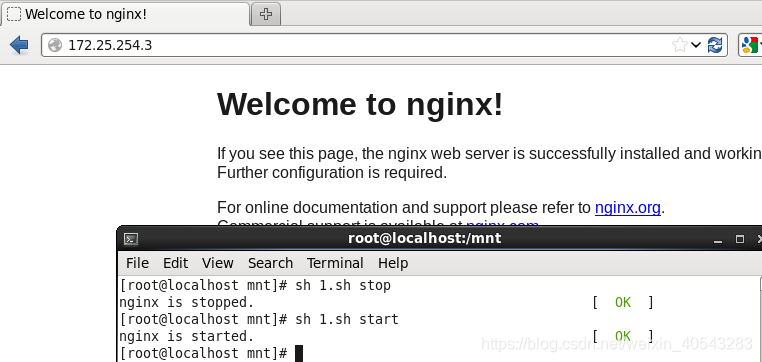
2.开启nginx
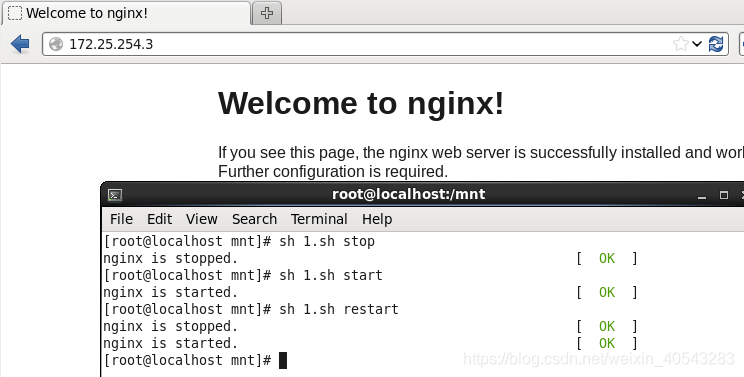
3.重启nginx
ok~

这里是“一人公司”的成长家园。我们提供从产品曝光、技术变现到法律财税的全栈内容,并连接云服务、办公空间等稀缺资源,助你专注创造,无忧运营。
更多推荐


 5
5 0
0- 0


 已为社区贡献1条内容

所有评论(0)