如何5分钟上手agent-protocol:从安装到第一个AI代理交互的完整教程
·
如何5分钟上手agent-protocol:从安装到第一个AI代理交互的完整教程
 项目地址: https://gitcode.com/gh_mirrors/ag/agent-protocol
 agent-protocol是一个通用的AI代理交互接口,它与技术栈无关,可用于任何AI代理构建框架。本教程将帮助你在5分钟内快速上手agent-protocol,从安装到实现第一个AI代理交互。

快速安装agent-protocol
agent-protocol提供了Python和JavaScript两种SDK,你可以根据自己的技术栈选择合适的安装方式。
Python SDK安装
使用pip命令即可快速安装Python SDK:
pip install agent-protocol
JavaScript SDK安装
如果你使用JavaScript开发,可以通过npm安装:
npm install agent-protocol
编写第一个AI代理
Python版本
创建一个Python文件,添加以下代码:
from agent_protocol import Agent, Step, Task

async def task_handler(task: Task) -> None:
    # 创建初始步骤
    await Agent.db.create_step(task.task_id, name="initial_step", input="Hello from agent-protocol")

async def step_handler(step: Step) -> Step:
    # 处理步骤逻辑
    step.output = f"Processed: {step.input}"
    step.is_last = True  # 标记为最后一步
    return step

if __name__ == "__main__":
    # 设置代理并启动服务器
    Agent.setup_agent(task_handler, step_handler).start()
JavaScript版本
创建一个TypeScript文件,添加以下代码:
import Agent, { type StepResult, type StepHandler, type TaskInput, type StepInput } from 'agent-protocol'

async function taskHandler(taskInput: TaskInput | null): Promise<StepHandler> {
  console.log(`Received task: ${taskInput}`)

  async function stepHandler(stepInput: StepInput | null): Promise<StepResult> {
    console.log(`Processing step: ${stepInput}`)
    return {
      output: `Processed: ${stepInput}`,
      is_last: true
    }
  }

  return stepHandler
}

Agent.handleTask(taskHandler, {}).start()
启动AI代理服务
Python代理启动
直接运行Python文件:
python your_agent_file.py
JavaScript代理启动
使用ts-node运行TypeScript文件:
ts-node your_agent_file.ts
服务启动后,默认会在 http://127.0.0.1:8000 上运行。
测试AI代理交互
你可以使用curl命令测试代理是否正常工作:
# 创建任务
curl -X POST http://127.0.0.1:8000/agent/tasks -H "Content-Type: application/json" -d '{"input": "Hello agent"}'

# 获取任务列表
curl http://127.0.0.1:8000/agent/tasks

# 获取任务步骤
curl http://127.0.0.1:8000/agent/tasks/{task_id}/steps
验证协议合规性
agent-protocol提供了一个测试脚本来验证你的代理是否符合协议规范:
URL=http://127.0.0.1:8000 bash -c "$(curl -fsSL https://agentprotocol.ai/test.sh)"
这个脚本会运行一系列GET和POST请求,验证你的代理是否符合Agent Protocol标准。
项目结构说明
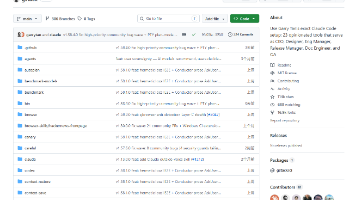
agent-protocol项目包含多个关键部分:
- SDK代码:packages/sdk/ - 包含Python和JavaScript的SDK实现
- 客户端代码:packages/client/ - 提供与代理交互的客户端实现
- 协议定义:schemas/openapi.yml - OpenAPI规范定义
- 示例代码:packages/sdk/python/examples/ 和 packages/sdk/js/examples/ - 提供了多种使用示例
通过本教程,你已经了解了agent-protocol的基本使用方法。现在你可以开始构建自己的AI代理,并与其他遵循agent-protocol的系统进行交互了!

这里是“一人公司”的成长家园。我们提供从产品曝光、技术变现到法律财税的全栈内容,并连接云服务、办公空间等稀缺资源,助你专注创造,无忧运营。
更多推荐
 4
4 0
0- 0


 已为社区贡献12条内容

所有评论(0)