使用Python爬取B站弹幕并生成词云图
·
项目概述:
B站(哔哩哔哩)的弹幕文化是其特色之一,弹幕中蕴含着观众的情绪、观点和趣味。如果你想对某个视频的弹幕进行数据分析,生成词云图是一个非常直观的方式。本文将手把手教你如何利用Python爬取B站弹幕,并基于jieba分词和WordCloud库生成漂亮的词云图。
所需Python库
- requests:发送HTTP请求获取弹幕XML文件。
- jieba:中文分词工具,用于将弹幕文本切分成词语。
- matplotlib:用于显示词云图。
- wordcloud:生成词云的核心库。
- bs4(BeautifulSoup):解析XML格式的弹幕数据。
安装指令:
pip install requests jieba matplotlib wordcloud beautifulsoup4
获取视频的cid
B站每个视频都有一个对应的cid(弹幕ID),它是弹幕文件的标识。可以通过以下方式获取:
- 在B站网页端打开视频,按F12打开开发者工具。
- 切换到“网络”(Network)标签,刷新页面。
- 在筛选框中输入“cid”或搜索包含cid的请求,通常可以在视频页面源代码或API接口中找到。
代码的实现
1.导入所需模块
import requests
import jieba
import matplotlib.pyplot as plt
import matplotlib
matplotlib.use('TkAgg')     # 设置后端, 避免出问题
from bs4 import BeautifulSoup
from wordcloud import WordCloud
2.获取弹幕XML内容
B站的弹幕存储在XML文件中,URL格式为:https://comment.bilibili.com/{cid}.xml。我们使用requests库模拟浏览器请求,避免被反爬。
def get_danmaku(cid):
    """
    获取弹幕文件中的内容
    :param cid: 弹幕的id
    :return: 文件内容
    """
    # 弹幕文件的网址
    url = f'https://comment.bilibili.com/{cid}.xml'
    # 伪装头
    headers = {
        'user-agent': 'Mozilla/5.0 (Windows NT 10.0; Win64; x64) AppleWebKit/537.36 (KHTML, like Gecko) Chrome/145.0.0.0 Safari/537.36 Edg/145.0.0.0'
    }
    # 向网页发起请求
    response = requests.get(url, headers=headers)
    # 自动检测网页的编码格式
    response.encoding = response.apparent_encoding
    return response.text
3.解析XML并保存弹幕文本
返回的XML内容包含多条弹幕,每条弹幕被包裹在标签中。我们使用BeautifulSoup解析,并将每条弹幕文本逐行写入本地文件弹幕.txt。
def parse_danmaku(content):
    """
    解析弹幕文字, 创建图云
    :param content: 弹幕文字
    :return:
    """
    # 读取content, 使用lxml解析
    soup = BeautifulSoup(content, 'xml')
    # 获取弹幕文字
    All = soup.find_all('d')
    # 遍历获取每条弹幕文字
    for i in All:
        # 将每条弹幕文字存储在txt文件中
        with open('弹幕.txt', 'a', encoding='utf-8') as f:
            f.write(i.text + '\n')
4.生成词云图
- 读取弹幕.txt文件,合并所有文本
- 使用jieba库中的lcut进行分词
- 过滤文字长度小于2的词语
- 将分词结果重新合并为空格分隔的字符串,作为生成词云图的文本
- 配置WordCloud参数,生成词云图并保存
def create_wordcloud():
    """
    创建词云图
    :return:
    """
    # 读取弹幕文件
    with open('弹幕.txt', 'r', encoding='utf-8') as f:
        data = f.readlines()
    # 合并所有文本
    merge_data = ' '.join(data)
    # 分词
    cut_words = jieba.lcut(merge_data)
    # 筛选长度大于3的词
    words = [word for word in cut_words if len(word) >= 3]
    # 合并筛选之后的词
    merge_words = ' '.join(words)
    # 生成词云, 并保存
    wc = WordCloud(
        font_path=r'C:/Windows/Fonts/simhei.ttf',
        width=1000,
        height=800,
        background_color='white',
        max_words=1000
    ).generate(merge_words)
    # 显示图像数据, bilinear - 使图片看起来更加平滑, 减少锯齿感
    plt.imshow(wc, interpolation='bilinear')
    # 关闭坐标轴
    plt.axis('off')
    plt.show()
    # 保存图片
    wc.to_file('词云.png')
imshow()和show()的区别:imshow是将内存中的图片渲染到坐标轴上,show是将已经绘制好的图片显示出来
5.主函数调用
if __name__ == '__main__':
    cid = 36118924612
    text = get_danmaku(cid)
    parse_danmaku(text)
    create_wordcloud()
6.运行效果
- 词云图:
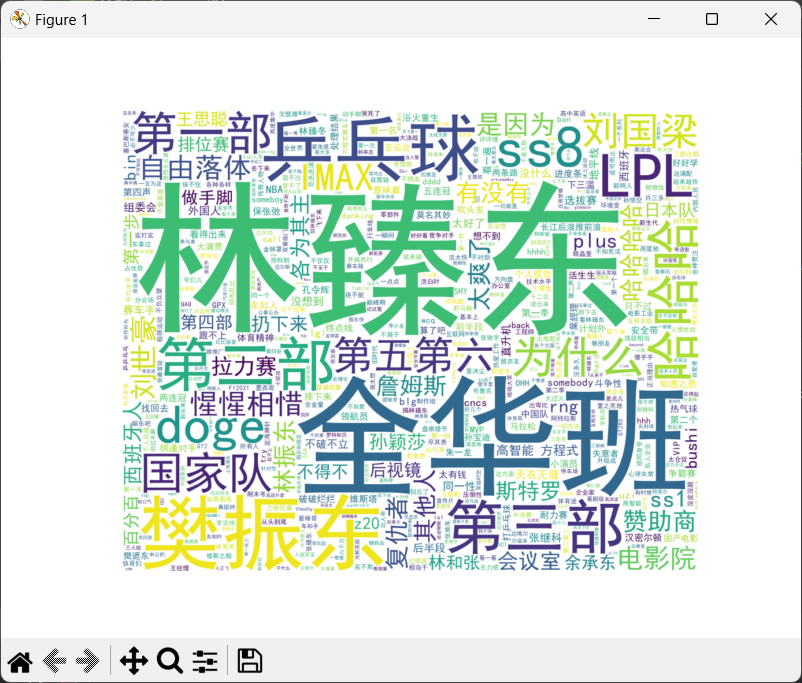
因为上面的代码中选择的是词语长度>=3的,,所以这里显示出来的大部分都是长度大于3的
- 弹幕文件:
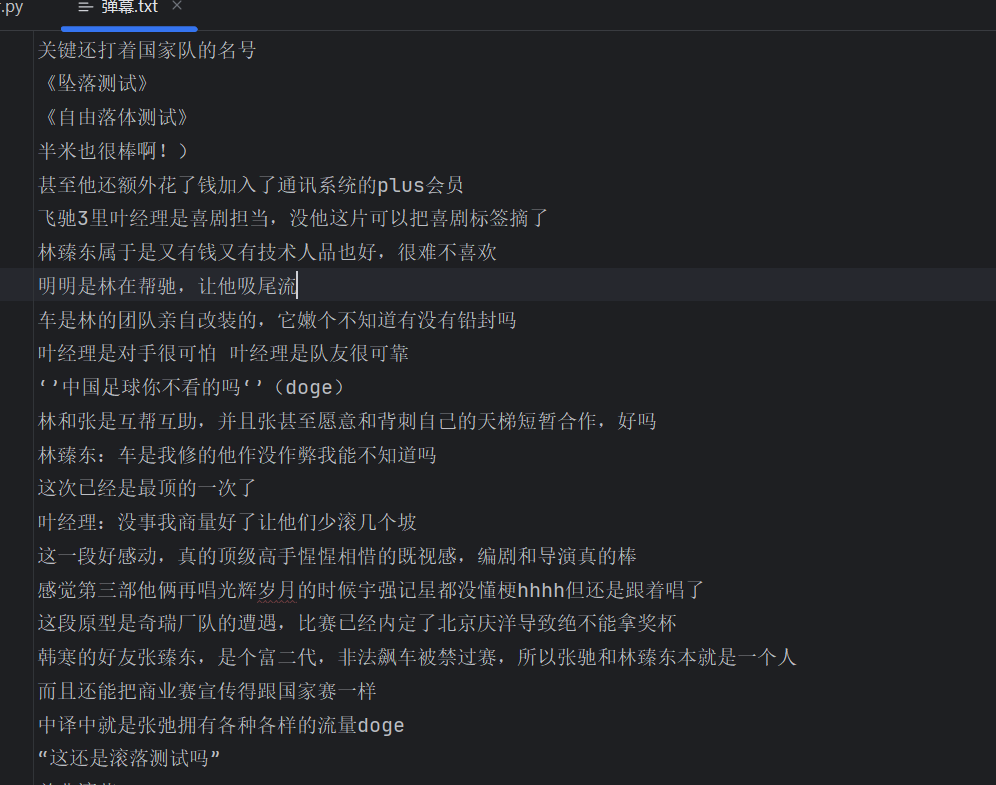
7.完整代码
import requests
import jieba
import matplotlib.pyplot as plt
import matplotlib
matplotlib.use('TkAgg')     # 设置后端, 避免出问题
from bs4 import BeautifulSoup
from wordcloud import WordCloud

def get_danmaku(cid):
    """
    获取弹幕文件中的内容
    :param cid: 弹幕的id
    :return: 文件内容
    """
    # 弹幕文件的网址
    url = f'https://comment.bilibili.com/{cid}.xml'
    # 伪装头
    headers = {
        'user-agent': 'Mozilla/5.0 (Windows NT 10.0; Win64; x64) AppleWebKit/537.36 (KHTML, like Gecko) Chrome/145.0.0.0 Safari/537.36 Edg/145.0.0.0'
    }
    # 向网页发起请求
    response = requests.get(url, headers=headers)
    # 自动检测网页的编码格式
    response.encoding = response.apparent_encoding
    return response.text

def parse_danmaku(content):
    """
    解析弹幕文字, 创建图云
    :param content: 弹幕文字
    :return:
    """
    # 读取content, 使用lxml解析
    soup = BeautifulSoup(content, 'xml')
    # 获取弹幕文字
    All = soup.find_all('d')
    # 遍历获取每条弹幕文字
    for i in All:
        # 将每条弹幕文字存储在txt文件中
        with open('弹幕.txt', 'a', encoding='utf-8') as f:
            f.write(i.text + '\n')

def create_wordcloud():
    """
    创建词云图
    :return:
    """
    # 读取弹幕文件
    with open('弹幕.txt', 'r', encoding='utf-8') as f:
        data = f.readlines()
    # 合并所有文本
    merge_data = ' '.join(data)
    # 分词
    cut_words = jieba.lcut(merge_data)
    # 筛选长度大于3的词
    words = [word for word in cut_words if len(word) >= 3]
    # 合并筛选之后的词
    merge_words = ' '.join(words)
    # 生成词云, 并保存
    wc = WordCloud(
        font_path=r'C:/Windows/Fonts/simhei.ttf',
        width=1000,
        height=800,
        background_color='white',
        max_words=1000
    ).generate(merge_words)
    # 显示图像数据, bilinear - 使图片看起来更加平滑, 减少锯齿感
    plt.imshow(wc, interpolation='bilinear')
    # 关闭坐标轴
    plt.axis('off')
    plt.show()
    # 保存图片
    wc.to_file('词云.png')

if __name__ == '__main__':
    cid = 36118924612
    text = get_danmaku(cid)
    parse_danmaku(text)
    create_wordcloud()
总结
通过不到100行代码,我们就实现了从B站获取弹幕、分词、生成词云的全流程。词云是一种非常有趣的数据可视化方式,能直观呈现文本数据的重点。
希望本文能帮助你入门Python爬虫与文本分析。如果你有任何问题或改进建议,欢迎在评论区留言讨论!

这里是“一人公司”的成长家园。我们提供从产品曝光、技术变现到法律财税的全栈内容,并连接云服务、办公空间等稀缺资源,助你专注创造,无忧运营。
更多推荐


 6
6 0
0- 0


 已为社区贡献7条内容

所有评论(0)