Python的进销存管理系统代码实现
·
以下是基于Python的进销存管理系统代码实现,包含进货销售记录、库存查询、数据导出和图形分析功能,使用SQLite数据库存储数据,Pandas处理数据,Matplotlib生成图表。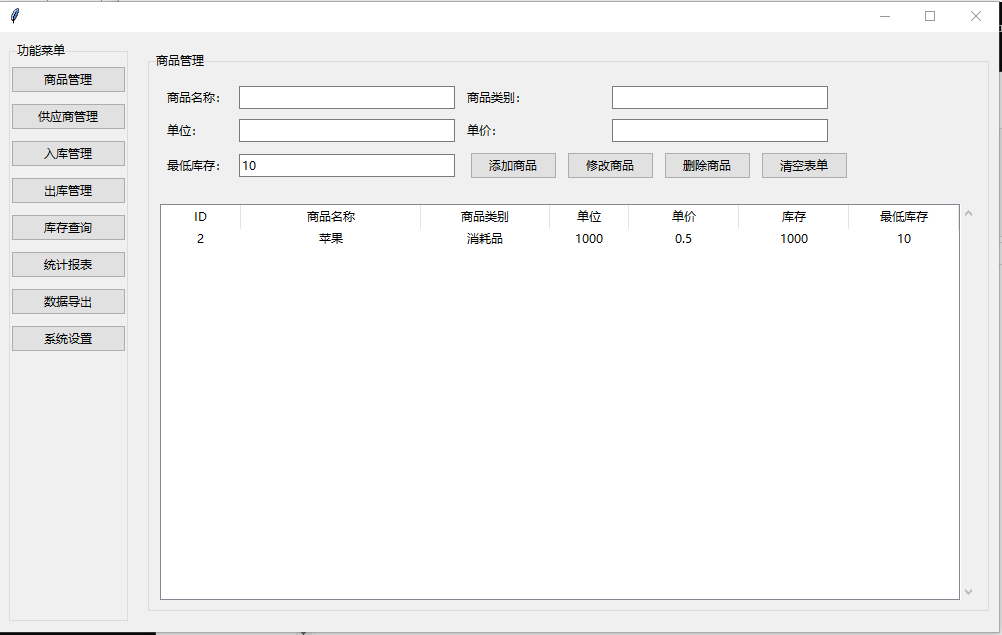
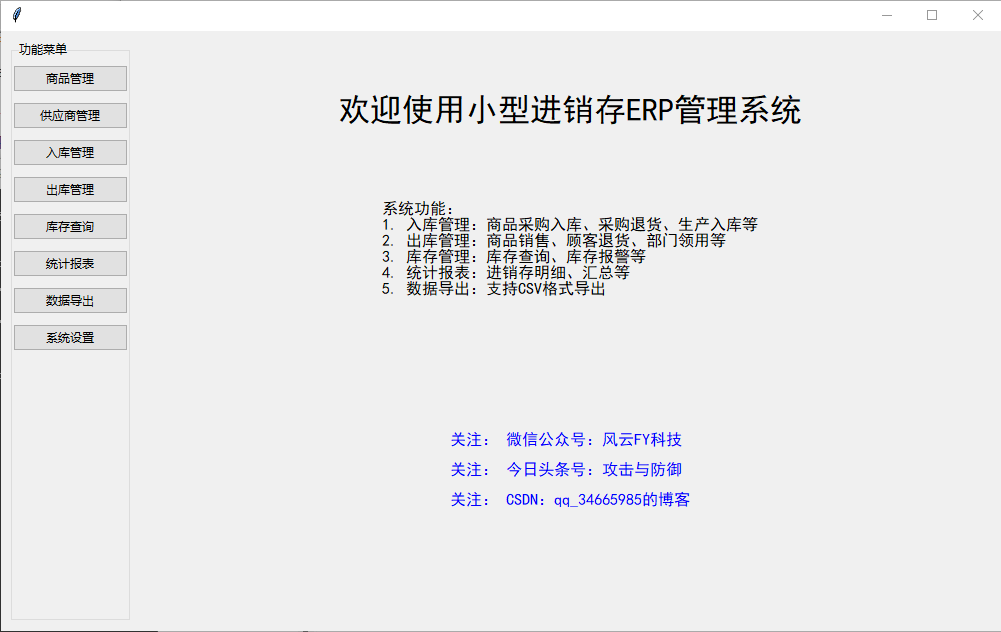
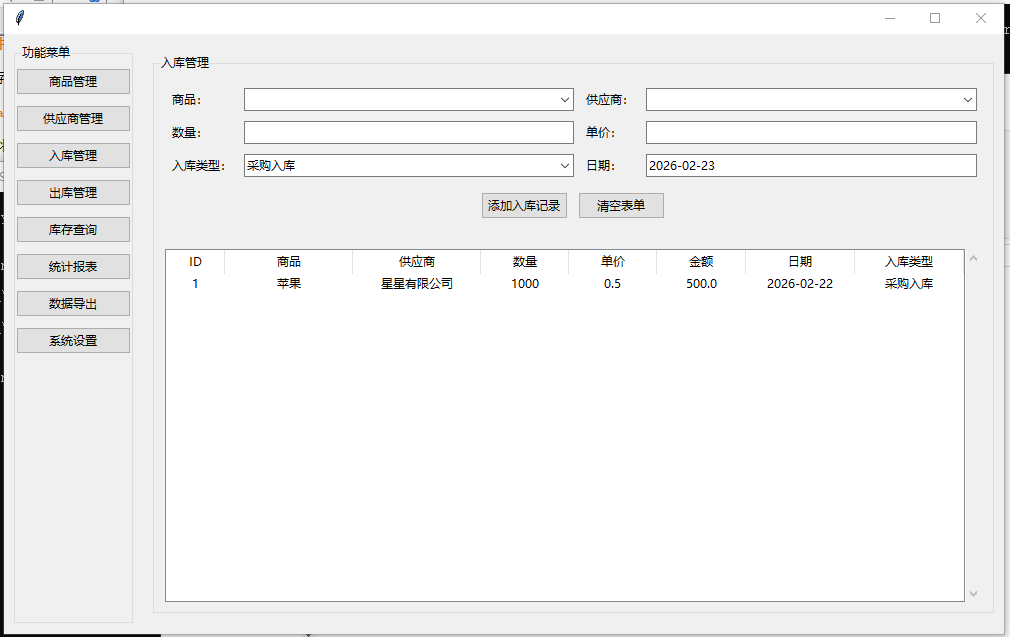
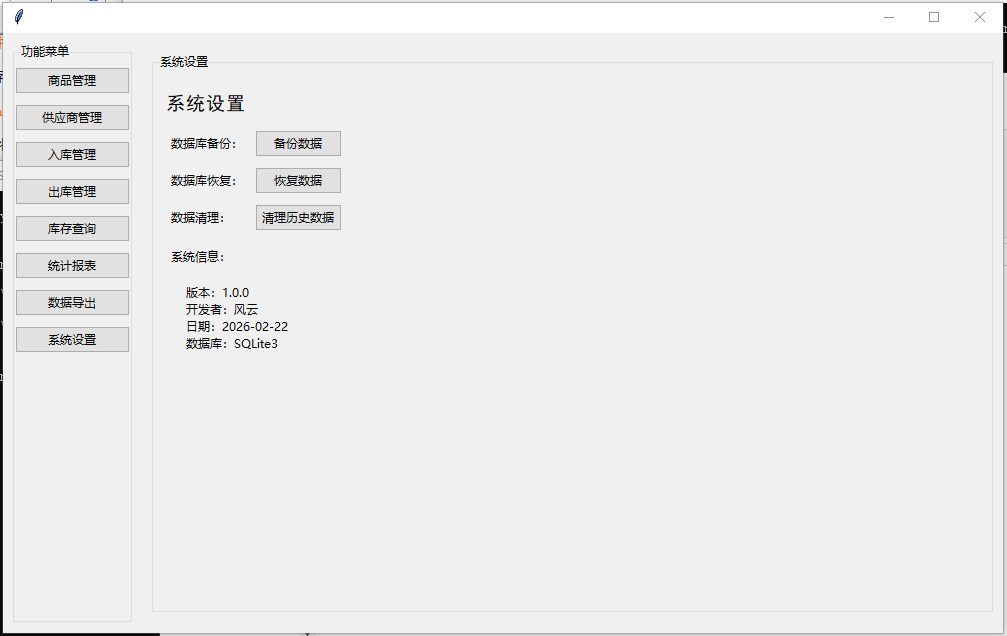
数据库初始化代码
import sqlite3
import pandas as pd
import matplotlib.pyplot as plt
from datetime import datetime

def init_db():
    conn = sqlite3.connect('inventory.db')
    c = conn.cursor()

    # 创建产品表
    c.execute('''CREATE TABLE IF NOT EXISTS products
                 (id INTEGER PRIMARY KEY AUTOINCREMENT,
                 name TEXT NOT NULL,
                 category TEXT,
                 unit TEXT,
                 purchase_price REAL,
                 selling_price REAL)''')

    # 创建库存表
    c.execute('''CREATE TABLE IF NOT EXISTS inventory
                 (product_id INTEGER,
                 quantity INTEGER,
                 FOREIGN KEY(product_id) REFERENCES products(id))''')

    # 创建进货记录表
    c.execute('''CREATE TABLE IF NOT EXISTS purchase
                 (id INTEGER PRIMARY KEY AUTOINCREMENT,
                 product_id INTEGER,
                 quantity INTEGER,
                 price REAL,
                 date TEXT,
                 supplier TEXT,
                 FOREIGN KEY(product_id) REFERENCES products(id))''')

    # 创建销售记录表
    c.execute('''CREATE TABLE IF NOT EXISTS sales
                 (id INTEGER PRIMARY KEY AUTOINCREMENT,
                 product_id INTEGER,
                 quantity INTEGER,
                 price REAL,
                 date TEXT,
                 customer TEXT,
                 FOREIGN KEY(product_id) REFERENCES products(id))''')

    conn.commit()
    conn.close()
进货管理功能
def add_product(name, category, unit, purchase_price, selling_price):
    conn = sqlite3.connect('inventory.db')
    c = conn.cursor()
    c.execute("INSERT INTO products (name, category, unit, purchase_price, selling_price) VALUES (?, ?, ?, ?, ?)",
              (name, category, unit, purchase_price, selling_price))
    product_id = c.lastrowid
    c.execute("INSERT INTO inventory (product_id, quantity) VALUES (?, 0)", (product_id,))
    conn.commit()
    conn.close()

def record_purchase(product_id, quantity, price, supplier):
    conn = sqlite3.connect('inventory.db')
    c = conn.cursor()
    current_date = datetime.now().strftime("%Y-%m-%d")
    c.execute("INSERT INTO purchase (product_id, quantity, price, date, supplier) VALUES (?, ?, ?, ?, ?)",
              (product_id, quantity, price, current_date, supplier))

    # 更新库存
    c.execute("UPDATE inventory SET quantity = quantity + ? WHERE product_id = ?", (quantity, product_id))
    conn.commit()
    conn.close()
销售管理功能
def record_sale(product_id, quantity, price, customer):
    conn = sqlite3.connect('inventory.db')
    c = conn.cursor()
    current_date = datetime.now().strftime("%Y-%m-%d")
    c.execute("INSERT INTO sales (product_id, quantity, price, date, customer) VALUES (?, ?, ?, ?, ?)",
              (product_id, quantity, price, current_date, customer))

    # 更新库存
    c.execute("UPDATE inventory SET quantity = quantity - ? WHERE product_id = ?", (quantity, product_id))
    conn.commit()
    conn.close()
库存查询功能
def get_inventory():
    conn = sqlite3.connect('inventory.db')
    df = pd.read_sql_query('''
        SELECT p.id, p.name, p.category, p.unit, i.quantity, p.purchase_price, p.selling_price
        FROM products p
        JOIN inventory i ON p.id = i.product_id
    ''', conn)
    conn.close()
    return df
数据导出功能
def export_data(table_name, file_format='csv'):
    conn = sqlite3.connect('inventory.db')
    df = pd.read_sql_query(f"SELECT * FROM {table_name}", conn)
    conn.close()

    if file_format == 'csv':
        df.to_csv(f'{table_name}.csv', index=False)
    elif file_format == 'excel':
        df.to_excel(f'{table_name}.xlsx', index=False)
    return f"数据已导出为{table_name}.{file_format}"
图形分析功能
def sales_analysis(start_date=None, end_date=None):
    conn = sqlite3.connect('inventory.db')
    query = '''
        SELECT p.name, SUM(s.quantity) as total_quantity, SUM(s.quantity * s.price) as total_revenue
        FROM sales s
        JOIN products p ON s.product_id = p.id
    '''

    if start_date and end_date:
        query += f" WHERE s.date BETWEEN '{start_date}' AND '{end_date}'"
    query += " GROUP BY p.name"

    df = pd.read_sql_query(query, conn)
    conn.close()

    # 绘制销售数量柱状图
    plt.figure(figsize=(10, 5))
    plt.bar(df['name'], df['total_quantity'])
    plt.title('产品销售数量')
    plt.xlabel('产品名称')
    plt.ylabel('销售数量')
    plt.xticks(rotation=45)
    plt.tight_layout()
    plt.savefig('sales_quantity.png')
    plt.close()

    # 绘制销售额饼图
    plt.figure(figsize=(8, 8))
    plt.pie(df['total_revenue'], labels=df['name'], autopct='%1.1f%%')
    plt.title('产品销售额占比')
    plt.savefig('sales_revenue.png')
    plt.close()

    return "分析图表已生成:sales_quantity.png 和 sales_revenue.png"
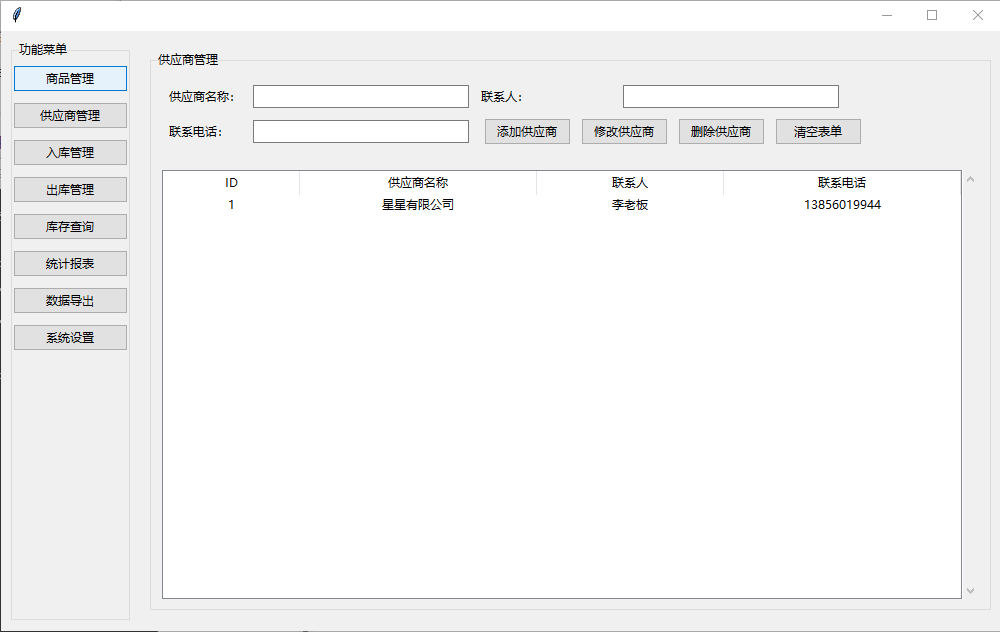
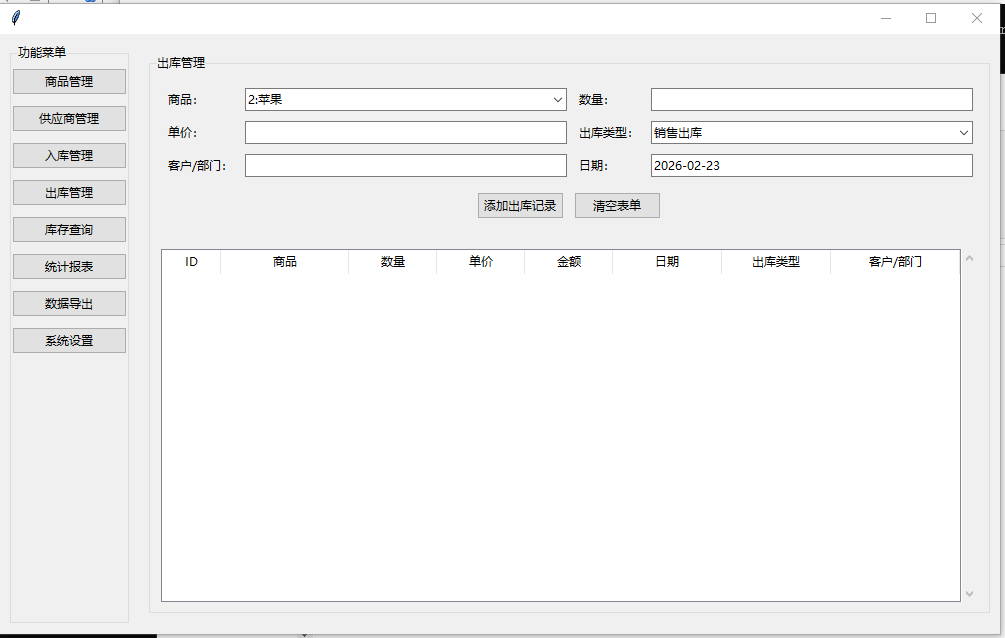
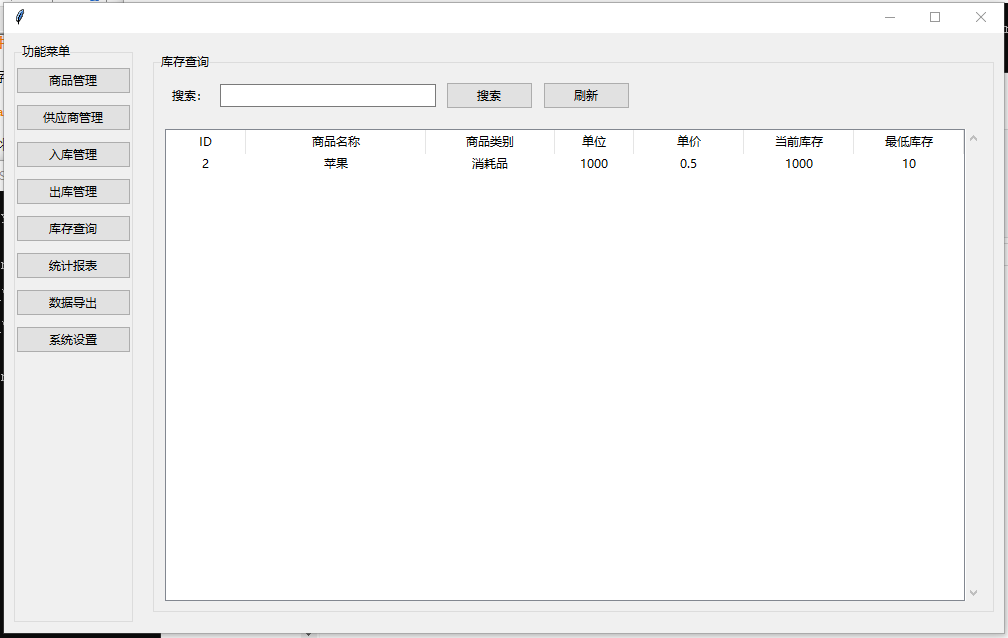
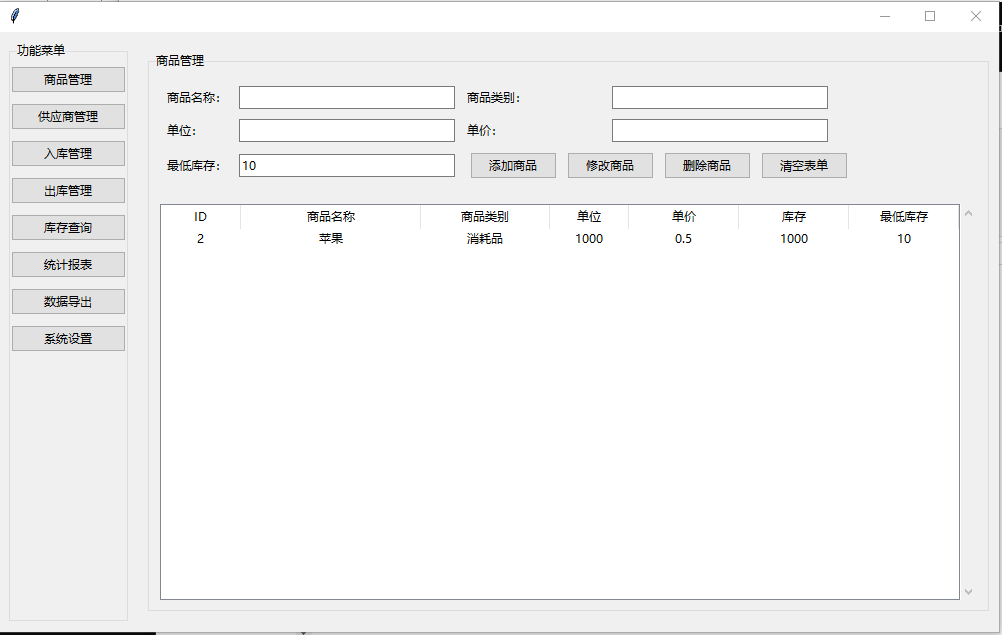
主程序示例
if __name__ == "__main__":
    init_db()

    # 添加示例产品
    add_product("苹果", "水果", "kg", 5.0, 8.0)
    add_product("香蕉", "水果", "kg", 3.0, 6.0)

    # 记录进货
    record_purchase(1, 100, 5.0, "水果供应商A")
    record_purchase(2, 150, 3.0, "水果供应商B")

    # 记录销售
    record_sale(1, 30, 8.0, "客户张三")
    record_sale(2, 50, 6.0, "客户李四")

    # 查看库存
    print(get_inventory())

    # 导出数据
    export_data('purchase', 'csv')
    export_data('sales', 'excel')

    # 生成分析图表
    sales_analysis()
代码说明
- 使用SQLite数据库存储所有数据,包含产品、库存、进货和销售四个表
- 进货和销售操作会自动更新库存数量
- 数据导出支持CSV和Excel格式
- 图形分析功能包含销售数量柱状图和销售额饼图
- 所有日期自动记录当前系统日期
该代码提供了完整的进销存管理基础功能,可以根据实际需求进一步扩展用户界面或添加更多分析功能。
无关技术高低,只是一份简单的乐趣与回忆。以后有空,或许还能再优化优化,提升一下编程的水平,或是加一点更贴心的小功能,毕竟,热爱从来都不分轻重,随手而为的美好,也值得被记录。收藏点赞关注转发都有积分哦。
小型进销存ERP管理系统
点个关注
进入我主页「资源」
免费下载,直接运行
持续分享Python/网页/小程序/电脑实用工具,
不套路、不加密,关注不迷路!

这里是“一人公司”的成长家园。我们提供从产品曝光、技术变现到法律财税的全栈内容,并连接云服务、办公空间等稀缺资源,助你专注创造,无忧运营。
更多推荐



 4
4 0
0- 0


 已为社区贡献2条内容

所有评论(0)