图片变清晰 API 实战:AI 超分辨率实现图片高清修复(Python / JavaScript / PHP / JS)
图片变清晰 API 实战:AI 超分辨率实现图片高清修复(Python / JavaScript / PHP / JS)
在实际开发中,经常会遇到 图片模糊、分辨率过低、图片被压缩 等问题,例如:
-
用户上传的头像太小
-
OCR 识别图片分辨率过低
-
老照片或扫描件模糊
-
网站图片被压缩导致清晰度下降
传统方法很难真正提升清晰度,而现在可以通过 AI 超分辨率(Super Resolution) 来实现 图片高清修复与放大。
本文将分享:
-
AI 图片变清晰的原理
-
图片高清修复 API 接入方法
-
Python / Java / PHP / JS 调用示例
-
网站自动修复图片清晰度的实现思路
一、什么是 AI 图片超分辨率
AI 超分辨率(Super Resolution)是一种利用深度学习模型对 低分辨率图片进行重建 的技术。
简单来说:
AI 会预测丢失的细节,让图片在放大的同时保持清晰。
常见应用场景包括:
-
图片模糊修复
-
低分辨率图片放大
-
OCR 图片预处理
-
老照片修复
-
电商商品图优化
例如下面这种情况:
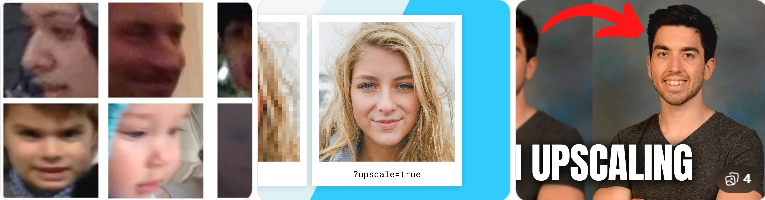
可以看到,AI 能够在 放大的同时补充纹理细节。
二、网站如何自动实现图片变清晰
常见实现方式有两种:
方案一:本地部署 AI 模型
例如:
-
ESRGAN
-
Real-ESRGAN
-
SwinIR
优点:
-
自由度高
-
可离线运行
缺点:
-
GPU 成本高
-
部署复杂
-
推理速度慢
方案二:使用 AI 图片增强 API(推荐)
通过 图片增强 API 可以直接实现:
-
图片高清修复
-
图片放大
-
模糊图片增强
典型流程:
上传图片
↓
调用图片增强 API
↓
返回高清图片
↓
网站展示或保存
优点:
-
接入简单
-
无需训练模型
-
服务器成本低
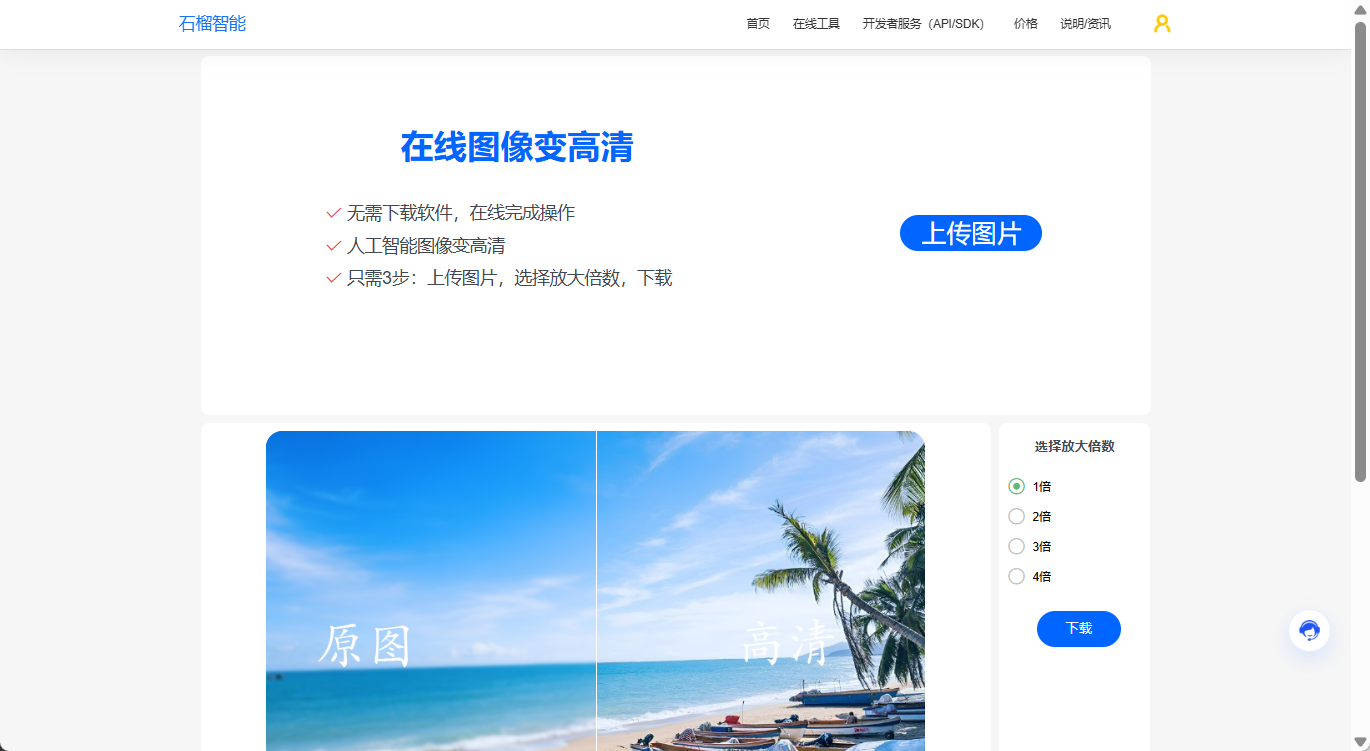
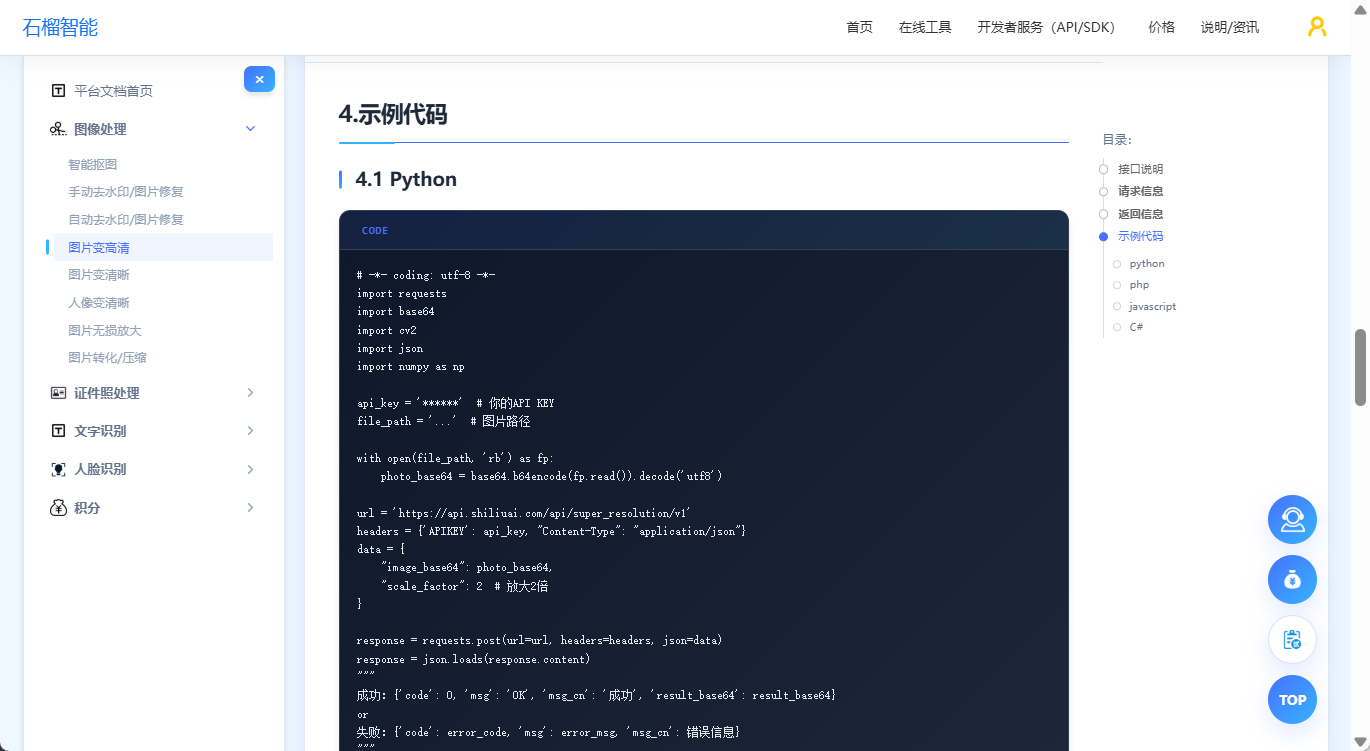
可以直接在线体验图片高清修复效果,且提供完善的API文档与示例代码:https://www.shiliuai.com/api/tupianbiangaoqing
在线体验页面示例:
开发者文档:
三、图片高清修复 API 调用流程
调用流程非常简单:
1 上传图片
2 调用图片增强 API
3 返回高清图片
接口返回示例:
//成功示例
{
  "code": 0,
  "msg": "OK",
  "msg_cn": "成功",
  "result_base64": "iVBORw0KGgoAAAANSUhEUgAA..."
}

// 失败示例
{
  "code": 4,
  "msg": "Invalid parameter: image_base64 or image_url is required",
  "msg_cn": "参数错误:image_base64 或 image_url 必须填写其中之一"
}
四、Python 调用示例
Python 调用通常只需要几行代码:
# API文档:https://www.shiliuai.com/api/tupianbiangaoqing
# -*- coding: utf-8 -*-
import requests
import base64
import cv2
import json
import numpy as np

api_key = '******'  # 你的API KEY
file_path = '...'  # 图片路径

with open(file_path, 'rb') as fp:
    photo_base64 = base64.b64encode(fp.read()).decode('utf8')

url = 'https://api.shiliuai.com/api/super_resolution/v1'
headers = {'APIKEY': api_key, "Content-Type": "application/json"}
data = {
    "image_base64": photo_base64,
    "scale_factor": 2  # 放大2倍
}

response = requests.post(url=url, headers=headers, json=data)
response = json.loads(response.content)
"""
成功:{'code': 0, 'msg': 'OK', 'msg_cn': '成功', 'result_base64': result_base64}
or
失败:{'code': error_code, 'msg': error_msg, 'msg_cn': 错误信息}
"""
result_base64 = response['result_base64']
file_bytes = base64.b64decode(result_base64)
f = open('result.jpg', 'wb')
f.write(file_bytes)
f.close()

image = np.asarray(bytearray(file_bytes), dtype=np.uint8)
image = cv2.imdecode(image, cv2.IMREAD_UNCHANGED)
cv2.imshow('result', image)
cv2.waitKey(0)
返回高清修复后的图片信息,即可在网站或应用中直接展示。
五、JavaScript 调用示例
JavaScript 示例代码:
前端或 Node.js 也可以直接调用:
//API文档:https://www.shiliuai.com/api/tupianbiangaoqing

const fs = require('fs');

const apiKey = '******';
const filePath = '...';
const apiUrl = 'https://api.shiliuai.com/api/super_resolution/v1';

async function main() {
  const imageBase64 = fs.readFileSync(filePath).toString('base64');

  const res = await fetch(apiUrl, {
    method: 'POST',
    headers: {
      APIKEY: apiKey,
      'Content-Type': 'application/json'
    },
    body: JSON.stringify({ image_base64: imageBase64, scale_factor: 2 })
  });

  const data = await res.json();
  if (data.code === 0) {
    fs.writeFileSync('result.jpg', Buffer.from(data.result_base64, 'base64'));
    console.log('图片变高清成功,已保存 result.jpg');
  } else {
    console.error('请求失败:', data.msg_cn || data.msg);
  }
}

main().catch(console.error);
六、PHP 调用示例
PHP 调用示例:
// API文档:https://www.shiliuai.com/api/tupianbiangaoqing

<?php
$url = "https://api.shiliuai.com/api/super_resolution/v1";
$method = "POST";
$apikey = "******";
$header = array();
array_push($header, "APIKEY:" . $apikey);
array_push($header, "Content-Type:application/json");

$file_path = "...";
$handle = fopen($file_path, "r");
$photo = fread($handle, filesize($file_path));
fclose($handle);
$photo_base64 = base64_encode($photo);

$data = array(
  "image_base64"=> $photo_base64,
  "scale_factor"=> 2
);
$post_data = json_encode($data);

$curl = curl_init();
curl_setopt($curl, CURLOPT_CUSTOMREQUEST, $method);
curl_setopt($curl, CURLOPT_URL, $url);
curl_setopt($curl, CURLOPT_HTTPHEADER, $header);
curl_setopt($curl, CURLOPT_POSTFIELDS, $post_data);
curl_setopt($curl, CURLOPT_RETURNTRANSFER, true);
curl_setopt($curl, CURLOPT_SSL_VERIFYPEER, false);
curl_setopt($curl, CURLOPT_SSL_VERIFYHOST, false);

$response = curl_exec($curl);
var_dump($response);
七、C# 调用示例
// API文档:https://www.shiliuai.com/api/tupianbiangaoqing
using System;
using System.IO;
using System.Net.Http;
using System.Text;
using System.Text.Json;
using System.Threading.Tasks;

class Program
{
    static async Task Main(string[] args)
    {
        string apiKey = "******"; // 你的API KEY
        string filePath = "...";  // 图片路径
        int scaleFactor = 2;      // 放大倍数,例如2倍
        string url = "https://api.shiliuai.com/api/super_resolution/v1";

        // 将图片编码为Base64
        string photoBase64;
        using (var imageStream = File.OpenRead(filePath))
        {
            byte[] imageBytes = new byte[imageStream.Length];
            await imageStream.ReadAsync(imageBytes, 0, (int)imageStream.Length);
            photoBase64 = Convert.ToBase64String(imageBytes);
        }

        // 构造请求数据
        var requestData = new
        {
            image_base64 = photoBase64,
            scale_factor = scaleFactor
        };
        string jsonData = JsonSerializer.Serialize(requestData);

        using (HttpClient client = new HttpClient())
        {
            client.DefaultRequestHeaders.Add("APIKEY", apiKey);
            client.DefaultRequestHeaders.Add("Content-Type", "application/json");

            try
            {
                // 发送POST请求
                var response = await client.PostAsync(url, new StringContent(jsonData, Encoding.UTF8, "application/json"));
                string responseString = await response.Content.ReadAsStringAsync();

                // 解析响应
                var responseObject = JsonSerializer.Deserialize<JsonElement>(responseString);

                int code = responseObject.GetProperty("code").GetInt32();
                if (code == 0)
                {
                    string resultBase64 = responseObject.GetProperty("result_base64").GetString();

                    // 将Base64转换为图片并保存
                    byte[] fileBytes = Convert.FromBase64String(resultBase64);
                    File.WriteAllBytes("result.jpg", fileBytes);
                    Console.WriteLine("Image processing succeeded, saved as result.jpg");
                }
                else
                {
                    string errorMsg = responseObject.GetProperty("msg_cn").GetString();
                    Console.WriteLine($"Error: {errorMsg}");
                }
            }
            catch (Exception ex)
            {
                Console.WriteLine($"Exception: {ex.Message}");
            }
        }
    }
}
八、图片变清晰在实际项目中的应用
在实际开发中,图片增强 API 通常用于:
1 OCR 图片预处理
低分辨率图片会影响 OCR 识别准确率。
解决方案:
图片增强
↓
OCR识别
识别率通常可以明显提升。
2 用户头像优化
用户上传头像:
-
分辨率低
-
被压缩
可以自动增强后再保存。
3 老照片修复
AI 可以对旧照片进行:
-
清晰度增强
-
分辨率放大
-
细节恢复
4 电商图片优化
电商平台常见问题:
-
商品图尺寸太小
-
图片模糊
通过 AI 超分辨率可以自动生成高清图。
九、总结
AI 超分辨率技术可以帮助开发者快速实现 图片高清修复与放大,相比传统算法具有明显优势。
通过 API 的方式接入,可以:
-
几分钟完成集成
-
无需部署 GPU
-
支持多语言调用
适用于:
-
OCR 图像预处理
-
用户头像优化
-
老照片修复
-
电商商品图增强
#图像处理 #AI图片增强 #Python开发

这里是“一人公司”的成长家园。我们提供从产品曝光、技术变现到法律财税的全栈内容,并连接云服务、办公空间等稀缺资源,助你专注创造,无忧运营。
更多推荐


 9
9 0
0- 0


 已为社区贡献10条内容

所有评论(0)