抖音火花任务自动化脚本
抖音火花任务自动深入创建一个完整的抖音火花任务自动化脚本,从技术架构到核心实现,全面掌握浏览器自动化、DOM操作、数据持久化等前端技术。化脚本:深度技术解析与实战指南
本文将深入创建一个完整的抖音火花任务自动化脚本,从技术架构到核心实现,全面掌握浏览器自动化、DOM操作、数据持久化等前端技术。
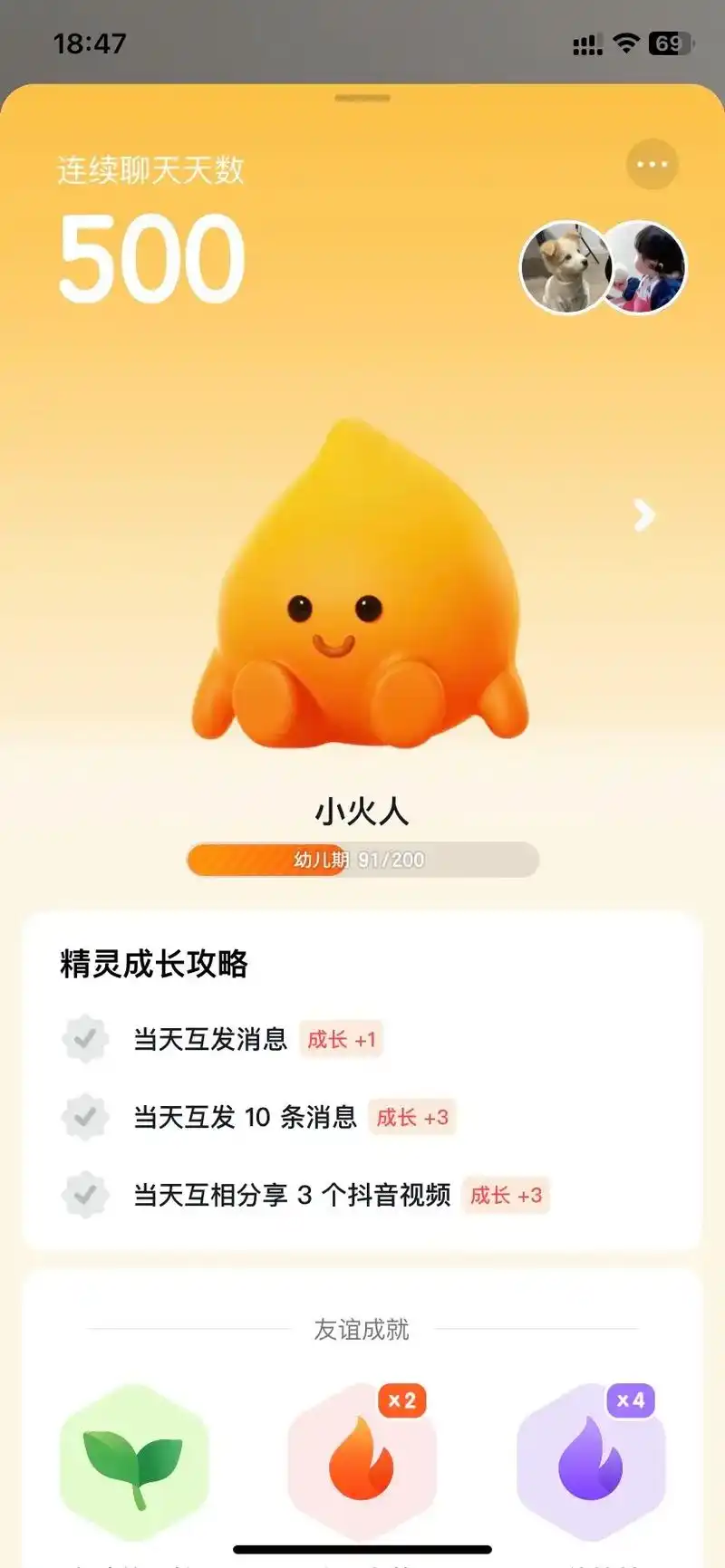
🎯 项目概述
这是一个基于 Tampermonkey 的浏览器用户脚本,用于自动化完成抖音火花任务。该脚本实现了定时发送消息、智能重试、多API集成、日志管理等完整功能,是一个典型的前端自动化解决方案。
主要特性
- ⏰ 定时任务调度:精确到秒的定时发送机制
- 🔄 智能重试机制:可配置的失败重试策略
- 🎨 可视化控制面板:完整的UI交互界面
- 💾 数据持久化:基于GM_setValue的本地存储
- 🔍 动态DOM监听:MutationObserver实时监控页面变化
- 📊 日志系统:完整的操作记录与导出功能
🛠️ 核心技术栈
1. Tampermonkey API
Tampermonkey 提供了强大的浏览器扩展能力,本项目主要使用了以下API:
// 数据持久化
GM_getValue(key, defaultValue)  // 读取存储数据
GM_setValue(key, value)          // 保存数据

// 跨域HTTP请求
GM_xmlhttpRequest({
    method: 'GET',
    url: 'https://api.example.com',
    responseType: 'json',
    onload: function(response) { }
})

// 系统通知
GM_notification({
    title: '标题',
    text: '内容',
    timeout: 3000
})
技术要点:
GM_getValue/GM_setValue提供了跨页面的数据持久化能力,数据存储在浏览器本地GM_xmlhttpRequest可以绕过CORS限制,实现跨域请求- 这些API是用户脚本的核心能力,使得脚本可以突破普通网页的沙箱限制
2. MutationObserver API
用于监听DOM树的变化,这是实现动态页面自动化的关键技术。
// 创建观察器实例
const observer = new MutationObserver((mutations) => {
    for (let mutation of mutations) {
        if (mutation.addedNodes.length > 0) {
            // 处理新增节点
            handleNewNodes(mutation.addedNodes);
        }
    }
});

// 配置并启动观察器
observer.observe(document.body, {
    childList: true,    // 监听子节点变化
    subtree: true,      // 监听所有后代节点
    attributes: false   // 不监听属性变化
});

// 停止观察
observer.disconnect();
技术深度解析:
MutationObserver 是现代浏览器提供的异步观察DOM变化的API,相比传统的轮询方式具有以下优势:
- 性能优越:异步批量处理变化,不会阻塞主线程
- 精确捕获:可以准确捕获DOM的各种变化类型
- 灵活配置:支持细粒度的观察配置
配置选项详解:
childList: 监听目标节点的子节点增删subtree: 监听目标节点及其所有后代节点attributes: 监听属性变化characterData: 监听文本内容变化attributeOldValue: 记录属性的旧值characterDataOldValue: 记录文本的旧值
3. 定时任务系统
// 倒计时更新
countdownInterval = setInterval(() => {
    const now = new Date();
    const diff = targetTime - now;

    if (diff <= 0) {
        // 触发发送任务
        sendMessage();
        clearInterval(countdownInterval);
    } else {
        // 更新倒计时显示
        updateCountdown(diff);
    }
}, 1000);
时间处理技巧:
// 解析时间字符串为日期对象
function parseTimeString(timeStr) {
    const [hours, minutes, seconds] = timeStr.split(':').map(Number);
    const now = new Date();
    const targetTime = new Date(now);
    targetTime.setHours(hours, minutes, seconds || 0, 0);

    // 如果目标时间已经过去,设置为明天
    if (targetTime <= now) {
        targetTime.setDate(targetTime.getDate() + 1);
    }

    return targetTime;
}
🏗️ 架构设计
整体架构图
┌─────────────────────────────────────────────────────────┐
│                    用户界面层 (UI Layer)                  │
│  ┌──────────────┐  ┌──────────────┐  ┌──────────────┐  │
│  │  控制面板    │  │  设置面板    │  │  历史日志    │  │
│  └──────────────┘  └──────────────┘  └──────────────┘  │
└─────────────────────────────────────────────────────────┘
                            ↓
┌─────────────────────────────────────────────────────────┐
│                   业务逻辑层 (Logic Layer)                │
│  ┌──────────────┐  ┌──────────────┐  ┌──────────────┐  │
│  │  定时调度    │  │  消息发送    │  │  重试机制    │  │
│  └──────────────┘  └──────────────┘  └──────────────┘  │
│  ┌──────────────┐  ┌──────────────┐  ┌──────────────┐  │
│  │  DOM监听     │  │  目标查找    │  │  日志管理    │  │
│  └──────────────┘  └──────────────┘  └──────────────┘  │
└─────────────────────────────────────────────────────────┘
                            ↓
┌─────────────────────────────────────────────────────────┐
│                   数据层 (Data Layer)                     │
│  ┌──────────────┐  ┌──────────────┐  ┌──────────────┐  │
│  │  配置管理    │  │  状态存储    │  │  API集成     │  │
│  └──────────────┘  └──────────────┘  └──────────────┘  │
└─────────────────────────────────────────────────────────┘
数据流设计
// 配置初始化流程
initConfig() → loadFromStorage() → mergeWithDefaults() → saveConfig()

// 消息发送流程
sendMessage() → findTargetUser() → waitForChatInput()
              → getMessageContent() → sendToInput() → clickSendButton()
              → verifySuccess() → updateStatus()

// DOM监听流程
initObserver() → observeChanges() → detectTarget()
               → triggerAction() → stopObserver()
💡 核心功能实现
1. 配置管理
采用默认配置 + 用户配置合并的策略,确保配置的完整性和向后兼容性。
// 默认配置定义
const DEFAULT_CONFIG = {
    baseMessage: "续火",
    sendTime: "00:01:00",
    checkInterval: 1000,
    maxWaitTime: 30000,
    maxRetryCount: 3,
    hitokotoTimeout: 60000,
    txtApiTimeout: 60000,
    useHitokoto: true,
    useTxtApi: true,
    txtApiMode: "manual",
    txtApiManualRandom: true,
    customMessage: "—————续火—————\n\n[TXTAPI]\n\n—————每日一言—————\n\n[API]\n",
    hitokotoFormat: "{hitokoto}\n—— {from}{from_who}",
    fromFormat: "{from}",
    fromWhoFormat: "「{from_who}」",
    txtApiUrl: "https://xxx/?encode=text",
    txtApiManualText: "文本1\n文本2\n文本3",
    targetUsername: "请修改此处为续火目标用户名",
    maxLogCount: 200
};

// 配置初始化
function initConfig() {
    const savedConfig = GM_getValue('userConfig');
    userConfig = savedConfig ? {...DEFAULT_CONFIG, ...savedConfig} : {...DEFAULT_CONFIG};

    // 确保所有配置项都存在(向后兼容)
    for (const key in DEFAULT_CONFIG) {
        if (userConfig[key] === undefined) {
            userConfig[key] = DEFAULT_CONFIG[key];
        }
    }

    GM_setValue('userConfig', userConfig);
    return userConfig;
}
设计亮点:
- 对象展开运算符:使用
{...DEFAULT_CONFIG, ...savedConfig}实现配置合并 - 向后兼容:遍历检查确保所有配置项都存在
- 热更新支持:配置修改后立即生效并持久化
模块化设计:
// 配置模块封装
const ConfigModule = {
    init: initConfig,
    save: saveConfig,
    reset: resetAllConfig,
    get: (key) => userConfig[key],
    set: (key, value) => {
        userConfig[key] = value;
        GM_setValue('userConfig', userConfig);
    }
};

// 使用常量管理配置键
const CONFIG_KEYS = {
    BASE_MESSAGE: 'baseMessage',
    SEND_TIME: 'sendTime',
    MAX_RETRY: 'maxRetryCount',
    TARGET_USER: 'targetUsername'
};
2. 智能DOM查找机制
针对动态加载的页面,实现了多策略的元素查找机制。
function tryClickTargetUser() {
    if (hasClickedTarget) return true;

    try {
        // 多选择器策略
        const selectors = [
            '[class*="name"]',
            '[class*="username"]',
            '[class*="header"]',
            '[class*="item"]',
            '[class*="contact"]',
            '[class*="list"] [class*="name"]',
            '[class*="chat"] [class*="name"]',
            '[class*="message"] [class*="name"]'
        ];

        // 遍历所有选择器
        for (let selector of selectors) {
            const elements = document.querySelectorAll(selector);
            for (let element of elements) {
                if (element.textContent &&
                    element.textContent.trim() === userConfig.targetUsername) {
                    element.click();
                    hasClickedTarget = true;
                    updateChatTargetStatus('已找到', true);
                    return true;
                }
            }
        }

        return false;
    } catch (error) {
        addLog(`寻找目标用户时出错: ${error.message}`, 'error');
        return false;
    }
}
技术要点:
- 模糊匹配:使用
[class*="name"]匹配包含特定字符串的class - 多层级查找:支持嵌套选择器如
[class*="list"] [class*="name"] - 文本精确匹配:通过
textContent.trim()确保精确匹配 - 容错处理:try-catch 包裹,避免单个查找失败影响整体流程
选择器优化策略:
// 使用常量管理选择器
const SELECTORS = {
    CHAT_INPUT: '.chat-input-dccKiL',
    SEND_BUTTON: '.chat-btn',
    USER_NAME: '[class*="name"]',
    MESSAGE_LIST: '[class*="list"] [class*="name"]'
};

// 优化查询性能
function findElement(selector, parent = document) {
    // 缓存查询结果
    if (!this.elementCache) this.elementCache = new Map();

    const cacheKey = `${selector}_${parent}`;
    if (this.elementCache.has(cacheKey)) {
        const cached = this.elementCache.get(cacheKey);
        if (document.contains(cached)) return cached;
    }

    const element = parent.querySelector(selector);
    if (element) this.elementCache.set(cacheKey, element);
    return element;
}
3. 消息内容组装系统
支持多种API集成和自定义格式化。
async function getMessageContent() {
    let customMessage = userConfig.customMessage || userConfig.baseMessage;

    // 获取一言内容
    let hitokotoContent = '';
    if (userConfig.useHitokoto) {
        try {
            addLog('正在获取一言内容...', 'info');
            hitokotoContent = await getHitokoto();
            addLog('一言内容获取成功', 'success');
        } catch (error) {
            addLog(`一言获取失败: ${error.message}`, 'error');
            hitokotoContent = '一言获取失败~';
        }
    }

    // 获取TXTAPI内容
    let txtApiContent = '';
    if (userConfig.useTxtApi) {
        try {
            addLog('正在获取TXTAPI内容...', 'info');
            txtApiContent = await getTxtApiContent();
            addLog('TXTAPI内容获取成功', 'success');
        } catch (error) {
            addLog(`TXTAPI获取失败: ${error.message}`, 'error');
            txtApiContent = 'TXTAPI获取失败~';
        }
    }

    // 替换占位符
    if (customMessage.includes('[API]')) {
        customMessage = customMessage.replace('[API]', hitokotoContent);
    } else if (userConfig.useHitokoto) {
        customMessage += ` | ${hitokotoContent}`;
    }

    if (customMessage.includes('[TXTAPI]')) {
        customMessage = customMessage.replace('[TXTAPI]', txtApiContent);
    } else if (userConfig.useTxtApi) {
        customMessage += ` | ${txtApiContent}`;
    }

    return customMessage;
}
一言API格式化实现:
function formatHitokoto(format, data) {
    let result = format.replace(/{hitokoto}/g, data.hitokoto || '');

    // 条件格式化from
    let fromFormatted = '';
    if (data.from) {
        fromFormatted = userConfig.fromFormat.replace(/{from}/g, data.from);
    }
    result = result.replace(/{from}/g, fromFormatted);

    // 条件格式化from_who
    let fromWhoFormatted = '';
    if (data.from_who) {
        fromWhoFormatted = userConfig.fromWhoFormat.replace(/{from_who}/g, data.from_who);
    }
    result = result.replace(/{from_who}/g, fromWhoFormatted);

    return result;
}
设计:
- 异步并发:使用 async/await 处理多个API请求
- 占位符系统:灵活的内容替换机制
- 条件格式化:根据数据是否存在决定是否显示格式
- 降级策略:API失败时使用默认文本
Promise与async/await最佳实践:
// 方式1:Promise链式调用
function getMessageContentPromise() {
    return getHitokoto()
        .then(hitokoto => {
            return getTxtApiContent()
                .then(txtApi => ({ hitokoto, txtApi }));
        })
        .then(({ hitokoto, txtApi }) => {
            return formatMessage(hitokoto, txtApi);
        })
        .catch(error => {
            console.error('获取消息内容失败:', error);
            return userConfig.baseMessage;
        });
}

// 方式2:async/await(推荐)
async function getMessageContentAsync() {
    try {
        // 并发请求提升性能
        const [hitokoto, txtApi] = await Promise.all([
            getHitokoto().catch(() => ''),
            getTxtApiContent().catch(() => '')
        ]);
        return formatMessage(hitokoto, txtApi);
    } catch (error) {
        console.error('获取消息内容失败:', error);
        return userConfig.baseMessage;
    }
}

// 方式3:带超时控制的Promise
function withTimeout(promise, timeoutMs) {
    return Promise.race([
        promise,
        new Promise((_, reject) =>
            setTimeout(() => reject(new Error('请求超时')), timeoutMs)
        )
    ]);
}

// 使用示例
const hitokoto = await withTimeout(getHitokoto(), 5000);
4. TXTAPI双模式
支持API模式和手动模式,手动模式还支持顺序/随机两种策略。
function getTxtApiContent() {
    return new Promise((resolve, reject) => {
        if (userConfig.txtApiMode === 'api') {
            // API模式:发送HTTP请求
            const timeout = setTimeout(() => {
                reject(new Error('TXTAPI请求超时'));
            }, userConfig.txtApiTimeout);

            GM_xmlhttpRequest({
                method: 'GET',
                url: userConfig.txtApiUrl,
                onload: function(response) {
                    clearTimeout(timeout);
                    if (response.status === 200) {
                        updateTxtApiStatus('获取成功');
                        resolve(response.responseText.trim());
                    } else {
                        updateTxtApiStatus('请求失败', false);
                        reject(new Error(`TXTAPI请求失败: ${response.status}`));
                    }
                },
                onerror: function(error) {
                    clearTimeout(timeout);
                    updateTxtApiStatus('网络错误', false);
                    reject(new Error('TXTAPI网络错误'));
                }
            });
        } else {
            // 手动模式:从配置文本中选择
            const lines = userConfig.txtApiManualText.split('\n').filter(line => line.trim());
            if (lines.length === 0) {
                updateTxtApiStatus('无内容', false);
                reject(new Error('手动文本内容为空'));
                return;
            }

            let sentIndexes = GM_getValue('txtApiManualSentIndexes', []);

            if (userConfig.txtApiManualRandom) {
                // 随机模式
                let availableIndexes = [];
                for (let i = 0; i < lines.length; i++) {
                    if (!sentIndexes.includes(i)) {
                        availableIndexes.push(i);
                    }
                }

                // 所有行都已发送,重置记录
                if (availableIndexes.length === 0) {
                    sentIndexes = [];
                    availableIndexes = Array.from({length: lines.length}, (_, i) => i);
                    GM_setValue('txtApiManualSentIndexes', []);
                }

                // 随机选择
                const randomIndex = Math.floor(Math.random() * availableIndexes.length);
                const selectedIndex = availableIndexes[randomIndex];
                const selectedText = lines[selectedIndex].trim();

                sentIndexes.push(selectedIndex);
                GM_setValue('txtApiManualSentIndexes', sentIndexes);

                updateTxtApiStatus('获取成功');
                resolve(selectedText);
            } else {
                // 顺序模式
                let nextIndex = 0;
                if (sentIndexes.length > 0) {
                    nextIndex = (sentIndexes[sentIndexes.length - 1] + 1) % lines.length;
                }

                const selectedText = lines[nextIndex].trim();
                sentIndexes.push(nextIndex);
                GM_setValue('txtApiManualSentIndexes', sentIndexes);

                updateTxtApiStatus('获取成功');
                resolve(selectedText);
            }
        }
    });
}
技术:
- 双模式设计:API模式和手动模式互不干扰
- 去重机制:记录已发送的索引,避免重复
- 自动重置:所有内容发送完后自动重置
- 随机算法:从未发送的内容中随机选择
随机算法优化:
// Fisher-Yates洗牌算法(更均匀的随机分布)
function shuffleArray(array) {
    const result = [...array];
    for (let i = result.length - 1; i > 0; i--) {
        const j = Math.floor(Math.random() * (i + 1));
        [result[i], result[j]] = [result[j], result[i]];
    }
    return result;
}

// 改进的随机选择(预先洗牌,顺序消费)
function getTxtApiContentImproved() {
    let shuffledIndexes = GM_getValue('txtApiShuffledIndexes', []);
    let currentIndex = GM_getValue('txtApiCurrentIndex', 0);

    const lines = userConfig.txtApiManualText.split('\n').filter(line => line.trim());

    // 需要重新洗牌
    if (shuffledIndexes.length === 0 || currentIndex >= shuffledIndexes.length) {
        shuffledIndexes = shuffleArray(Array.from({length: lines.length}, (_, i) => i));
        currentIndex = 0;
        GM_setValue('txtApiShuffledIndexes', shuffledIndexes);
    }

    const selectedIndex = shuffledIndexes[currentIndex];
    const selectedText = lines[selectedIndex].trim();

    GM_setValue('txtApiCurrentIndex', currentIndex + 1);
    return Promise.resolve(selectedText);
}
5. 重试机制
async function executeSendProcess() {
    retryCount++;
    updateRetryCount();

    if (retryCount > userConfig.maxRetryCount) {
        addLog(`已达到最大重试次数 (${userConfig.maxRetryCount})`, 'error');
        isProcessing = false;
        return;
    }

    addLog(`尝试发送 (${retryCount}/${userConfig.maxRetryCount})`, 'info');

    if (!hasClickedTarget) {
        addLog('目标用户未找到,先查找目标用户...', 'info');
        findAndClickTargetUser();
    } else {
        addLog('目标用户已找到,直接查找聊天输入框...', 'info');
        setTimeout(tryFindChatInput, 1000);
    }
}
重试策略:
- 计数器控制:通过
retryCount控制重试次数 - 状态检查:根据
hasClickedTarget决定重试步骤 - 延迟重试:使用
setTimeout避免频繁重试 - 失败退出:达到最大次数后停止处理
6. 日志系统
完整的日志记录、展示和导出功能。
function addLog(message, type = 'info') {
    const now = new Date();
    const timeString = now.toLocaleTimeString();
    const logEntry = {
        time: timeString,
        message: message,
        type: type
    };

    // 添加到内存
    allLogs.push(logEntry);

    // 限制日志数量
    if (allLogs.length > userConfig.maxLogCount) {
        allLogs = allLogs.slice(-userConfig.maxLogCount);
    }

    // 持久化存储
    GM_setValue('allLogs', allLogs);

    // UI显示
    const logEntryElement = document.createElement('div');
    logEntryElement.style.color = type === 'success' ? '#28a745' :
                                   type === 'error' ? '#dc3545' :
                                   type === 'warning' ? '#ffc107' : '#17a2b8';
    logEntryElement.textContent = `${timeString} - ${message}`;

    const logContainer = document.getElementById('dy-fire-log');
    if (logContainer) {
        logContainer.prepend(logEntryElement);

        // 限制显示数量
        if (logContainer.children.length > 8) {
            logContainer.removeChild(logContainer.lastChild);
        }

        logContainer.scrollTop = 0;
    }
}
日志导出:
document.getElementById('dy-fire-history-export').addEventListener('click', function() {
    if (logs.length === 0) {
        alert('没有日志可导出');
        return;
    }

    const logText = logs.map(log => `${log.time} - ${log.message}`).join('\n');
    const blob = new Blob([logText], { type: 'text/plain' });
    const url = URL.createObjectURL(blob);
    const a = document.createElement('a');
    a.href = url;
    a.download = `抖音续火助手日志_${new Date().toISOString().slice(0, 10)}.txt`;
    document.body.appendChild(a);
    a.click();
    document.body.removeChild(a);
    URL.revokeObjectURL(url);

    addLog('日志已导出', 'success');
});
技术:
- 分级日志:支持 info、success、error、warning 四种级别
- 双重存储:内存 + 持久化存储
- 数量限制:防止日志无限增长
- Blob导出:使用 Blob API 实现文件下载
日志模块化设计:
// 日志模块封装
const LogModule = {
    // 日志类型常量
    TYPES: {
        INFO: 'info',
        SUCCESS: 'success',
        ERROR: 'error',
        WARNING: 'warning'
    },

    // 日志颜色映射
    COLORS: {
        info: '#17a2b8',
        success: '#28a745',
        error: '#dc3545',
        warning: '#ffc107'
    },

    // 添加日志
    add: addLog,

    // 导出日志
    export: function() {
        const logs = GM_getValue('allLogs', []);
        if (logs.length === 0) {
            alert('没有日志可导出');
            return;
        }

        const logText = logs.map(log => `${log.time} [${log.type.toUpperCase()}] ${log.message}`).join('\n');
        const blob = new Blob([logText], { type: 'text/plain;charset=utf-8' });
        const url = URL.createObjectURL(blob);
        const a = document.createElement('a');
        a.href = url;
        a.download = `抖音续火助手日志_${new Date().toISOString().slice(0, 10)}.txt`;
        document.body.appendChild(a);
        a.click();
        document.body.removeChild(a);
        URL.revokeObjectURL(url);

        this.add('日志已导出', this.TYPES.SUCCESS);
    },

    // 清空日志
    clear: function() {
        GM_setValue('allLogs', []);
        const logContainer = document.getElementById('dy-fire-log');
        if (logContainer) {
            logContainer.innerHTML = '';
        }
        this.add('日志已清空', this.TYPES.INFO);
    },

    // 获取日志统计
    getStats: function() {
        const logs = GM_getValue('allLogs', []);
        return {
            total: logs.length,
            info: logs.filter(l => l.type === this.TYPES.INFO).length,
            success: logs.filter(l => l.type === this.TYPES.SUCCESS).length,
            error: logs.filter(l => l.type === this.TYPES.ERROR).length,
            warning: logs.filter(l => l.type === this.TYPES.WARNING).length
        };
    }
};
🔥 难点实现
难点1:动态页面元素查找
问题:现代Web应用大量使用动态加载,元素可能在任意时刻出现。
解决方案:
function findAndClickTargetUser() {
    addLog(`开始查找目标用户: ${userConfig.targetUsername}`, 'info');

    // 停止之前的观察器
    if (sendProcessObserver) {
        sendProcessObserver.disconnect();
        sendProcessObserver = null;
    }

    // 先立即尝试一次
    if (tryClickTargetUser()) {
        return;
    }

    // 启动观察器监听DOM变化
    sendProcessObserver = new MutationObserver((mutations) => {
        if (hasClickedTarget) {
            sendProcessObserver.disconnect();
            return;
        }

        for (let mutation of mutations) {
            if (mutation.addedNodes.length > 0) {
                if (tryClickTargetUser()) {
                    sendProcessObserver.disconnect();
                    return;
                }
            }
        }
    });

    // 观察整个文档
    sendProcessObserver.observe(document.body, {
        childList: true,
        subtree: true
    });

    // 设置超时
    setTimeout(() => {
        if (!hasClickedTarget && sendProcessObserver) {
            sendProcessObserver.disconnect();
            addLog('查找目标用户超时,重试中...', 'warning');
            setTimeout(executeSendProcess, 2000);
        }
    }, 10000);
}
关键:
- 立即尝试 + 观察器:先尝试直接查找,失败后启动观察器
- 状态标记:使用
hasClickedTarget避免重复点击 - 超时机制:防止无限等待
- 观察器清理:及时断开观察器释放资源
观察器性能:
// 防抖优化:避免频繁触发
function createDebouncedObserver(callback, delay = 100) {
    let debounceTimer = null;

    return new MutationObserver((mutations) => {
        clearTimeout(debounceTimer);
        debounceTimer = setTimeout(() => {
            callback(mutations);
        }, delay);
    });
}

// 节流优化:限制执行频率
function createThrottledObserver(callback, delay = 100) {
    let lastTime = 0;

    return new MutationObserver((mutations) => {
        const now = Date.now();
        if (now - lastTime >= delay) {
            callback(mutations);
            lastTime = now;
        }
    });
}

// 使用示例
const debouncedObserver = createDebouncedObserver((mutations) => {
    tryClickTargetUser();
}, 200);

debouncedObserver.observe(document.body, {
    childList: true,
    subtree: true
});
难点2:换行符处理
问题:直接设置 textContent 或 value 无法正确处理换行符。
解决方案:
// 清空输入框
input.textContent = '';
input.focus();

// 处理换行符
const lines = messageToSend.split('\n');
for (let i = 0; i < lines.length; i++) {
    document.execCommand('insertText', false, lines[i]);
    if (i < lines.length - 1) {
        // 插入换行符
        document.execCommand('insertLineBreak');
    }
}

input.dispatchEvent(new Event('input', { bubbles: true }));
技术要点:
- 使用
document.execCommand('insertText')插入文本 - 使用
document.execCommand('insertLineBreak')插入换行 - 触发
input事件通知框架更新
事件模拟最佳实践:
// 完整的事件模拟流程
function simulateUserInput(element, text) {
    // 1. 聚焦元素
    element.focus();

    // 2. 触发焦点事件
    element.dispatchEvent(new FocusEvent('focus', { bubbles: true }));

    // 3. 处理换行符
    const lines = text.split('\n');
    for (let i = 0; i < lines.length; i++) {
        // 插入文本
        document.execCommand('insertText', false, lines[i]);

        // 插入换行(除了最后一行)
        if (i < lines.length - 1) {
            document.execCommand('insertLineBreak');
        }
    }

    // 4. 触发输入事件
    element.dispatchEvent(new Event('input', { bubbles: true }));
    element.dispatchEvent(new Event('change', { bubbles: true }));

    // 5. 触发键盘事件(某些框架需要)
    element.dispatchEvent(new KeyboardEvent('keydown', { bubbles: true }));
    element.dispatchEvent(new KeyboardEvent('keyup', { bubbles: true }));
}

// 使用事件委托优化
function setupEventDelegation(container, selector, eventType, handler) {
    container.addEventListener(eventType, (e) => {
        if (e.target.matches(selector)) {
            handler(e);
        }
    });
}

// 示例:为所有按钮添加点击事件
setupEventDelegation(document.body, 'button.send-btn', 'click', (e) => {
    console.log('发送按钮被点击');
});
难点3:跨域API请求
问题:浏览器的同源策略限制了跨域请求。
解决方案:
GM_xmlhttpRequest({
    method: 'GET',
    url: 'https://v1.hitokoto.cn/',
    responseType: 'json',
    timeout: userConfig.hitokotoTimeout,
    onload: function(response) {
        if (response.status === 200) {
            const data = response.response;
            resolve(formatHitokoto(userConfig.hitokotoFormat, data));
        }
    },
    onerror: function(error) {
        reject(new Error('API网络错误'));
    },
    ontimeout: function() {
        reject(new Error('API请求超时'));
    }
});
优势:
- 绕过CORS限制
- 支持设置超时
- 完整的错误处理
难点4:时间计算与跨天处理
问题:需要正确处理跨天的时间计算。
解决方案:
function parseTimeString(timeStr) {
    const [hours, minutes, seconds] = timeStr.split(':').map(Number);
    const now = new Date();
    const targetTime = new Date(now);
    targetTime.setHours(hours, minutes, seconds || 0, 0);

    // 如果目标时间已经过去,设置为明天
    if (targetTime <= now) {
        targetTime.setDate(targetTime.getDate() + 1);
    }

    return targetTime;
}

// 倒计时更新
function startCountdown(targetTime) {
    function update() {
        const now = new Date();
        const diff = targetTime - now;

        if (diff <= 0) {
            // 检查今天是否已发送
            const lastSentDate = GM_getValue('lastSentDate', '');
            const today = new Date().toDateString();

            if (lastSentDate === today) {
                // 已发送,设置明天的目标时间
                nextSendTime = parseTimeString(userConfig.sendTime);
                startCountdown(nextSendTime);
            } else {
                // 未发送,执行发送
                sendMessage();
            }
            return;
        }

        // 更新倒计时显示
        const hours = Math.floor(diff / (1000 * 60 * 60));
        const minutes = Math.floor((diff % (1000 * 60 * 60)) / (1000 * 60));
        const seconds = Math.floor((diff % (1000 * 60)) / 1000);

        updateCountdownDisplay(hours, minutes, seconds);
    }

    update();
    countdownInterval = setInterval(update, 1000);
}
关键点:
- 使用
toDateString()比较日期,忽略时间部分 - 自动处理跨天情况
- 倒计时归零后检查发送状态
🔒 安全性
1. 输入验证
// 时间格式验证
function validateTimeFormat(timeValue) {
    const timeRegex = /^([0-1]?[0-9]|2[0-3]):[0-5][0-9]:[0-5][0-9]$/;
    if (!timeRegex.test(timeValue)) {
        addLog('时间格式错误,请使用HH:mm:ss格式', 'error');
        return false;
    }
    return true;
}

// 数值范围验证
function validateRetryCount(maxRetryCount) {
    if (isNaN(maxRetryCount) || maxRetryCount < 1 || maxRetryCount > 10) {
        addLog('重试次数必须是1-10之间的数字', 'error');
        return false;
    }
    return true;
}

// URL验证
function validateUrl(url) {
    try {
        new URL(url);
        return true;
    } catch (error) {
        addLog('URL格式错误', 'error');
        return false;
    }
}

// 综合验证器
const Validator = {
    time: validateTimeFormat,
    number: (value, min, max) => !isNaN(value) && value >= min && value <= max,
    url: validateUrl,
    notEmpty: (value) => value && value.trim().length > 0
};
2. XSS防护
// 使用textContent而非innerHTML
logEntryElement.textContent = `${timeString} - ${message}`;
// 创建元素而非字符串拼接
const element = document.createElement('div');
element.textContent = userInput; // 自动转义
// HTML转义函数
function escapeHtml(unsafe) {
return unsafe
.replace(/&/g, "&")
.replace(/</g, "<")
.replace(/>/g, ">")
.replace(/"/g, """)
.replace(/'/g, "'");
}
// 安全的innerHTML设置
function safeSetInnerHTML(element, html) {
element.textContent = ''; // 清空
const sanitized = escapeHtml(html);
element.innerHTML = sanitized;
}
3. 错误处理
// 统一错误处理
function handleError(error, context = '') {
    const errorMessage = `${context ? context + ': ' : ''}${error.message}`;
    addLog(errorMessage, 'error');

    // 错误上报(可选)
    if (userConfig.enableErrorReport) {
        reportError(error, context);
    }
}

// Try-Catch包装器
function tryCatch(fn, fallback, context = '') {
    try {
        return fn();
    } catch (error) {
        handleError(error, context);
        return fallback ? fallback() : null;
    }
}

// 异步错误处理
async function asyncTryCatch(fn, fallback, context = '') {
    try {
        return await fn();
    } catch (error) {
        handleError(error, context);
        return fallback ? await fallback() : null;
    }
}

// 使用示例
const result = tryCatch(
    () => riskyOperation(),
    () => defaultValue,
    '执行风险操作'
);
4. 资源清理
// 资源管理器
class ResourceManager {
    constructor() {
        this.observers = [];
        this.timers = [];
        this.eventListeners = [];
    }

    addObserver(observer) {
        this.observers.push(observer);
        return observer;
    }

    addTimer(timer) {
        this.timers.push(timer);
        return timer;
    }

    addEventListener(element, event, handler) {
        element.addEventListener(event, handler);
        this.eventListeners.push({ element, event, handler });
    }

    cleanup() {
        // 断开所有观察器
        this.observers.forEach(observer => observer.disconnect());
        this.observers = [];

        // 清除所有定时器
        this.timers.forEach(timer => clearInterval(timer));
        this.timers = [];

        // 移除所有事件监听器
        this.eventListeners.forEach(({ element, event, handler }) => {
            element.removeEventListener(event, handler);
        });
        this.eventListeners = [];
    }
}

// 使用示例
const resourceManager = new ResourceManager();

// 页面卸载时清理资源
window.addEventListener('beforeunload', () => {
    resourceManager.cleanup();
});
📈 应用场景
1. 自动签到脚本
// 每日自动签到
async function autoCheckIn() {
    const checkInButton = await waitForElement('.check-in-btn');
    checkInButton.click();

    const result = await waitForElement('.check-in-result');
    if (result.textContent.includes('成功')) {
        GM_setValue('lastCheckInDate', new Date().toDateString());
        GM_notification({
            title: '签到成功',
            text: '今日签到已完成'
        });
    }
}

// 等待元素出现
function waitForElement(selector, timeout = 10000) {
    return new Promise((resolve, reject) => {
        const element = document.querySelector(selector);
        if (element) {
            resolve(element);
            return;
        }

        const observer = new MutationObserver(() => {
            const element = document.querySelector(selector);
            if (element) {
                observer.disconnect();
                resolve(element);
            }
        });

        observer.observe(document.body, {
            childList: true,
            subtree: true
        });

        setTimeout(() => {
            observer.disconnect();
            reject(new Error('等待元素超时'));
        }, timeout);
    });
}
2. 表单自动填充
// 智能表单填充
function autoFillForm(formData) {
    Object.keys(formData).forEach(key => {
        const input = document.querySelector(`[name="${key}"]`);
        if (input) {
            // 根据输入类型选择填充方式
            if (input.type === 'checkbox' || input.type === 'radio') {
                input.checked = formData[key];
            } else if (input.tagName === 'SELECT') {
                input.value = formData[key];
            } else {
                input.value = formData[key];
            }

            // 触发必要的事件
            input.dispatchEvent(new Event('input', { bubbles: true }));
            input.dispatchEvent(new Event('change', { bubbles: true }));
        }
    });
}

// 使用示例
const userData = {
    username: '张三',
    email: 'zhangsan@example.com',
    age: '25',
    gender: 'male',
    agree: true
};

autoFillForm(userData);
3. 页面监控与通知
// 页面内容监控
class PageMonitor {
    constructor(keywords, callback) {
        this.keywords = keywords;
        this.callback = callback;
        this.observer = null;
    }

    start() {
        this.observer = new MutationObserver((mutations) => {
            mutations.forEach(mutation => {
                if (mutation.addedNodes.length > 0) {
                    const newContent = Array.from(mutation.addedNodes)
                        .filter(node => node.nodeType === 1)
                        .map(node => node.textContent);

                    const matchedKeywords = this.keywords.filter(keyword =>
                        newContent.some(text => text.includes(keyword))
                    );

                    if (matchedKeywords.length > 0) {
                        this.callback(matchedKeywords, newContent);
                    }
                }
            });
        });

        this.observer.observe(document.body, {
            childList: true,
            subtree: true
        });
    }

    stop() {
        if (this.observer) {
            this.observer.disconnect();
        }
    }
}

// 使用示例
const monitor = new PageMonitor(['优惠', '折扣', '限时'], (keywords, content) => {
    GM_notification({
        title: '检测到关键内容',
        text: `发现关键词: ${keywords.join(', ')}`
    });
});

monitor.start();
欢迎讨论~
本项目综合运用了以下核心技术:
- Tampermonkey API:实现跨域请求、数据持久化、系统通知
- MutationObserver:监听DOM变化,实现动态页面自动化
- Promise/async-await:优雅处理异步操作
- 定时任务:精确的时间调度和倒计时
- DOM操作:元素查找、事件模拟、内容插入
- 数据管理:配置系统、日志系统、状态管理

这里是“一人公司”的成长家园。我们提供从产品曝光、技术变现到法律财税的全栈内容,并连接云服务、办公空间等稀缺资源,助你专注创造,无忧运营。
更多推荐

 20
20 0
0- 0


 已为社区贡献1条内容

所有评论(0)