

A few years ago, Excel MVP Kirill Lapin shared his code to create a pivot table from identically structured tables in two or more Excel files. His technique used a Union query in Microsoft Query, and you can see the details here.
几年前,Excel MVP Kirill Lapin分享了他的代码,以使用两个或多个Excel文件中结构相同的表创建数据透视表。 他的技术在Microsoft Query中使用了Union查询,您可以在此处查看详细信息 。
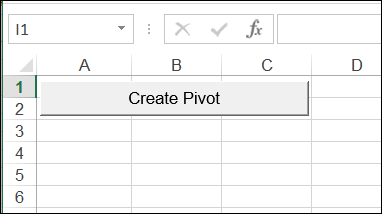
You just click the button to start the macro.
您只需单击按钮即可启动宏。
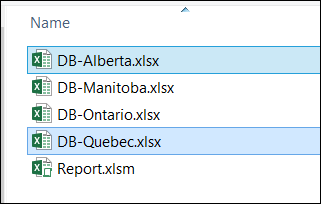
Then, select the files that you want to include (press the Ctrl key, and click on multiple files)
然后,选择要包括的文件(按Ctrl键,然后单击多个文件)
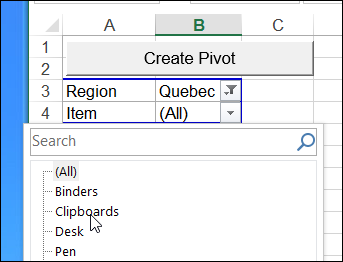
A pivot table is created from all the data, and you can filter or sort the data, just as you would in any other pivot table.
数据透视表是根据所有数据创建的,您可以像对其他数据透视表一样对数据进行过滤或排序。
而是创建一个Excel表 (Create an Excel Table Instead)
Instead of building a pivot table from the data, a few people asked if it was possible to create a worksheet table instead.
少数人询问是否可以创建工作表,而不是根据数据构建数据透视表。
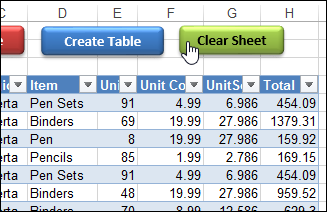
So, I created a variation on Kirill’s macro, and I’ve uploaded a new version of the file. Now it has two “Create” buttons on the main sheet:
因此,我在Kirill的宏上创建了一个变体,并上传了该文件的新版本。 现在,它在主表上有两个“创建”按钮:
- one to create a pivot table, and 一个来创建数据透视表,以及
- one to create an Excel table. 一个创建一个Excel表。
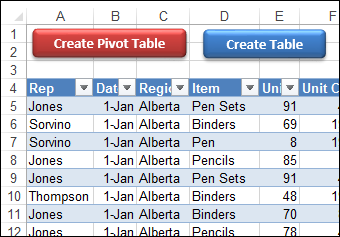
I also added a Clear Sheet button, to remove whatever is on the sheet, in case you want to start fresh.
我还添加了“清除工作表”按钮,以删除工作表上的所有内容,以防您想重新开始。
下载样本文件 (Download the Sample File)
To download the new version of the sample file, please visit the Excel Sample Files page on my Contextures site. In the Pivot Tables section, look for PT0033 - Pivot Table or Excel Table from Multiple Files
要下载新版本的示例文件,请访问我的Contextures网站上的Excel Sample Files页面。 在“数据透视表”部分中,查找PT0033-多个文件的数据透视表或Excel表
The zipped file contains a folder with region files and the master file – Report.xlsm. The master file contains macros, so be sure to enable those if you want to test the macros.
压缩文件包含一个包含区域文件和主文件Report.xlsm的文件夹。 主文件包含宏,因此如果要测试宏,请确保启用这些宏。




 已为社区贡献1条内容

所有评论(0)